The call ends at 2:40. You have four lines of notes, a recording you are never going to listen to, and a feeling that somebody said something about the domain renewal. Then you switch to the next thing, and the four lines go wherever the rest of your notes go.
Every note app on the Mac now has the word AI somewhere on its download page. Most of the time it means a button that rewrites the paragraph you selected. That is a fine thing to have. It does not get the domain renewal back.
This is Grape's own blog, so you know where this lands. Instead of a ranking, here are five tests. Each takes a few minutes, runs on the free version of whatever app you already have, and is about what happens to a note after you wrote it. Where another app wins one, I say so.
Test one: find a note by what you remember
Pick a note from six months ago. Do not open it. Type into the search box what you remember about it, in the words you would use to tell a friend, and see whether it comes back.
Most apps find words. If you typed the word renewal, they find renewal. If what you remember is the idea and not the word, you open notes until one of them is it.
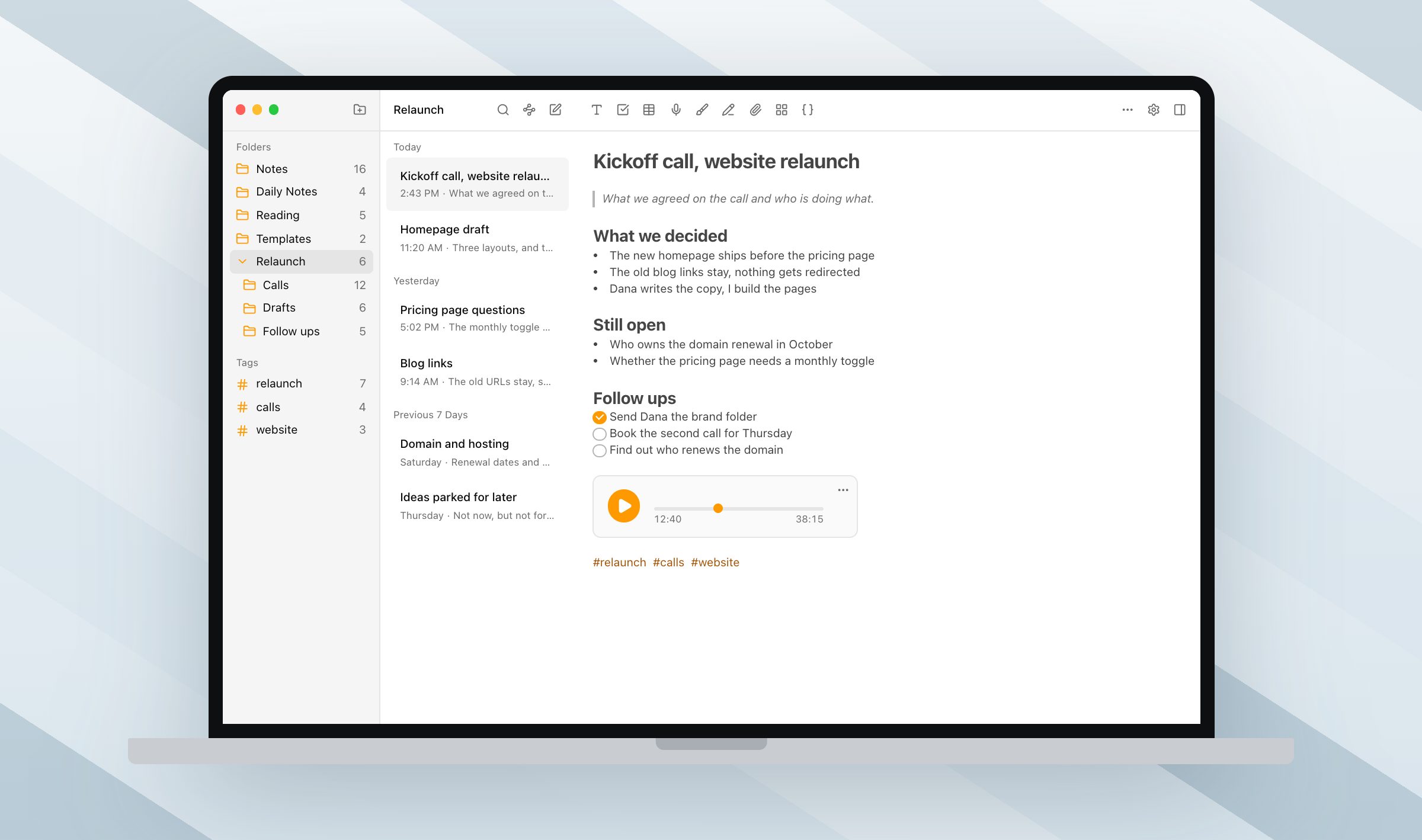
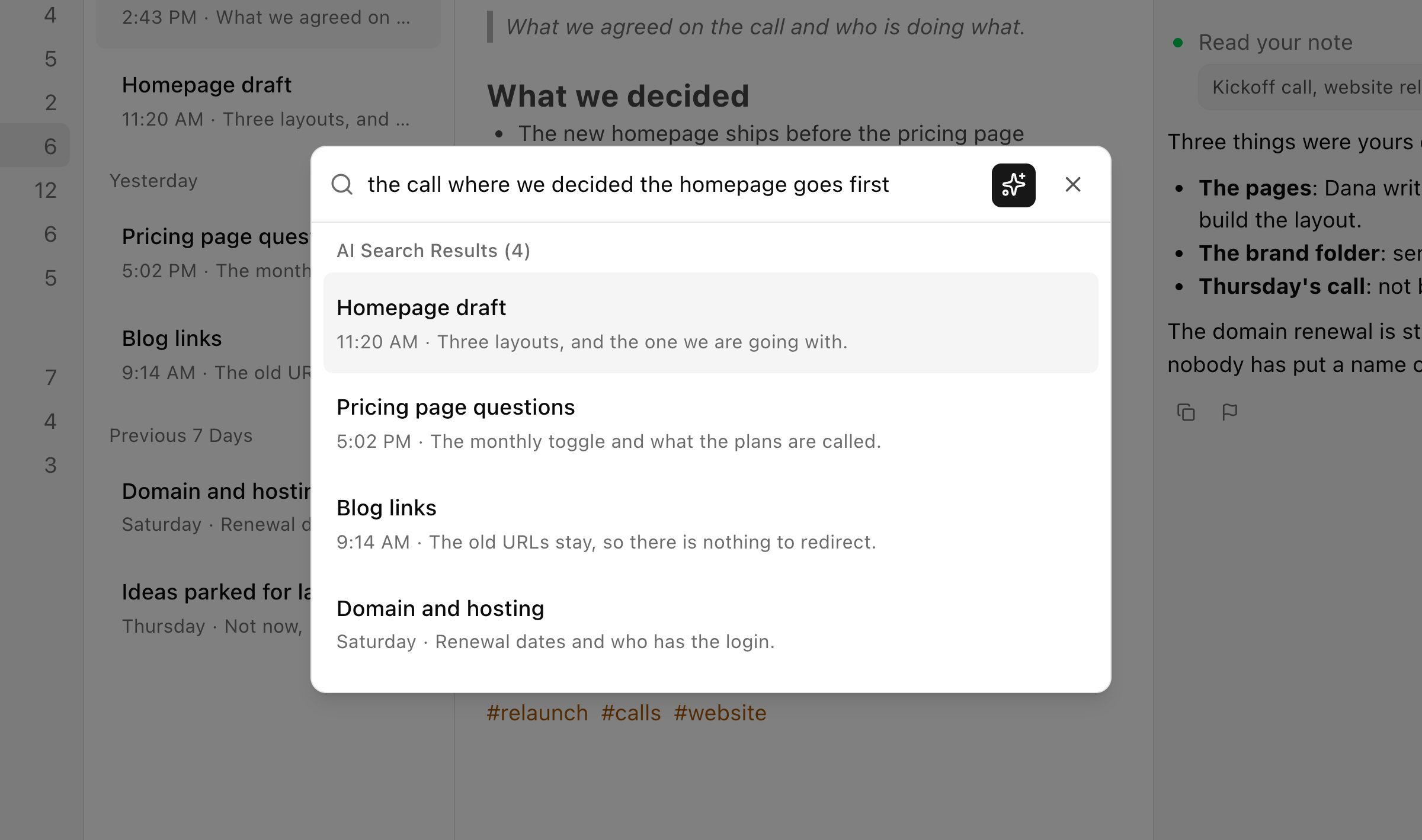
Grape indexes every note by meaning as you write, so the search box takes the sentence you remember and brings the note back. "The call where we decided the homepage goes first" finds the kickoff note, the homepage draft and the pricing questions, none of which have that sentence in them. This is the test to run first, because it is the one you feel every week.
Test two: ask one question across everything
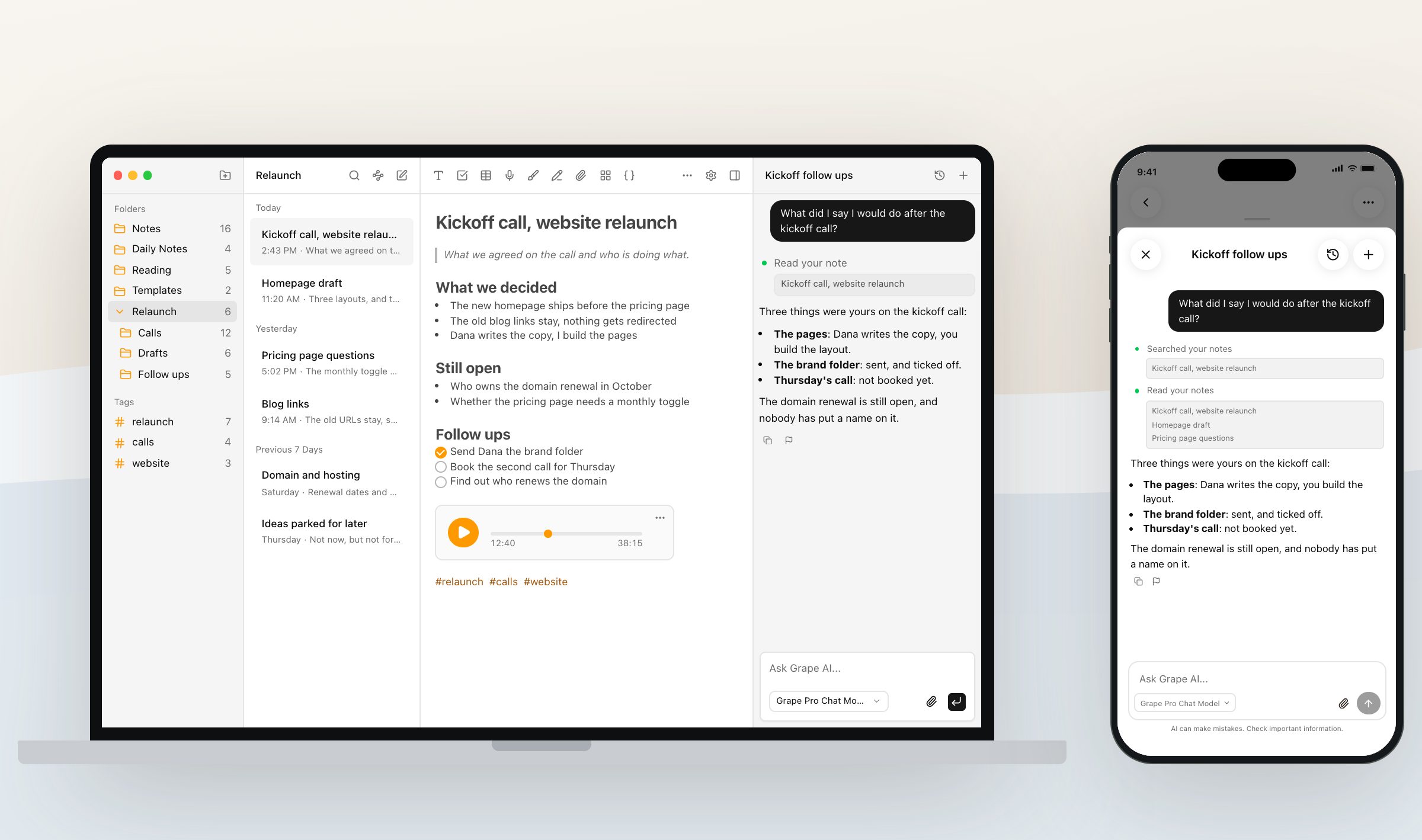
Ask the app a question whose answer is spread over three notes. "What did I say I would do after the kickoff call?" is a good one, because the answer is half in the note and half in the checklist under it.
A rewrite button cannot do this, because it only sees the note you have open. Grape's chat is an agent over the whole library. It searches what you wrote, answers with your own line and names the note it read, so you can click through and check. Ask what is still open on the relaunch and it reads the kickoff note, the pricing questions and the domain note together.
It can also do things. Move the loose notes from last week into the right folders, tag every call that mentions the domain, write a summary into a new note with a link back. When the answer is not in your notes at all, it can search the web from the same conversation, and on Pro it remembers what you tell it about yourself between chats.
Test three: record what is playing on the Mac
Join a call, or play a lecture video, and press record inside a note. Then check whether the recording has the other people in it, or only you.
A microphone hears the room. A call plays through the speakers, so the microphone hears the other side as a faint echo or not at all. Grape's recorder on the Mac has three sources: the microphone, the system audio, or both together. Both together is the meeting setting. The first time it asks for the screen recording permission, which is what macOS uses to hand an app the sound it is playing, and Grape opens the right pane of System Settings for you.
Grape handles the echo too. When you record microphone plus system audio on a Mac, it runs the microphone through Apple's voice processing, which takes whatever is coming out of the speakers back out of the mic before the two are mixed. You can record a call on the built in speakers and mic and get one clean track. Windows gets a reminder to wear headphones instead.
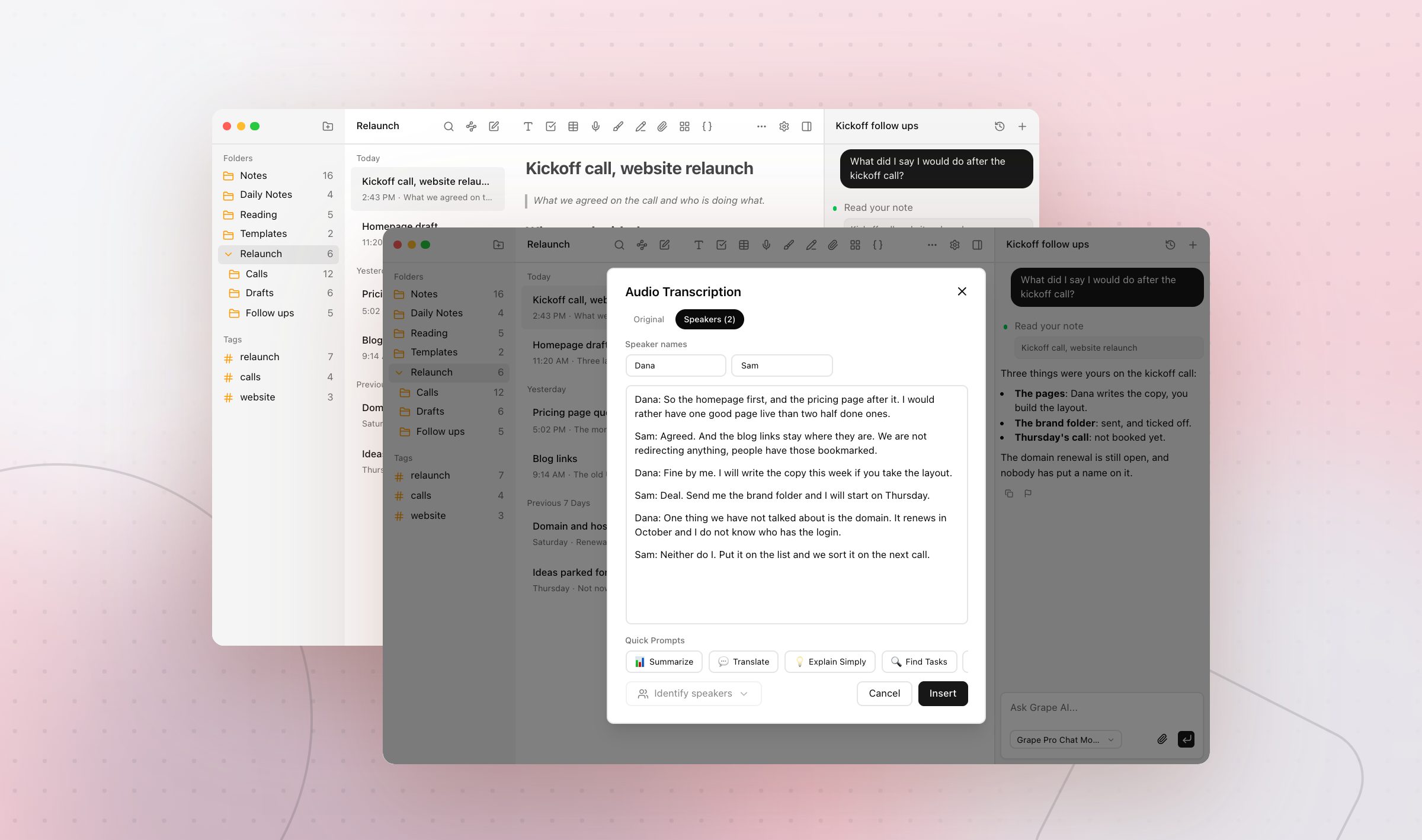
The recording lives inside the note. On Pro, or with your own key, it comes back as text. On Pro the speakers tab also splits it by who was talking, so you can name the voices and read the call as a conversation, and the summary can say who promised what.
Test four: write a note without leaving the app you are in
You are in a browser, or in a call, or in someone else's document, and a thought turns up. Count how many clicks it takes to have it saved.
Grape has a quick capture window. Turn it on in the Shortcuts tab of Settings and Cmd Shift Space opens it from any app on the Mac, a small window over whatever you are doing. Type, save, and it is a note, with the first line as the title. Dismiss it and Grape writes nothing. It starts off, because a global shortcut takes that combination away from every other app, and a fresh install may ask for the accessibility permission before macOS lets it answer.
The capture lands in the folder the app opened with, or in one you pick, and it is in the list the next time you look at the app.
Test five: find out where the notes live
Quit the app. Turn off the wifi. Open it again and see what still works.
Grape writes to a database file on your Mac, and you choose where that file sits, so a folder you already back up is fine. Writing, reading, organizing, drawing and recording all work with nothing connected. Sync between your devices is a paid plan, and it stays off until you turn it on.
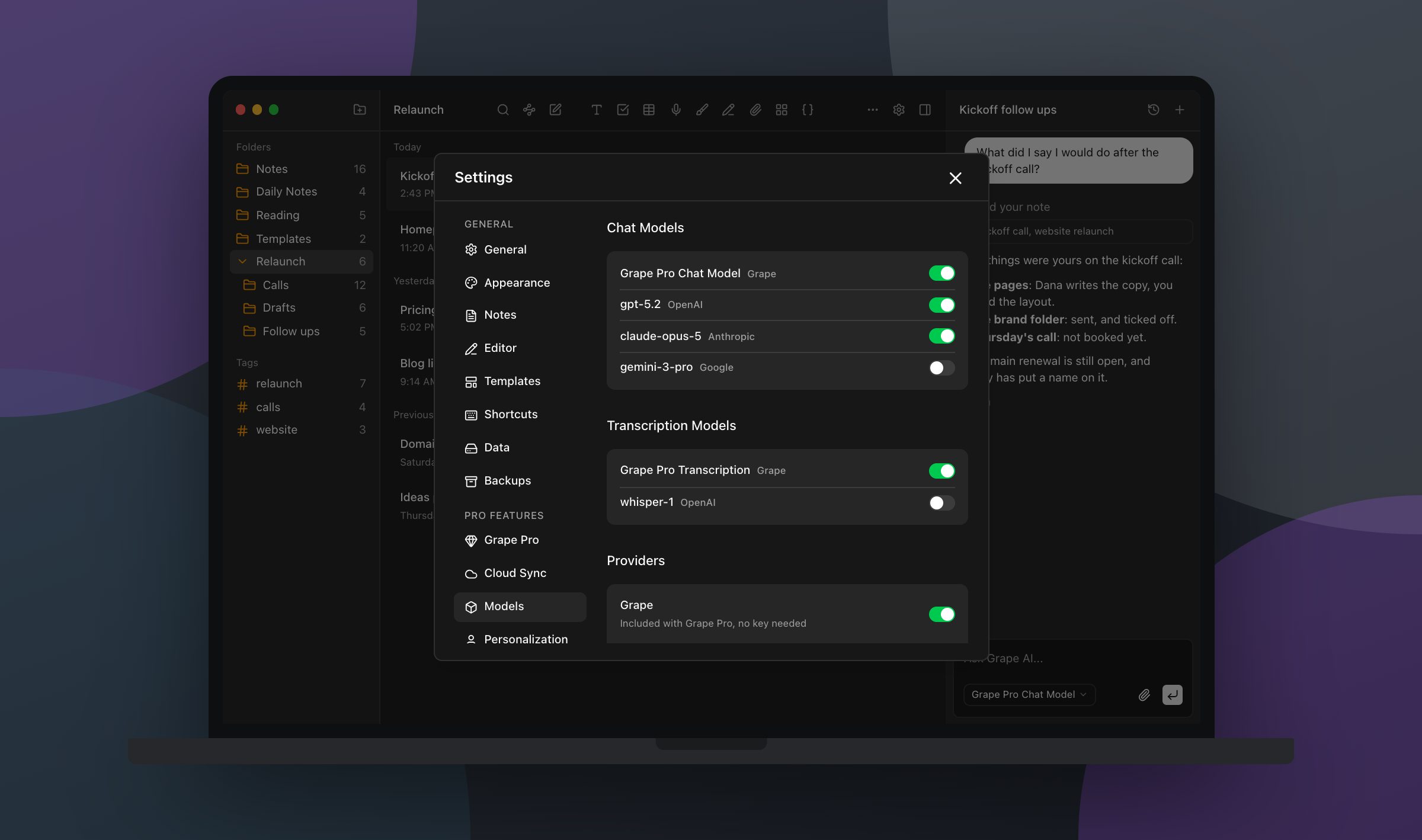
The AI can stay on the machine too. On the desktop app you can point Grape at Ollama or LM Studio and run a local model, so the text never leaves the computer. Or bring your own key from OpenAI, Anthropic, Google or a few others and pay the provider directly. Both are switches in the Models tab next to Grape's own models, so you can run chat locally and keep a hosted model for transcription, which local models rarely do well.
The note becomes something
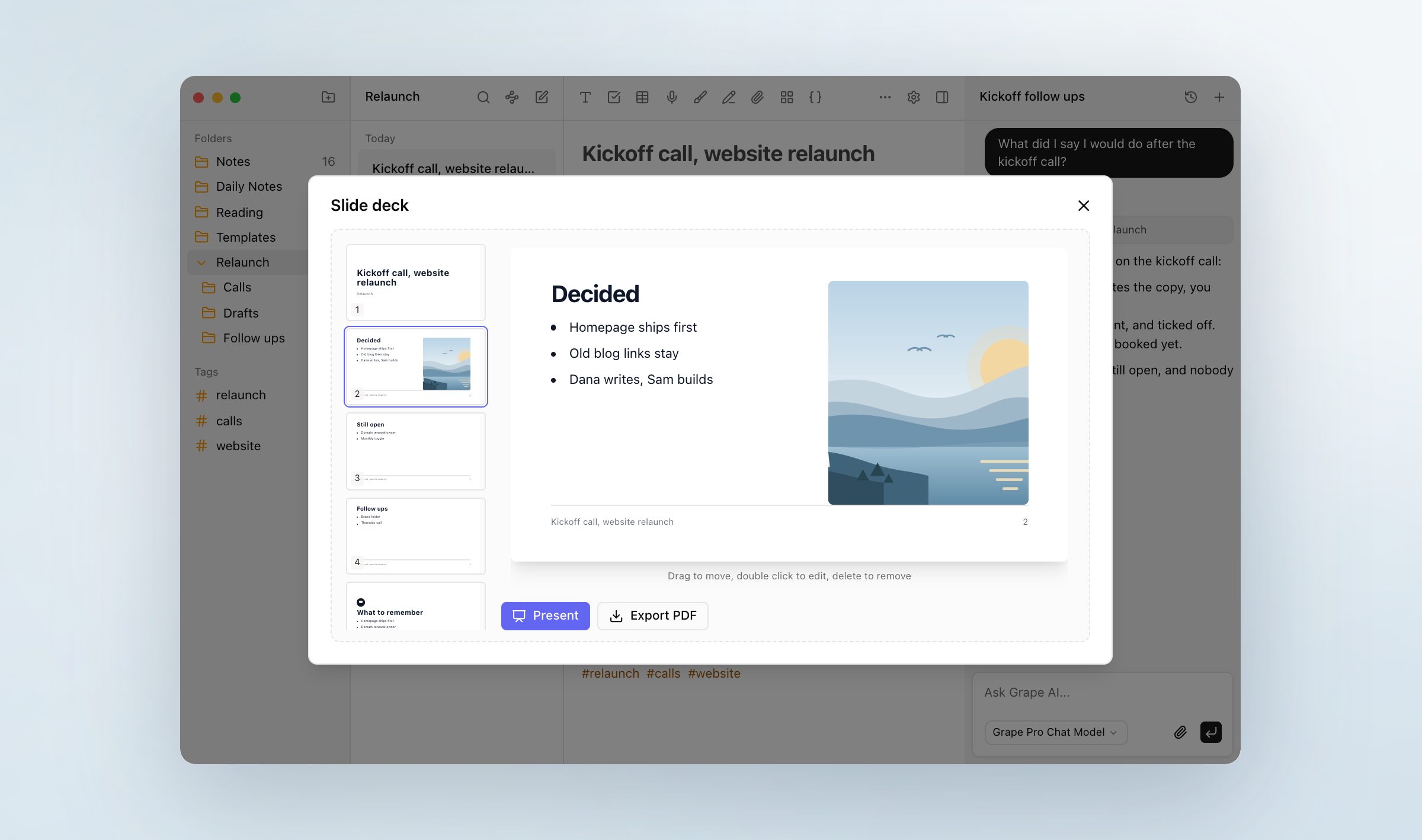
This one is not a test, because it is what happens to the note afterward. Open a note and ask for a slide deck, and Grape writes one from it: as many slides as you asked for, a closing slide with the two or three things to remember, pictures drawn for the slides that suit one, and Present and Export PDF under it. Ask for flashcards and you get ten, front and back, kept inside the note. Ask for a quiz and it is ten questions, or thirty in adaptive mode. Ask for a mind map and the note is drawn as branches you can collapse. Each is built from the first 8,000 characters of the note, which is a long meeting and not a whole transcript.
You type nothing twice. The deck comes from the note you took on the call, and it lives with that note.
The other apps on the Mac
I have compared Grape with each of these on this blog, and the prices below are the ones I read off each app's own site for those pieces.
Apple Notes is free, fast, and already on the machine. Apple Intelligence works on the note you have open: it will proofread a paragraph and summarize a transcript. It will not search the rest of the library by meaning or file the twelve loose notes from last week. If you leave, Grape imports the whole library from the Mac app on any paid plan, folders included, after macOS asks for Full Disk Access.
Bear is the best looking typed notebook on the Mac, and Pro is $2.99 a month. It has no first party AI and no plugins to add any, and it runs on the Mac, the iPhone and the iPad and nowhere else.
Obsidian is local first for the same reason Grape is. There is no first party AI: you install a community plugin, bring a key, and get a chat box next to your notes rather than something that has read them and can act on them.
Notion is built for systems, and Notion AI is priced per member on top of the plan. If what you want is a team wiki with an assistant in it, that is the right tool and this article is not for you.
Evernote puts its AI search and AI editing on the Advanced plan at $249.99 a year, which is also the only tier with unlimited notes.
NotebookLM is the one I would tell you to keep alongside Grape. It reads the PDFs you upload and answers with a citation, and it is better at forty PDFs than Grape is. Nothing goes in that was not uploaded as a source first, so there is nothing to type into while the call is happening.
What it costs
Free is the whole app: unlimited notes and folders, the editor, the canvas, tags, attachments, voice recording, the quick capture window and the clipper, with no account.
Sync is $4.99 a month for the same library on every device, with version history, daily backups, import and export, and no AI in it. Pro is $19 a month for Grape AI with no keys to manage, the agent, the search, the transcripts, the speakers, the study tools, the slide decks and sync, none of it metered. Lifetime is $29 once, where the AI runs on your own keys and you pay the provider, and there is no sync in it, so it is the plan for one Mac.
And the phone
The tests are about the Mac because that is where the calls and the long notes happen. The phone app is the same app: the editor, the folders, the tags, the recorder, the same agent with the same tools, and the share sheet for the article a friend sent you. With Sync or Pro the note you started on the Mac is on the phone before you reach the door.
Run test one on the app you have today. If the note comes back, keep the app. If it does not, put this week's notes into Grape and try again in a month.
Grape is available for iPhone, Android, Mac, Windows and Linux at grape.cool/download.