Your vault has a few thousand notes, a folder of templates and a Dataview query you wrote two years ago and no longer read. It opens in a second on the laptop. On the phone it waits for Sync, at $5 a month, or for the iCloud folder you set up yourself. When you want to ask it something, the answer is a community plugin and an API key.
Obsidian is not a bad app. Version 1.14 came out on October 5 with a kanban view for Bases, it is free, and the notes are Markdown files any editor can open. Leaving makes sense when you want something it does not do, and what that is decides where to go. Below are ten reasons to leave, with one app for each. Grape comes first because this is Grape's blog, and its section says where it falls short.
What comes across from a vault
There is nothing to export, because the vault is already a folder of Markdown files. Copy it somewhere you back up and import the copy, so the vault stays as it was whatever happens. Plugin output is what moves badly everywhere: a Dataview query arrives as the text of the query, a Templater command as the command, and a .canvas board or a .base view is Obsidian's own file. The rest depends on the app:
| App | How the vault gets in | Links between notes | Frontmatter |
|---|---|---|---|
| Grape | Folder import, desktop and phone | Become note links, matched by title | Title kept, the rest dropped |
| Logseq | The original app opens the folder | Same syntax, work as they are | Read as page properties |
| Reflect | Copy the notes into its folder | Same syntax, work as they are | Stays in the files |
| Joplin | Obsidian importer, desktop | Become note links, shown names too | Tags read from it |
| Capacities | Obsidian importer | Become links when linked notes come in together | Becomes properties |
| Anytype | Obsidian importer | Become links between objects | Becomes properties |
| SiYuan | Obsidian importer | Become block references | Kept as a YAML block |
| AFFiNE | Obsidian importer, desktop | Become page links | Title, dates and tags kept |
| Bear | Obsidian importer, Mac | Same syntax, work as they are | Tags read from it |
| Notion | Markdown import, zipped | Not documented, check afterward | Not documented |
If your vault leans on properties, that last column decides more than anything below it.
1. If you want the vault to answer questions: Grape
This is the thing Obsidian does not do without a plugin, and it is what Grape is built around. Its agent reads across the whole vault, not only the note you have open. Ask what you wrote about naps and it answers from two notes and names both. Search takes the sentence you remember rather than the words you typed: "the thing about short naps and remembering" brings back the sleep note, the nap length note and the spacing note, none of which has that sentence in it. The agent can also file, tag, move and write notes when you ask.
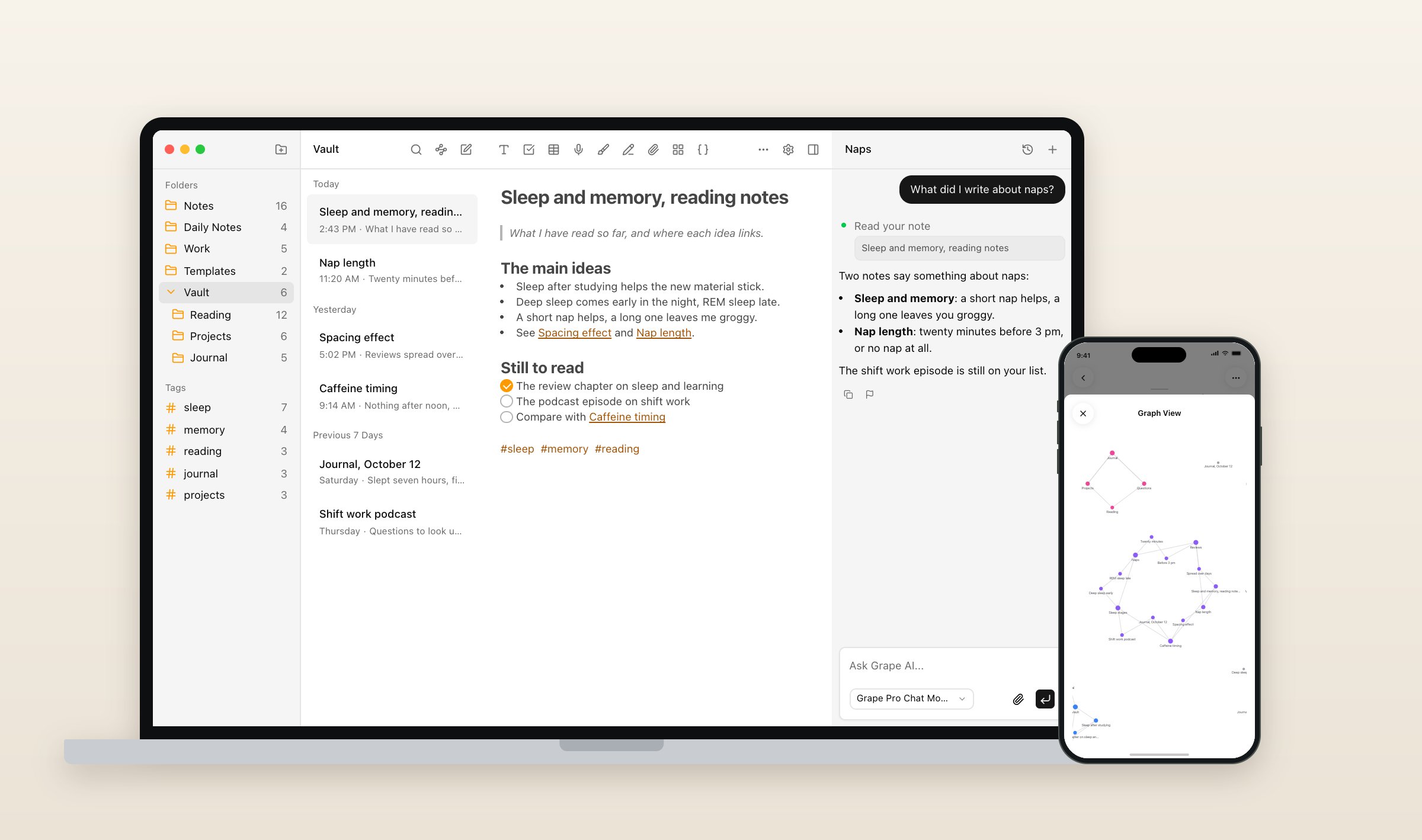
The desktop and phone apps import a folder of Markdown files on any paid plan. Each subfolder becomes a folder, links between notes stay links, inline tags stay tags, pictures come along however they were embedded, and every note keeps its file's dates. A link with a heading or an alias after the title comes in unconnected, a nested tag keeps only its first part, and PDFs and other attachments stay behind. The phone takes up to 5,000 files at a time. After the move every note has a Backlinks tab, and graph view draws the vault on the desktop and on the phone.
What you give up is the files. The notes live in a database on your computer or phone, in a folder you pick on the desktop, and the way back out is an export of the whole library as a ZIP of Markdown files in their folders. There are no plugins, nothing like Bases, and no web version. Grape is free with no account, Sync is $3 a month, Plus is $9 a month with Grape's AI included and Pro is $19 a month with the best model. Lifetime is $49 once, with the AI on your own API key and sync through your own Dropbox or Google Drive. On the desktop the chat can also run on a local model through Ollama or LM Studio. There is a longer comparison of Grape and Obsidian for students, and every plan is on the pricing page.
2. If you think in outlines: Logseq
Logseq is free and open source, and its original app keeps every page as a Markdown file in a folder you own, the way Obsidian does. It writes links and tags the same way too, so it can open a copy of the vault as it is. The difference is the shape: everything is an outline, every line is a block you can link to, and the app opens on today's journal page. There are no folders, and a note written in paragraphs reads differently in an outliner than one written in bullets.
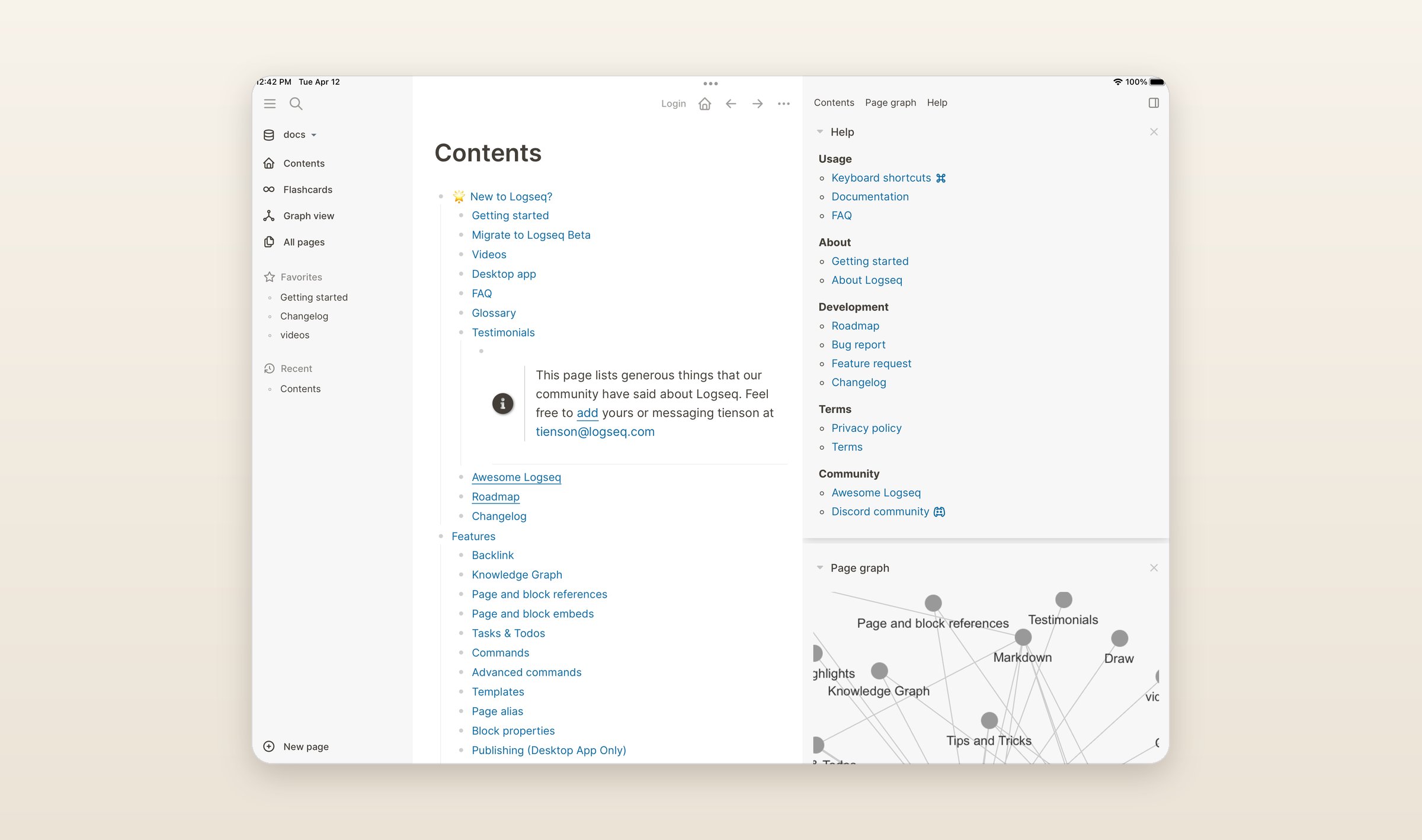
The catch is timing. In April Logseq split in two. The file-based app became Logseq OG, which gets security fixes and no new features. The new app keeps the name, stores notes in a database and is still a beta: version 2.0.2 came out on October 7, its release notes ask you to back up first, and it can write notes out to Markdown in one direction only. Its sync is end-to-end encrypted and in testing for people who back Logseq on Open Collective, from $5 a month. The original app syncs however you already sync a folder. Both run on Mac, Windows, Linux, iPhone, iPad and Android, and neither has AI of its own.
3. If you want plain files on a Mac and an iPhone: Reflect
Reflect Open came out in July as the new version of Reflect, and it is the app on this list that works most like Obsidian. The notes are Markdown files in a folder you choose, with no account, it opens on today's daily note, and each note shows the notes that link to it. Since version 0.14 it also shows Obsidian's embeds. It is open source under the MIT license.
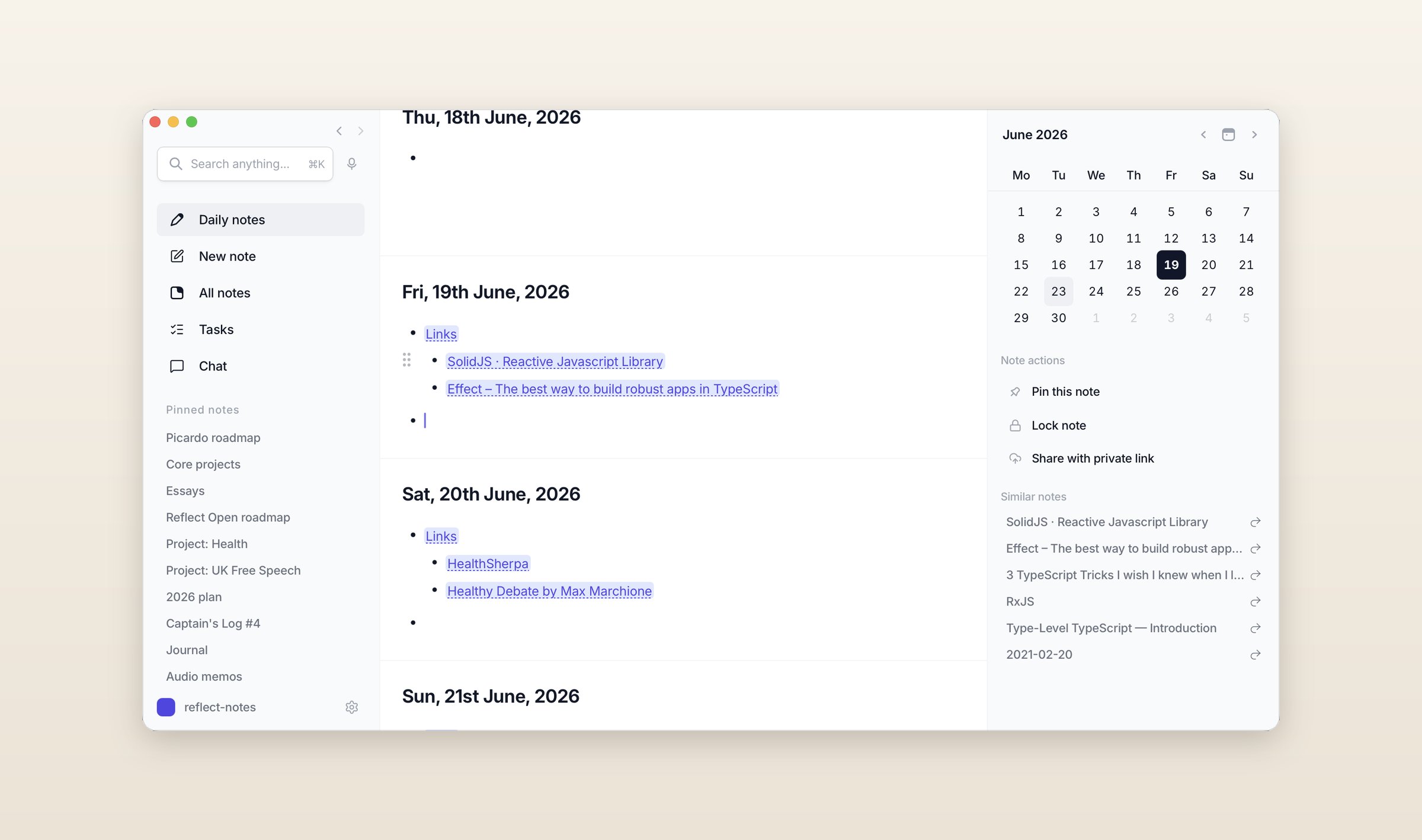
It has no importer. Reflect lays its folder out its own way, daily notes in one folder and other notes in another, so the vault comes across by copying notes in, and your own folders are not how it organizes anything. Sync goes through iCloud Drive or Git at no cost. The AI runs only on your own OpenAI, Anthropic, Google or OpenRouter key, and semantic search runs on the device. The Mac app is free, the iPhone app has Pro at $9.99 a month or $99 a year, and Windows builds are experimental as of October 13. There is no Android or Linux app, and the whole thing is still a beta.
4. If the Sync bill is the problem: Joplin
Joplin is free and open source, and it syncs through your own Dropbox, OneDrive, Nextcloud, WebDAV or S3 at no cost, with end-to-end encryption you switch on. If you would rather not run any of that, Joplin Cloud starts at €2.99 a month, priced in euros, and comes with a web version and Joplin's AI. The apps run on Mac, Windows, Linux, iPhone, iPad and Android.
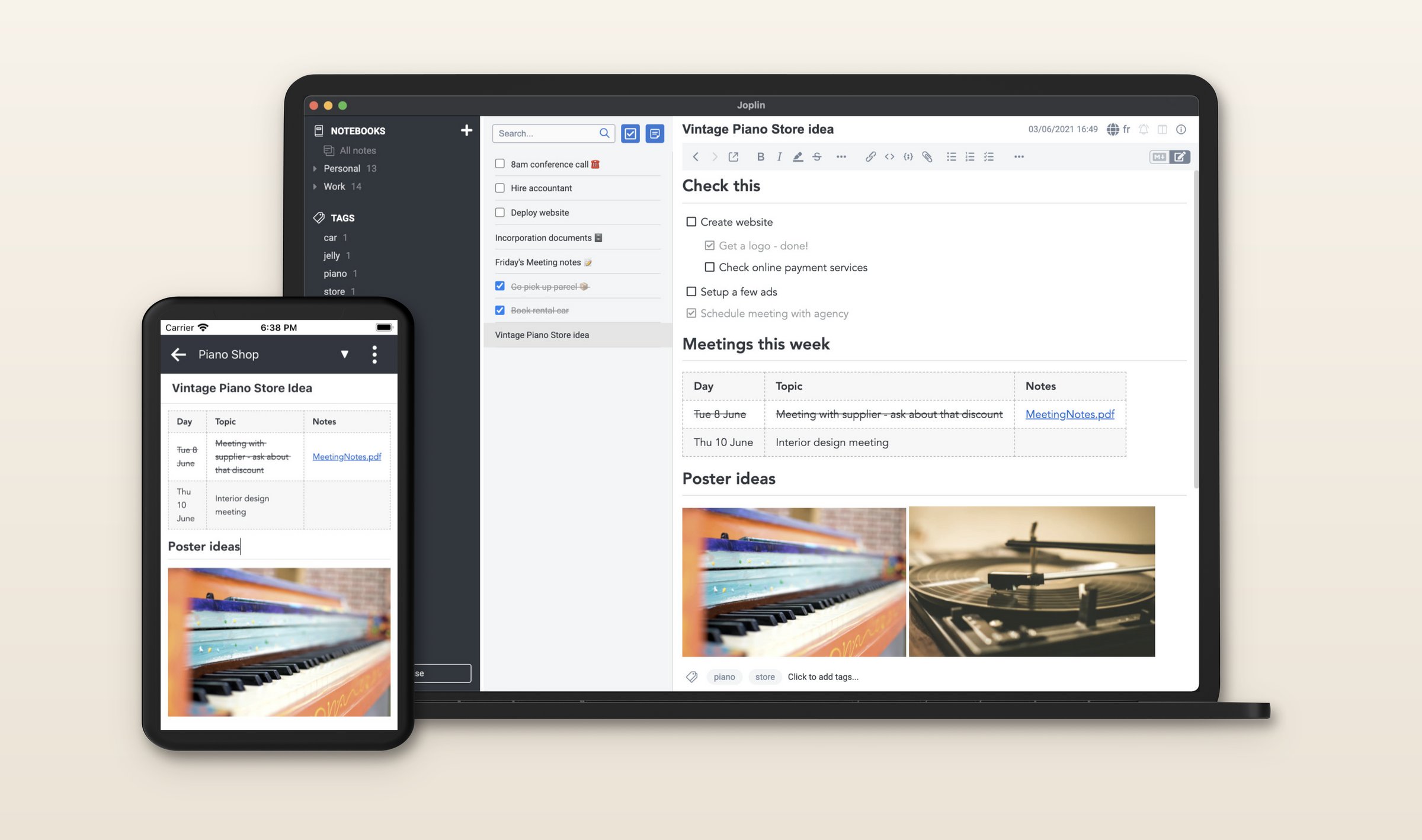
Since version 3.7 at the end of August, the desktop app has an importer for Obsidian vaults. Links between notes come across, including ones that show a different name, inline and YAML tags become Joplin tags, and embedded pictures and files come along. Links it cannot match stay as text. You give up files, since Joplin keeps its notes in a database, and backlinks and a graph view are plugins rather than part of the app. The AI is a beta on the desktop only: it runs on Joplin Cloud, your own OpenAI or Anthropic key or a local model, its chat works on the note you have open, and semantic search covers the rest.
5. If you are tired of keeping plugins working: Capacities
If your vault has a People folder, a Projects folder and a Dataview query that lists the meetings, you have built a database out of plugins. Capacities has one built in. A book, a person, a meeting or an idea is an object with a type, each type has its own properties and views, and every object links to the others.
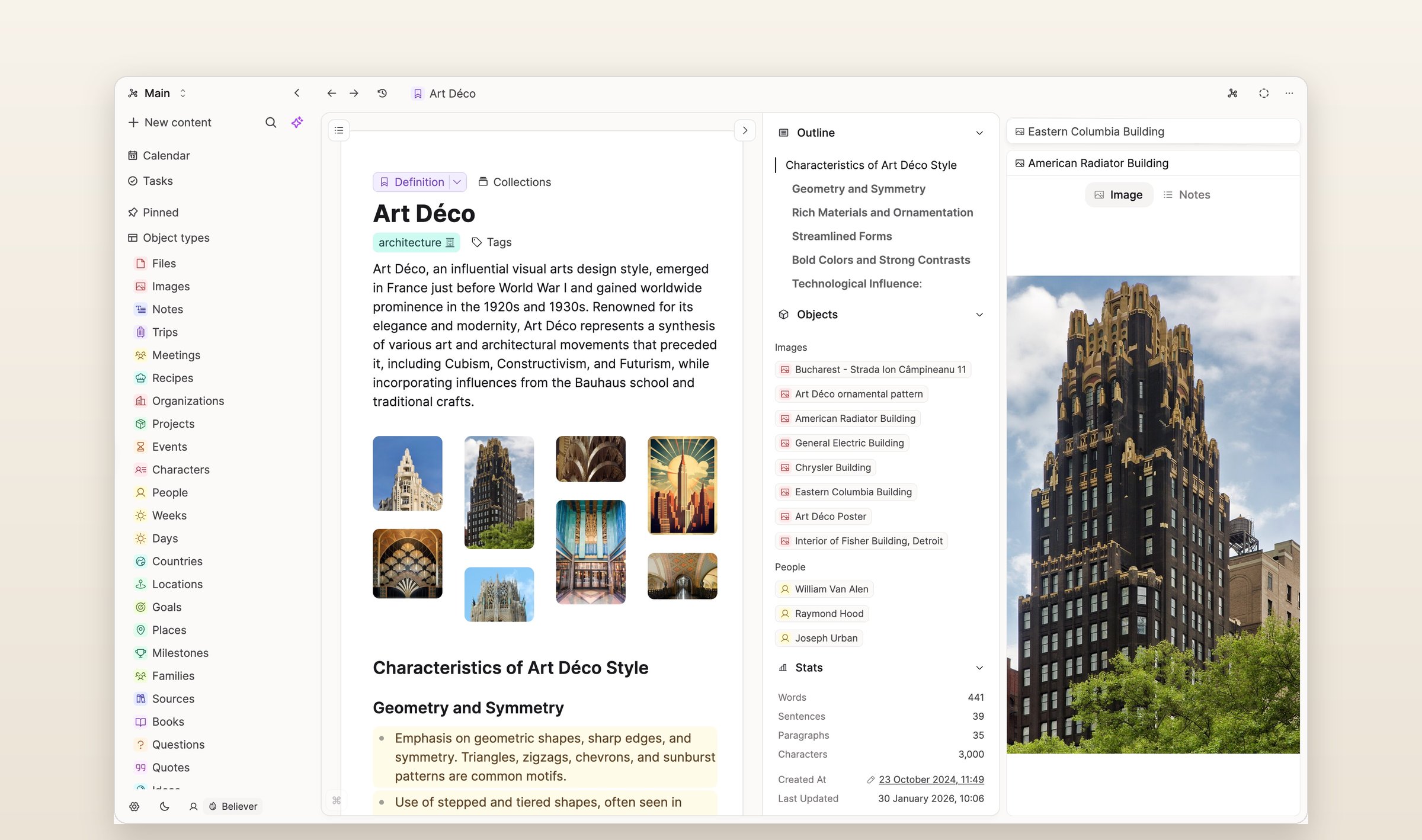
The Obsidian importer asks you to decide what each note is before it runs. You map each top-level folder, or a type field in the frontmatter, to an object type, and frontmatter fields become properties. Import linked notes in the same run, which is how their links connect, and check links, embeds and pictures afterward. Notes that fit no type come in as plain pages without properties. The free plan includes sync, offline use and 5 GB of uploads, then 100 MB a month, and Pro is $11.99 a month, or $9.99 paid yearly, with the AI assistant and version history. It runs on Mac, Windows, Linux, iPhone, iPad, Android and the web, as a cloud app that keeps working offline.
6. If you want your notes encrypted on your own devices: Anytype
Anytype keeps your notes on your devices, encrypted with a key only you hold. Like Capacities, it builds notes out of types: a page, a book or a task is an object, and the type gives it properties you can sort and filter by. Its Obsidian importer turns each file into an object, links between notes into links between objects, tags into tags and frontmatter into properties. Anytype's guide asks you to turn embeds into plain links and strip out Dataview and Templater syntax first.
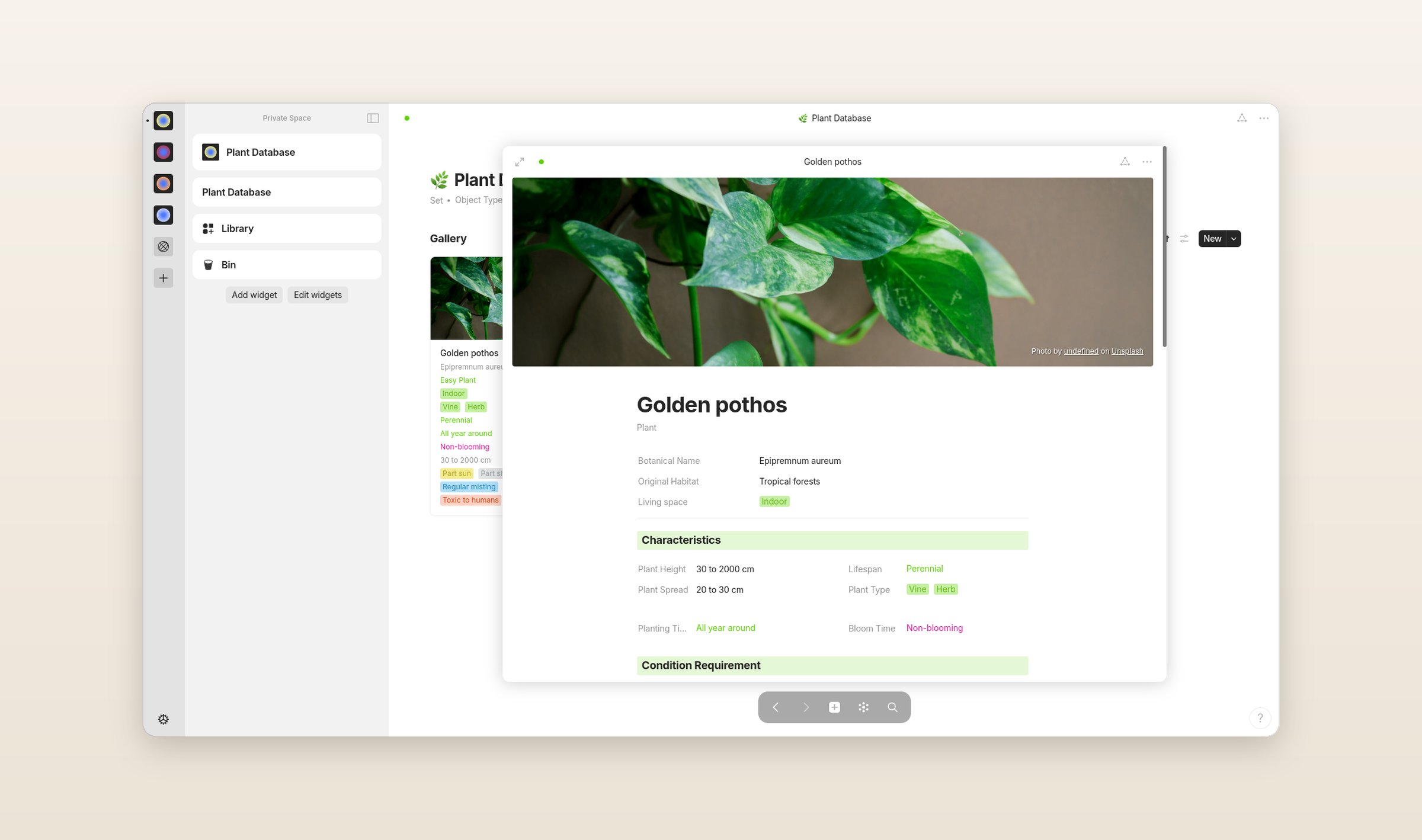
It is free with 100 MB on Anytype's backup servers, which text barely touches and pictures fill. Past that, sync falls back to devices on the same network, and Plus is $5 a month for 1 GB. It runs on Mac, Windows, Linux, iPhone, iPad and Android, with no web version and no AI in a released version. The catch is what comes next. In September the team announced Anytwo, a rebuilt app planned for the end of the year that will need a one-time migration from Anytype, so a vault moved in now may have to move again.
7. If you link blocks, not just pages: SiYuan
SiYuan is open source and local, and every paragraph, heading and list item is a block with its own ID that you can reference or embed anywhere. If your vault leans on links to single paragraphs and on note embeds, SiYuan is built around them. Its Obsidian importer turns links between notes into block references, points links to a heading at that heading, turns note embeds into live embeds, and keeps callouts, pictures and the folder tree.
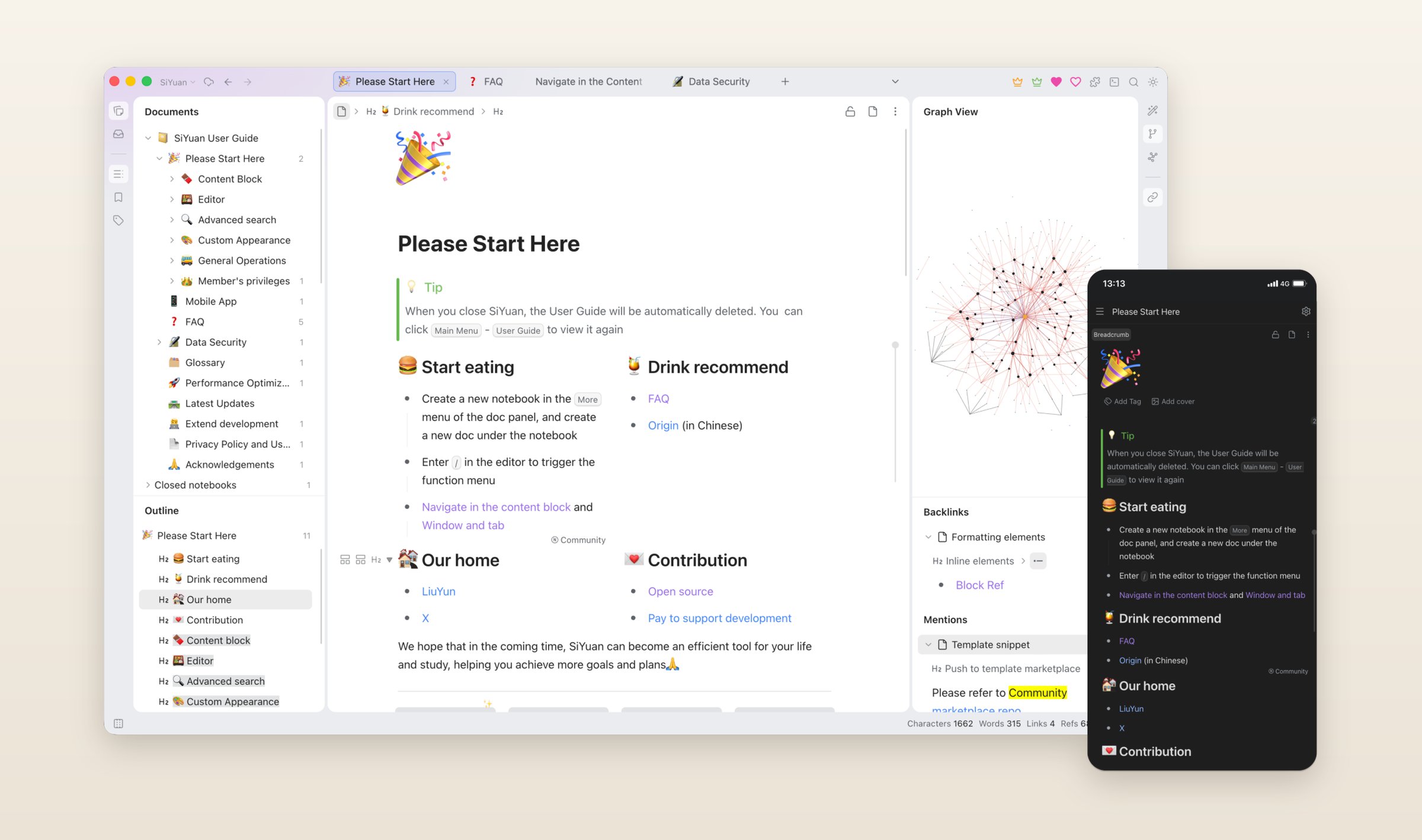
The notes are not Markdown files, though. SiYuan stores them as its own JSON files and exports Markdown when you ask. The app is free for local use on Mac, Windows, Linux, iPhone, iPad and Android. Sync through your own S3 or WebDAV storage is a one-time $64 upgrade, end-to-end encrypted, and SiYuan's own cloud costs more. Since version 3.8 in August it has an AI agent and semantic search on your own OpenAI-compatible key.
8. If you live in Canvas: AFFiNE
AFFiNE puts documents and an endless whiteboard in the same workspace, and any page can be opened as either. If you planned in Obsidian's Canvas, this is the closest thing on the list. It is open source, works offline, and keeps local workspaces free with no limit.
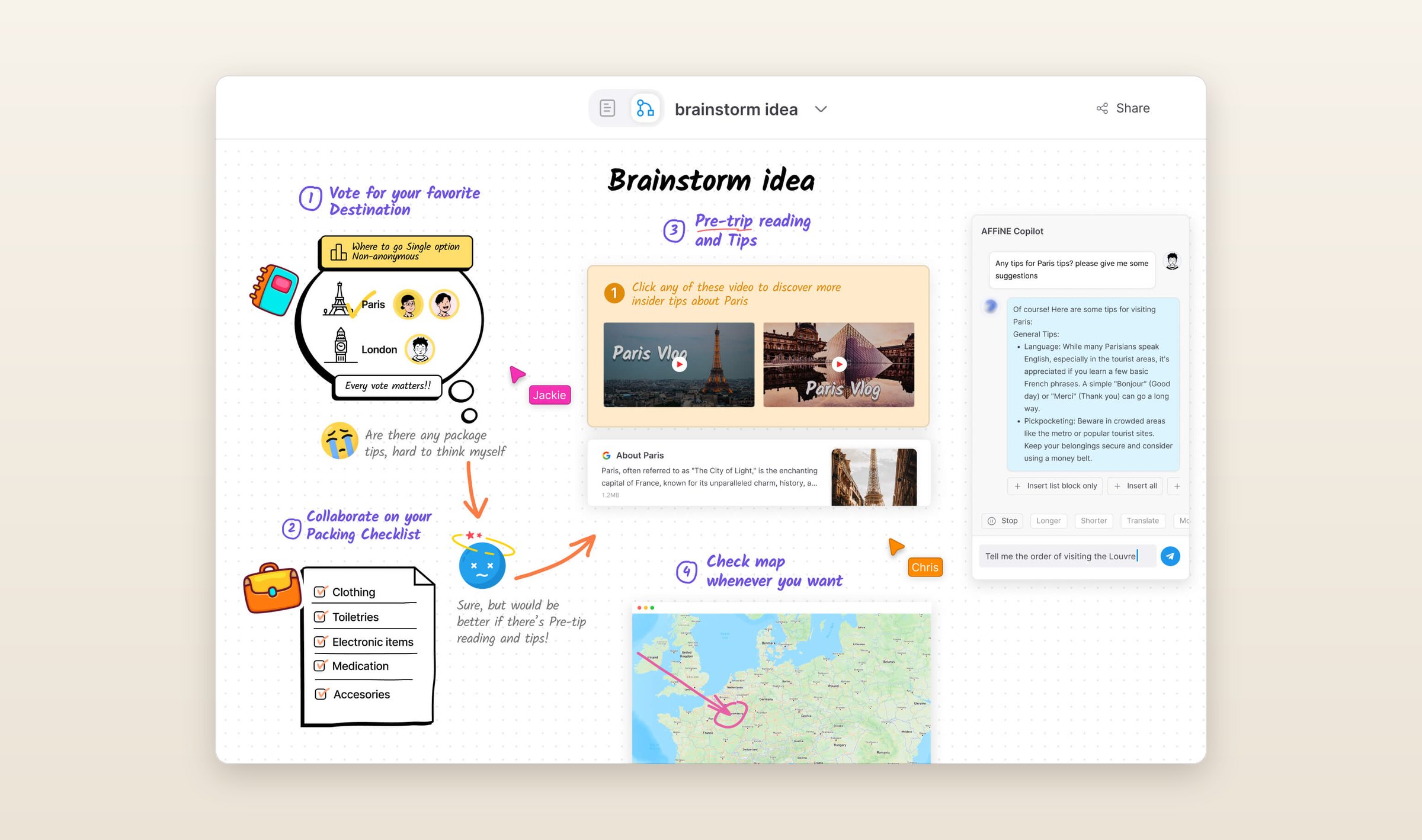
Since version 0.27 in July the desktop app imports Obsidian vaults. Links between notes become page links, folders come across, and from the frontmatter it keeps the title, the dates, the tags and the favorite flag. Your .canvas boards do not come with them. The notes live in AFFiNE's own database rather than as files. The cloud plan is free up to 10 GB, Pro is $6.75 a month paid yearly, and the AI is a separate add-on at $8.90 a month paid yearly. It runs on Mac, Windows, Linux, iPhone, iPad, Android and the web.
9. If you only use Apple devices: Bear
Bear is a Markdown editor for the Mac, iPhone and iPad. It links notes with the same double square brackets Obsidian uses and organizes them with nested tags instead of folders. It is free on one device, and Pro is $2.99 a month or $29.99 a year with sync through iCloud. A web version is in public beta.
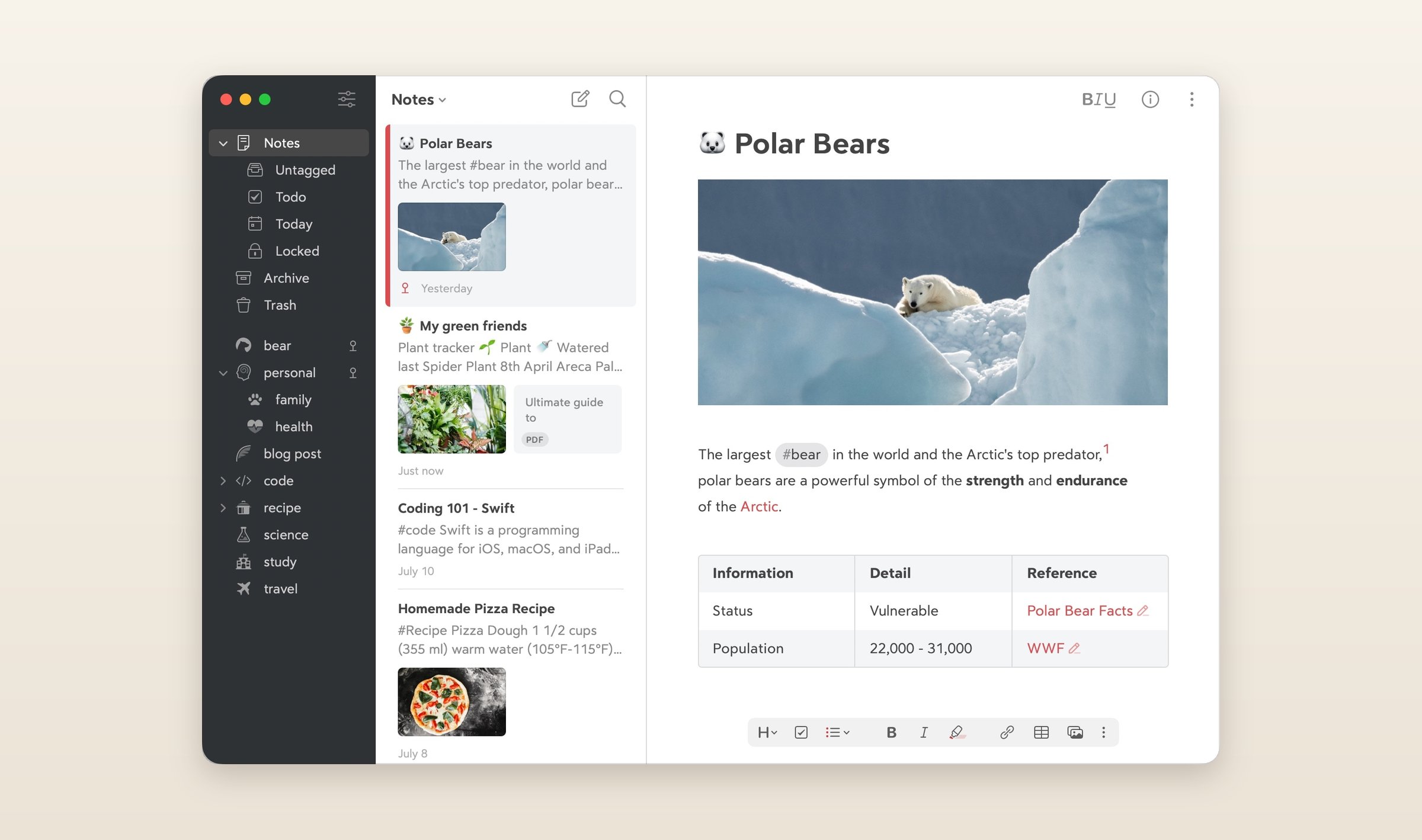
The Mac app has an Obsidian importer. Attachments come in however they were linked, and inline and YAML tags come in as Bear tags. Folders do not: Bear has none and the importer does not turn yours into tags, so a vault organized by folders loses that shape. There are no plugins, no graph view and no AI of its own beyond Apple's Writing Tools, though since version 2.8 the Mac app has an MCP server, so an assistant like Claude can read and edit your notes. And it is Apple only: there is no Windows, Android or Linux app.
10. If you need other people in it: Notion
If what Obsidian is missing for you is other people, Notion is built for that. Notes live in pages and databases, a team edits them together, and a page can be published to the web.
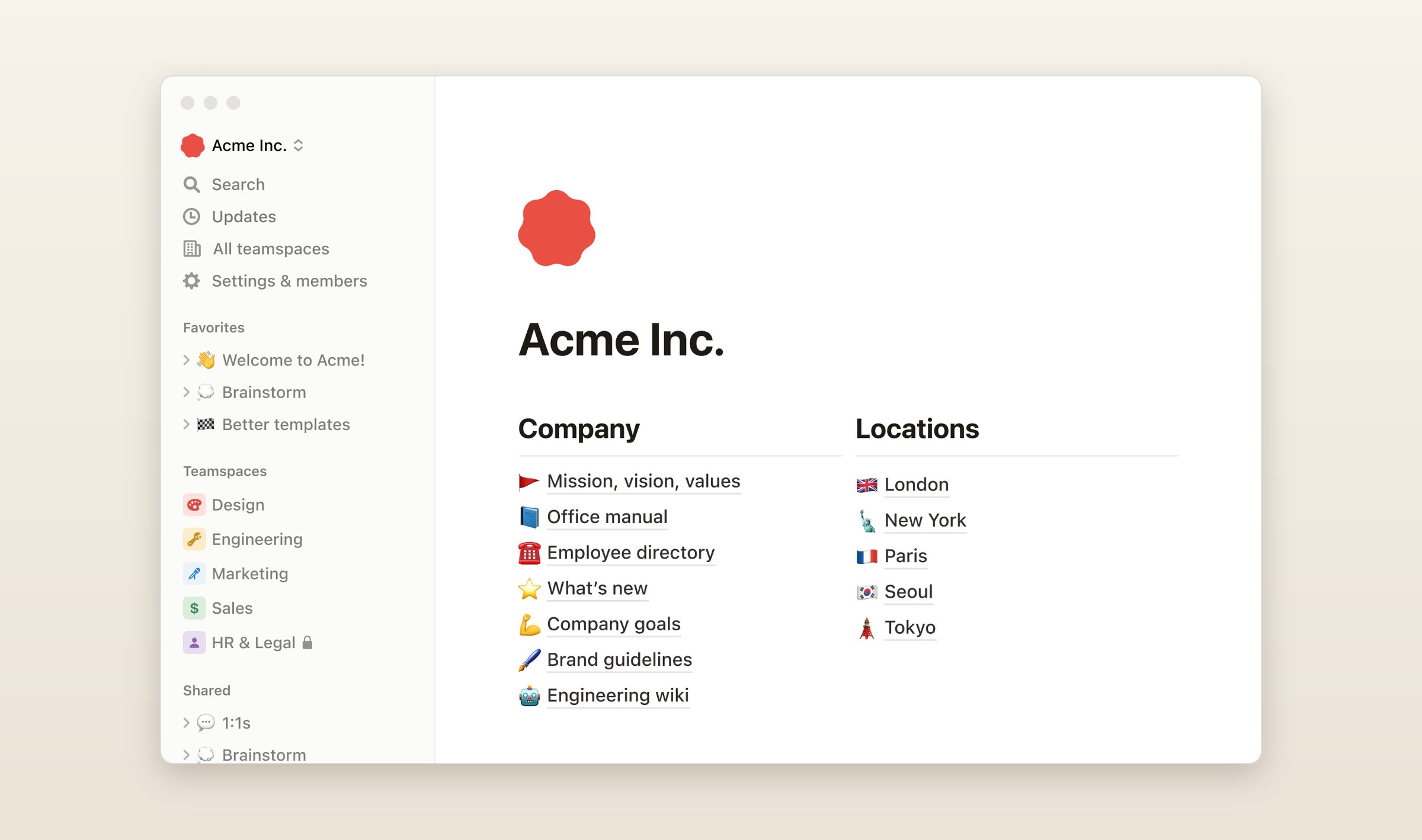
There is no Obsidian importer, but the desktop and web apps import Markdown, and zipping the vault keeps its folders as nested pages. Notion's help says an import of 10,000 files or more is likely to fail and that nonstandard Markdown does not import, so check the links between notes afterward. It is free for one person, and Plus is $12 a month. Full Notion AI and its agents come with Business at $24 a month. It runs on Mac, Windows, iPhone, iPad, Android and the web, with no Linux app. Offline is partial: the apps keep the pages you pick, plus recent pages and favorites on paid plans, and the notes live on Notion's servers without end-to-end encryption.
What they cost
Monthly prices in US dollars, checked on October 13, 2026. Joplin Cloud sells in euros, and AFFiNE lists Pro only as a yearly plan. The screenshots of the other nine apps are their makers' own, from their websites, App Store listings, GitHub and Flathub.
| App | Free plan | Paid | Runs on | AI |
|---|---|---|---|---|
| Obsidian | Everything but Sync and Publish | Sync from $5/mo | Mac, Win, Linux, iOS, Android | Plugins only |
| Grape | Unlimited notes, no account | Sync $3, Plus $9, Pro $19, Lifetime $49 once | Mac, Win, Linux, iOS, Android | Plus and Pro, or your own key |
| Logseq | Everything | Sync testing for backers from $5/mo | Mac, Win, Linux, iOS, Android | None |
| Reflect | The Mac app | iPhone Pro $9.99/mo | Mac, iOS, Windows beta | Your own key |
| Joplin | Everything, sync on your own cloud | Joplin Cloud from €2.99/mo | Mac, Win, Linux, iOS, Android | Beta, desktop only |
| Capacities | Sync, offline, 5 GB of uploads | Pro $11.99/mo | Mac, Win, Linux, iOS, Android, web | Pro |
| Anytype | Everything, 100 MB on its servers | Plus $5/mo | Mac, Win, Linux, iOS, Android | None yet |
| SiYuan | Everything on one device | Sync $64 once | Mac, Win, Linux, iOS, Android | Your own key |
| AFFiNE | Local workspaces, 10 GB of cloud | Pro $6.75/mo yearly, AI add-on | Mac, Win, Linux, iOS, Android, web | Add-on |
| Bear | One device, no sync | Pro $2.99/mo | Mac, iOS, web beta | None |
| Notion | One person | Plus $12/mo | Mac, Win, iOS, Android, web | Business plan |
Do this today
Pick the one reason above that is actually yours, copy the vault, and import the copy into that one app. Keep Obsidian installed while you try it, since it still opens the original folder.
Grape is available for iPhone, Android, Mac, Windows and Linux at grape.cool/download.