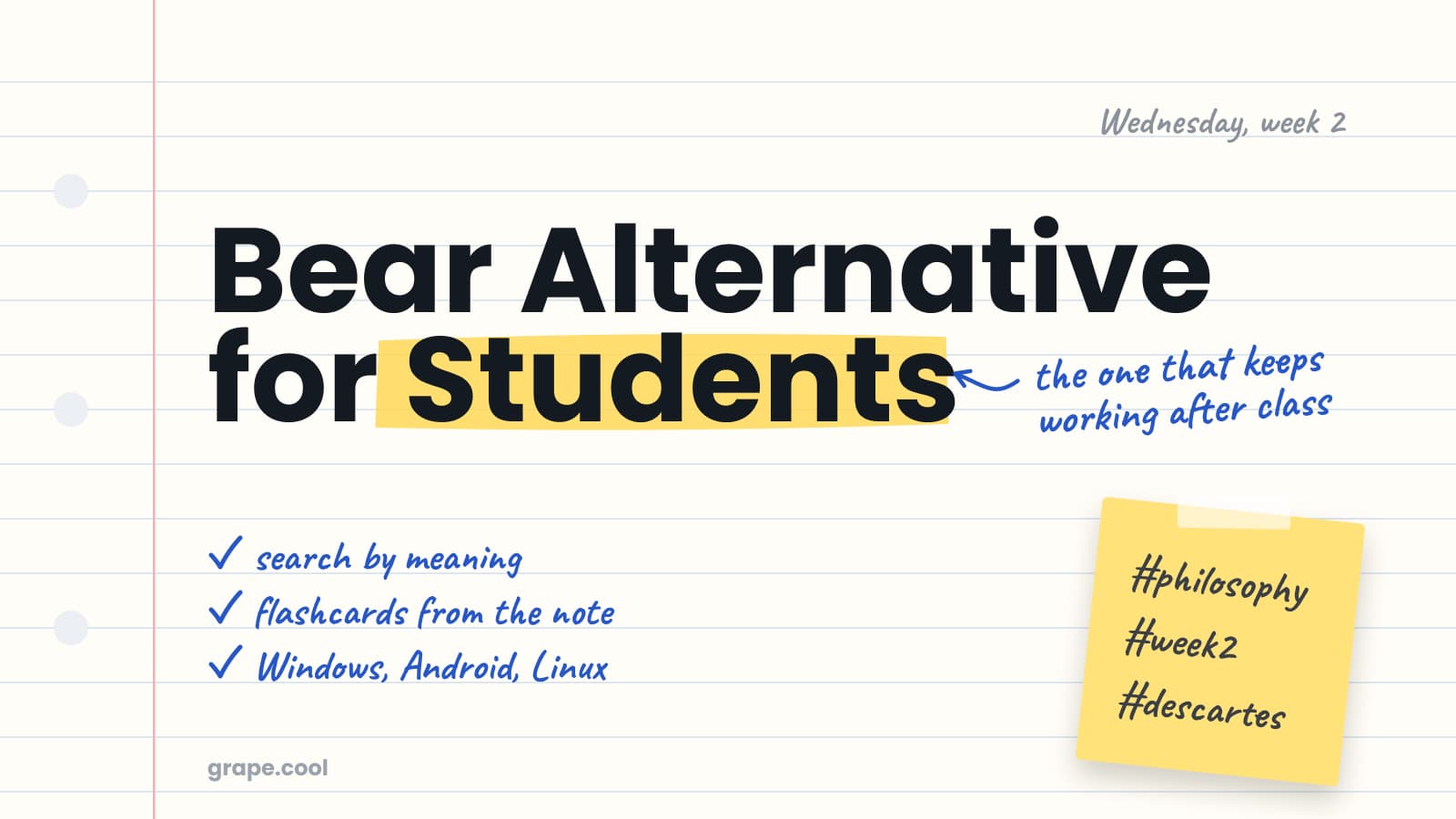
You type a hash, then the word philosophy, and the note files itself. That is the moment Bear gets you. No folders to make, no workspace to name, the lecture is a Markdown file with a tag at the bottom and the app looks better than anything else on the Mac.
Bear is fast, it looks good, and the notes stay on your machine. What I want to do is walk through a semester with it and say where it stops, and then say what Grape costs, because this is the one comparison where the price goes the wrong way.
The Bear numbers below are from bear.app, read this week.
Bear is cheaper, and that is not a trick
Bear Pro is $2.99 a month or $29.99 a year, after a seven day trial. The free version keeps your notes on the device, scans documents, and exports to Markdown, PDF, HTML, DOCX and a few more. Pro adds sync through iCloud, twenty eight themes, fifteen app icons, and search inside PDFs and images.
Grape Pro is $19 a month. It is six times the price of Bear, so if what you want is the thing Bear is, a fast typed notebook that syncs between a Mac and an iPhone, buy Bear. It is very good at being that and I would not argue.
The rest of this piece is about what happens to a note after you have typed it, which is the part Bear does not do, and it is where the $19 goes.
Wednesday, week two
Lecture two on Descartes. You type it into Bear in twenty minutes, tag it, close the laptop. It sits there, well formatted, until the essay.
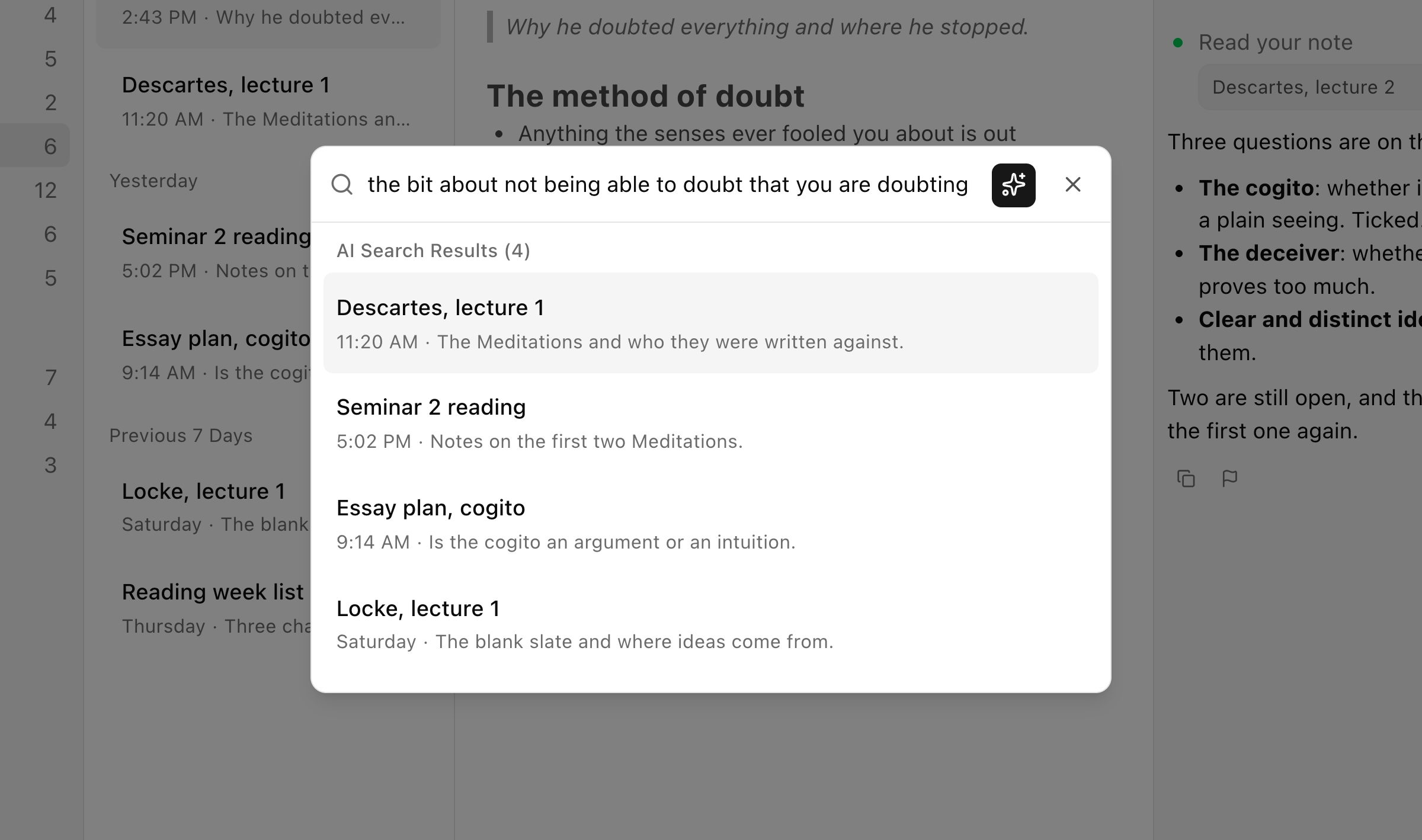
Then in November you need the bit about not being able to doubt that you are doubting, and you cannot remember whether it is under Descartes, under the seminar, or in a note called Tuesday. Bear's search finds words. If you typed cogito it finds cogito. If you remember the idea and not the word, you open notes until one of them is it.
Grape's search reads the sentence you actually remember and brings the note back, typed or not, because every note is indexed by meaning as you write. This is the first thing to try, and it is the one you feel on the night before an exam.
Ask the note instead of rereading it
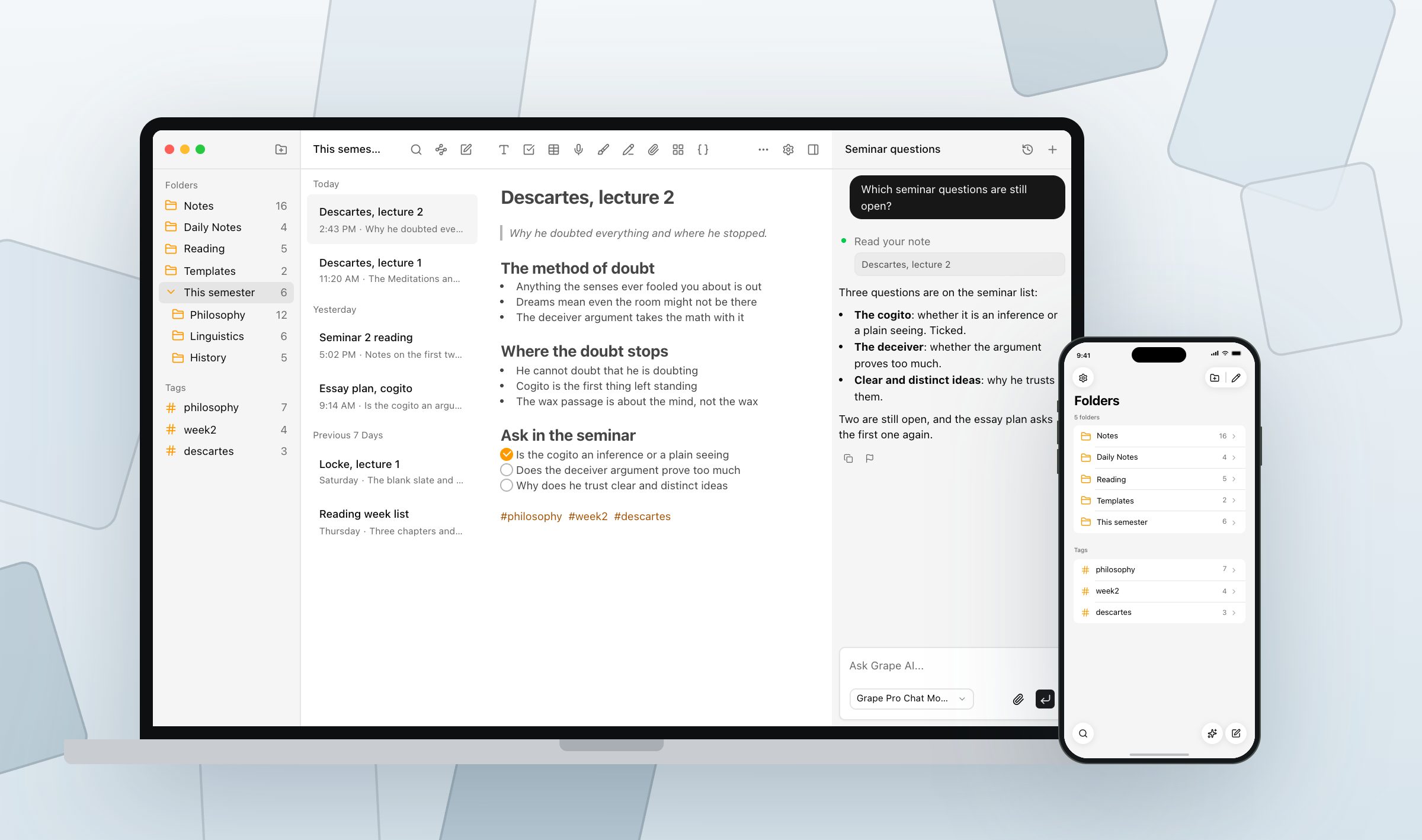
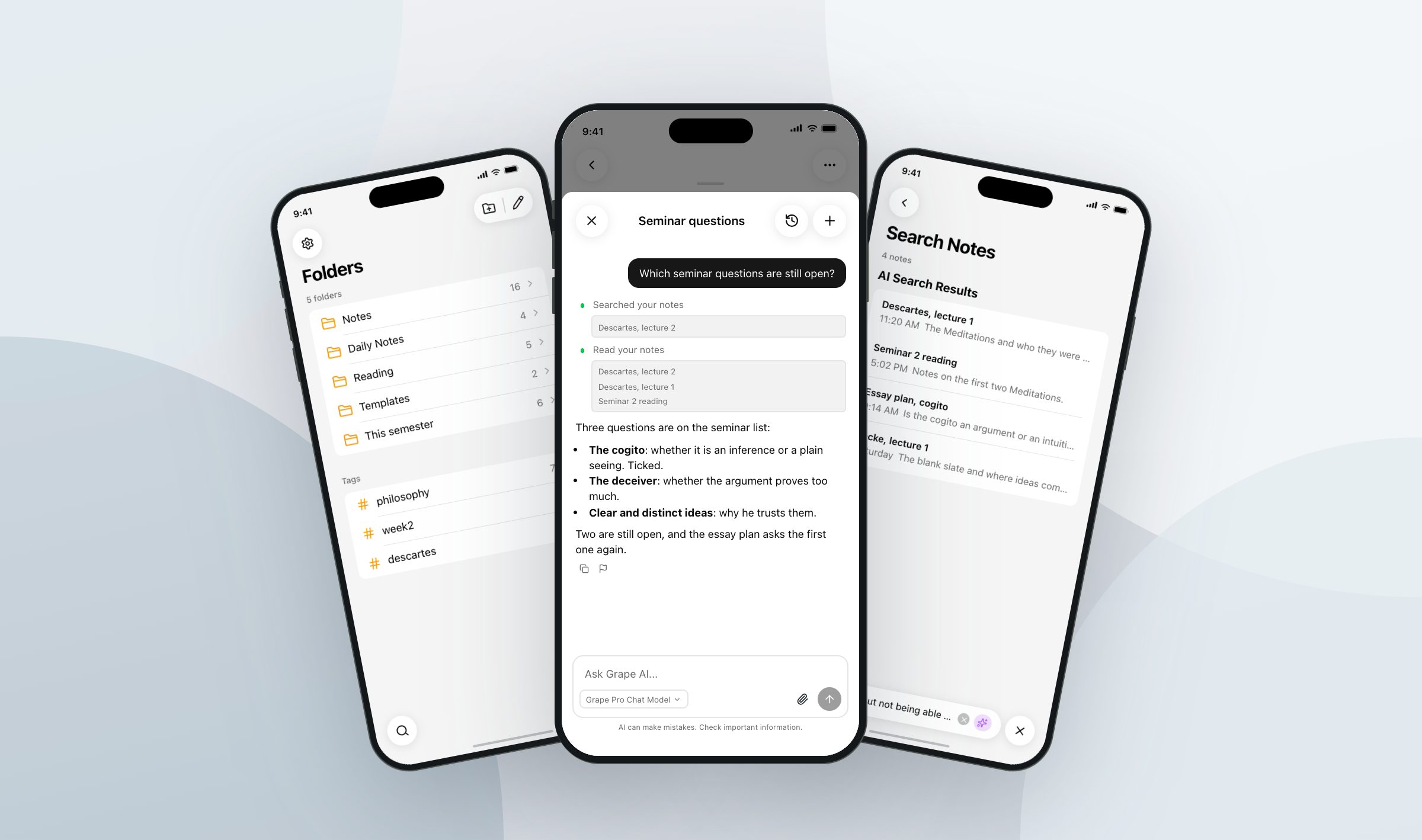
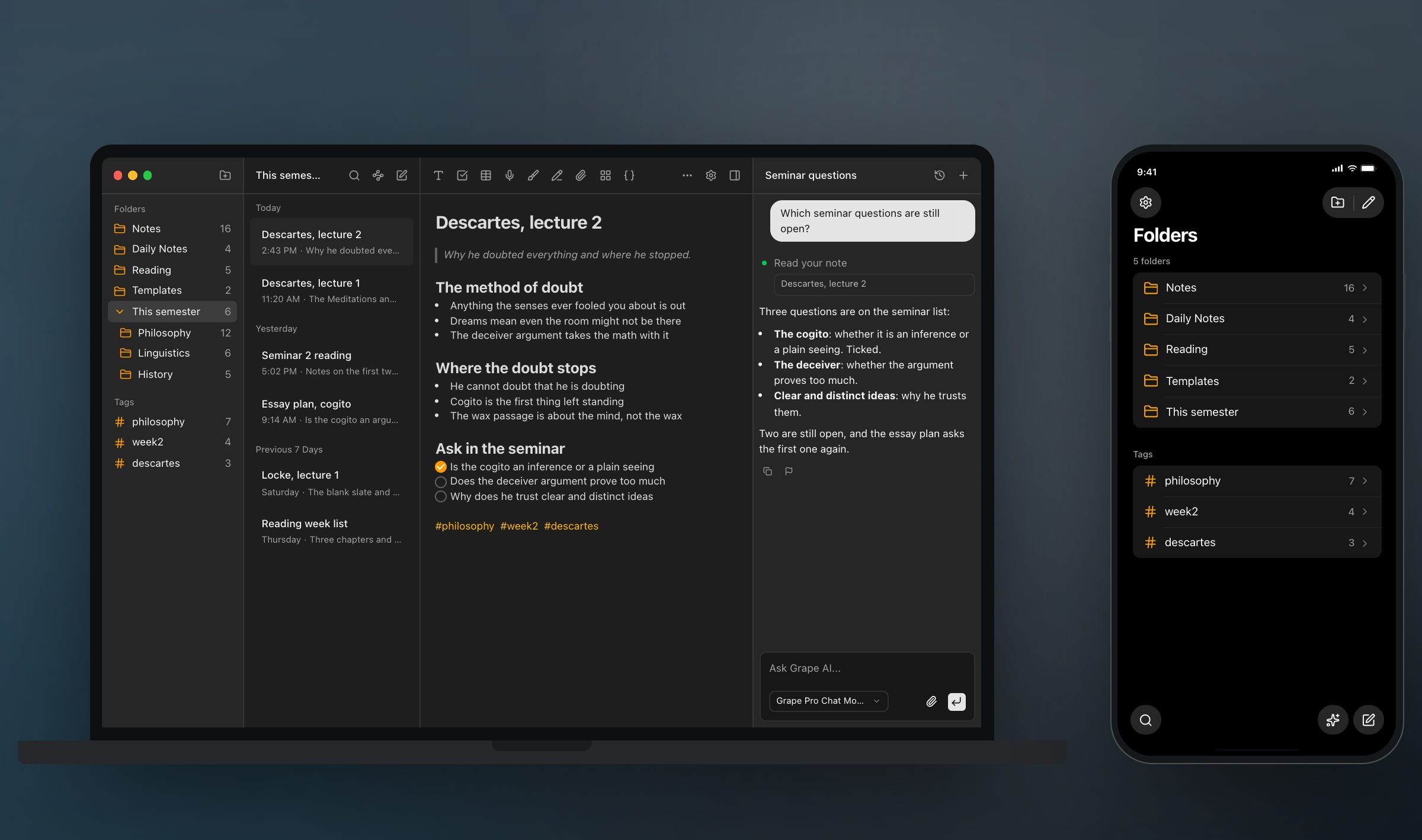
The second thing is the panel beside the note. It is an agent over the whole library. It searches what you wrote, answers with your own line, and says which note it read. Ask which seminar questions are still open and it reads the checklist. Ask what you have written about the cogito across the lecture, the reading and the essay plan and it reads all three.
It can also do things. Move the twelve loose notes from reading week into the right folders, tag every lecture that mentions Locke, write a summary into a new note with a link back. Bear has no first party AI at all. There is nothing to bolt on, either, because there are no plugins.
The note turns into the revision
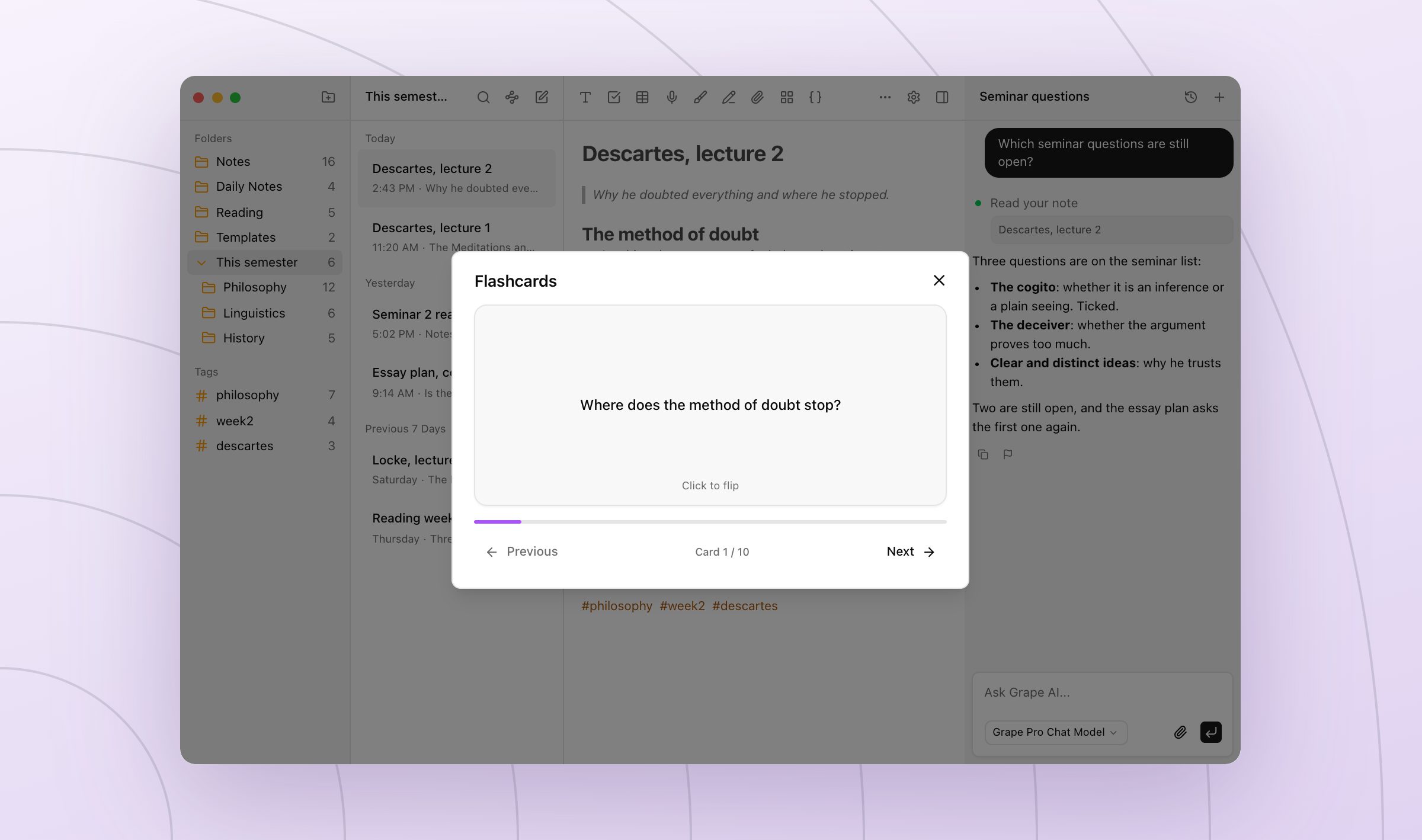
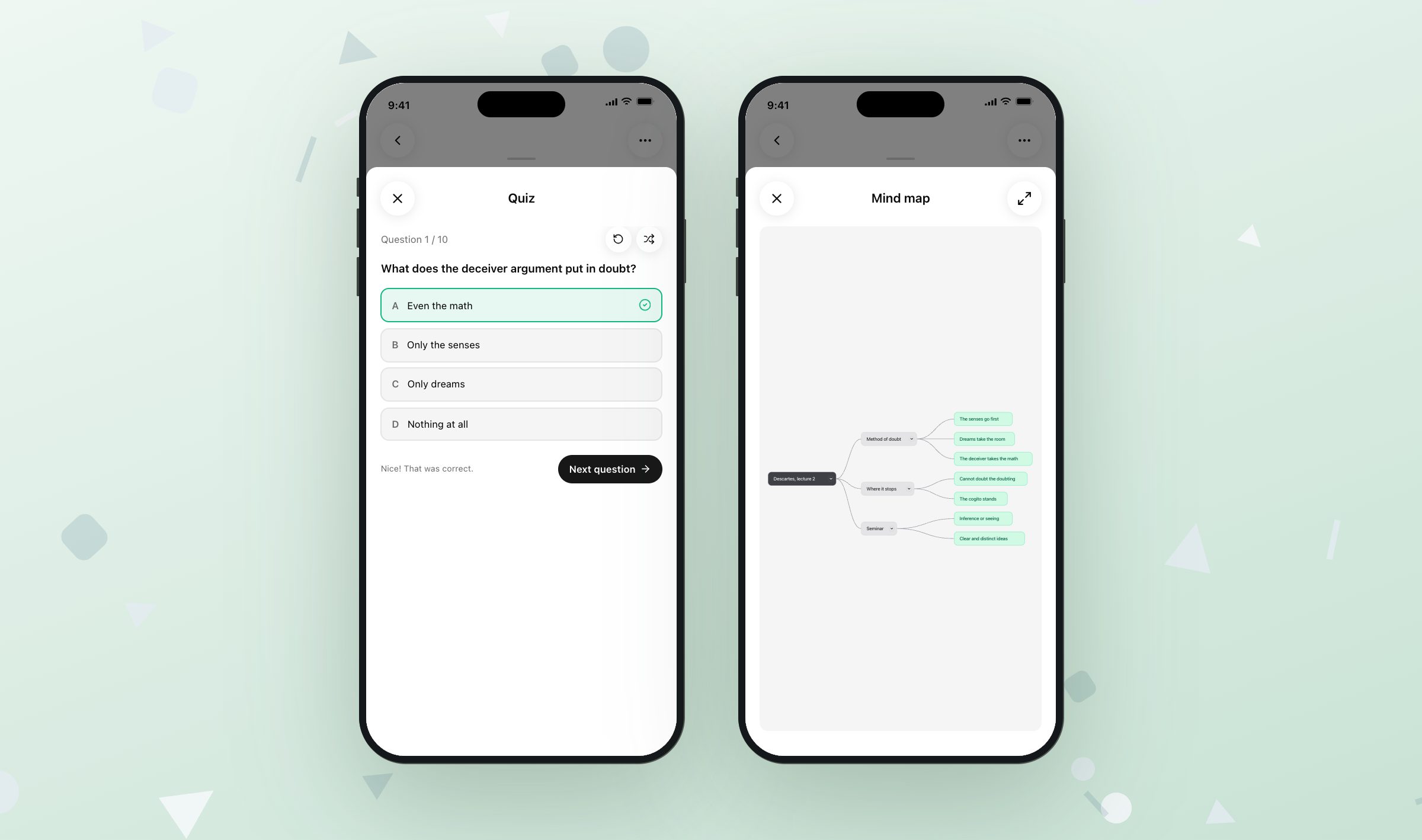
Open the Descartes note and ask for flashcards, and you get ten, front and back, kept inside the note. Ask for a quiz and it is ten questions with four answers each, or thirty in adaptive mode, ten easy, ten normal, ten hard. Ask for a mind map and the note is drawn as branches you can collapse. Each is built from the first 8,000 characters of the note, which is a long lecture and not a whole transcript, so a ninety minute one is better split in two.
Nothing is typed twice. The deck is made from the note you took on Wednesday, and it lives with that note, so when you fix a wrong line in the note you can make the deck again from the fixed one.
The lecture you did not type
Some lectures move too fast to type. Press record in Grape and the audio lives inside the note, and on Pro it comes back as text you can search and ask about, so the hour you half heard in March is words in May. Recording is on the free plan, the transcript is Pro. Bear has no recorder in it.
The diagram
Bear lets you draw a sketch into a note with the Pencil or a finger, and for a quick arrow between two boxes that is all anyone needs. Grape has a drawing canvas inside the note for the same job, with pens, shapes and images on it, and it has paper too: turn on handwriting notes and a note is a stack of lined, grid or dotted pages you write on with a Pencil, a finger or a mouse. On an iPhone or iPad the ink is read into words on the device, so a handwritten page turns up in search a few seconds after the pen stops.
The Windows laptop
This is the wall most students hit before any of the others. Bear runs on the Mac, the iPhone and the iPad, and nowhere else. No Windows, no Android, no Linux, no web version. If the laptop you write essays on is a Windows machine, Bear is the app on your phone and something else is the app on your desk, and the semester lives in two places.
Grape is a real app on iPhone, Android, Mac, Windows and Linux, and each install keeps its own local database, so what you write on the free app works with no connection and no account. Sync between devices is the paid plan. That is Grape's own wall. Free is the whole app on every device. The same library on every device is what you pay for.
Keep the tags
The hash is not something you give up. Type a hash and a word in a Grape note and it becomes a tag, listed down the side of the workspace with a count beside it, and a note can carry as many as you like. Folders and subfolders are there too, for the people who file by class rather than by tag, and nothing stops you using both.
Moving is a folder and a few minutes. Bear exports every note as Markdown from the free version. Point the desktop app's import at that folder and it makes a note from each file, mirrors any subfolders, copies the pictures in beside the text, and turns the hashtags in the files into tags. Old lectures come across as notes rather than as attachments, which matters, because old lectures are the ones the flashcards get made from.
Both apps keep the notes on the machine. Whatever goes into Grape comes back out as Markdown, HTML or PDF, the database file sits wherever you tell it to, a backup is taken once a day and kept for thirty days, and version history keeps the earlier text when you overwrite a line you needed.
So which one
If you have a Mac and an iPhone, you type your notes, and you reread them by opening them, keep Bear. Pay the $29.99 and spend the difference on coffee.
If the laptop is not a Mac, or if the notes are supposed to become something in November, Grape is $19 a month for the AI, the search, the transcripts, the study tools and sync, none of it metered. There is also a Lifetime plan at $29 once, where the AI runs on your own API keys and you pay the model provider directly. That one is close to Bear's price and it has no sync in it, so it is the plan for one machine.
Take this week's lectures into Grape and leave last year's where they are. In November you will know which app you were reaching for.
Grape is available for iPhone, Android, Mac, Windows and Linux at grape.cool/download.