Apple's help page for Notes says the app "is available on iPhone, iPad, and Mac." On a Windows laptop the nearest thing is icloud.com in a browser, and for Android Apple says only that "some Android devices can use iCloud.com." There you can write, tick a checklist and edit a table, but you cannot add a photo or a file, and you cannot lock a note.
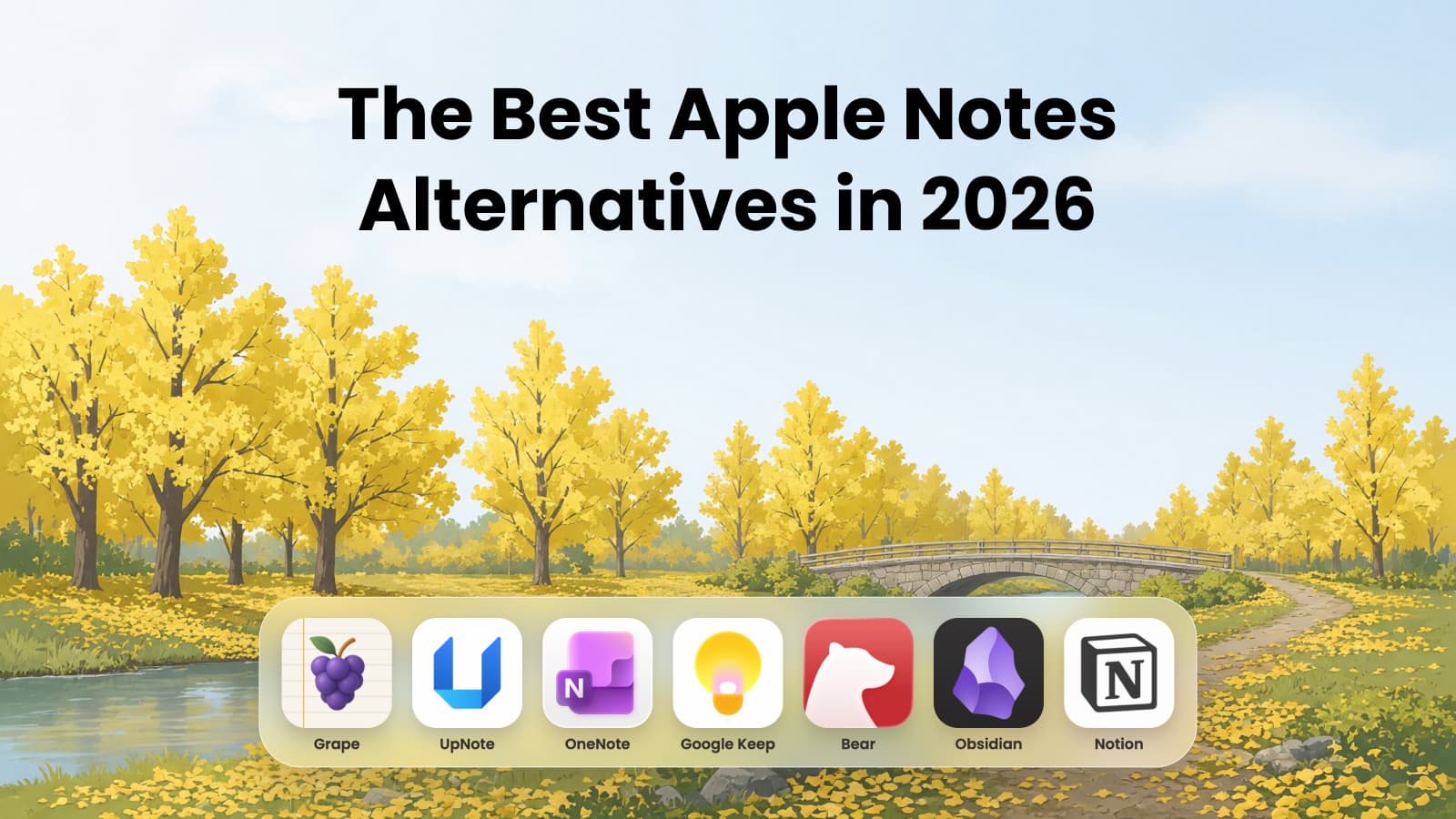
That is the usual reason to look elsewhere. The other is wanting more from the notes than Notes gives: an answer drawn from all of them, files you own, a page other people can edit. Since iOS 27 in September, Siri can find a saved note, but its new AI is still a beta and is not in the EU yet. Below are six apps to move to, grouped by where you are going, plus Grape, which comes first because this is Grape's blog. Its entry says what it does not do.
How your notes get out
Since iOS 26 and macOS 26, Notes exports a note as Markdown, a plain text format most of the apps below read. On a Mac, select the notes and choose File > Export To > Markdown, and pictures and attachments go into a folder beside the files. On an iPhone it is Share > Export as Markdown, one note at a time. Two apps skip the export and read the Notes library on a Mac directly. Both leave locked notes behind, so unlock the ones you want to keep first. For the rest, the export is the way in:
| App | How the notes get in | What comes across |
|---|---|---|
| Grape | Reads the Notes library on a Mac, any plan | Folders, dates, pins, checklists, tables, pictures, drawings, scans, PDFs and recordings |
| UpNote | Markdown files on a Mac, Premium | Text, with attachments added back by hand |
| OneNote | No importer | Copy and paste, one note at a time |
| Google Keep | No importer | Plain text from the Share button, one note at a time |
| Bear | Apple's Markdown export, on a Mac | Text, pictures and attachments, creation dates if you ask |
| Obsidian | Reads the Notes library on a Mac, free plugin | Folders, dates, checklists, tables, pictures, drawings, scans and PDFs |
| Notion | Apple's Markdown export, zipped | Not documented for Notes, check afterward |
If your next device is not an Apple one
Grape
Grape runs on iPhone, Android, Mac, Windows and Linux, and it is built around what Notes does not do: answer from everything you have written. Its agent reads across all your notes, not only the one that is open. Ask what is left before a move and it answers from the moving note, says what is still unchecked, and names the note it read. Search finds a note from the sentence you remember rather than the words in it. The notes live in a database on your computer or phone, so they open with no connection, and locked notes work on every plan.
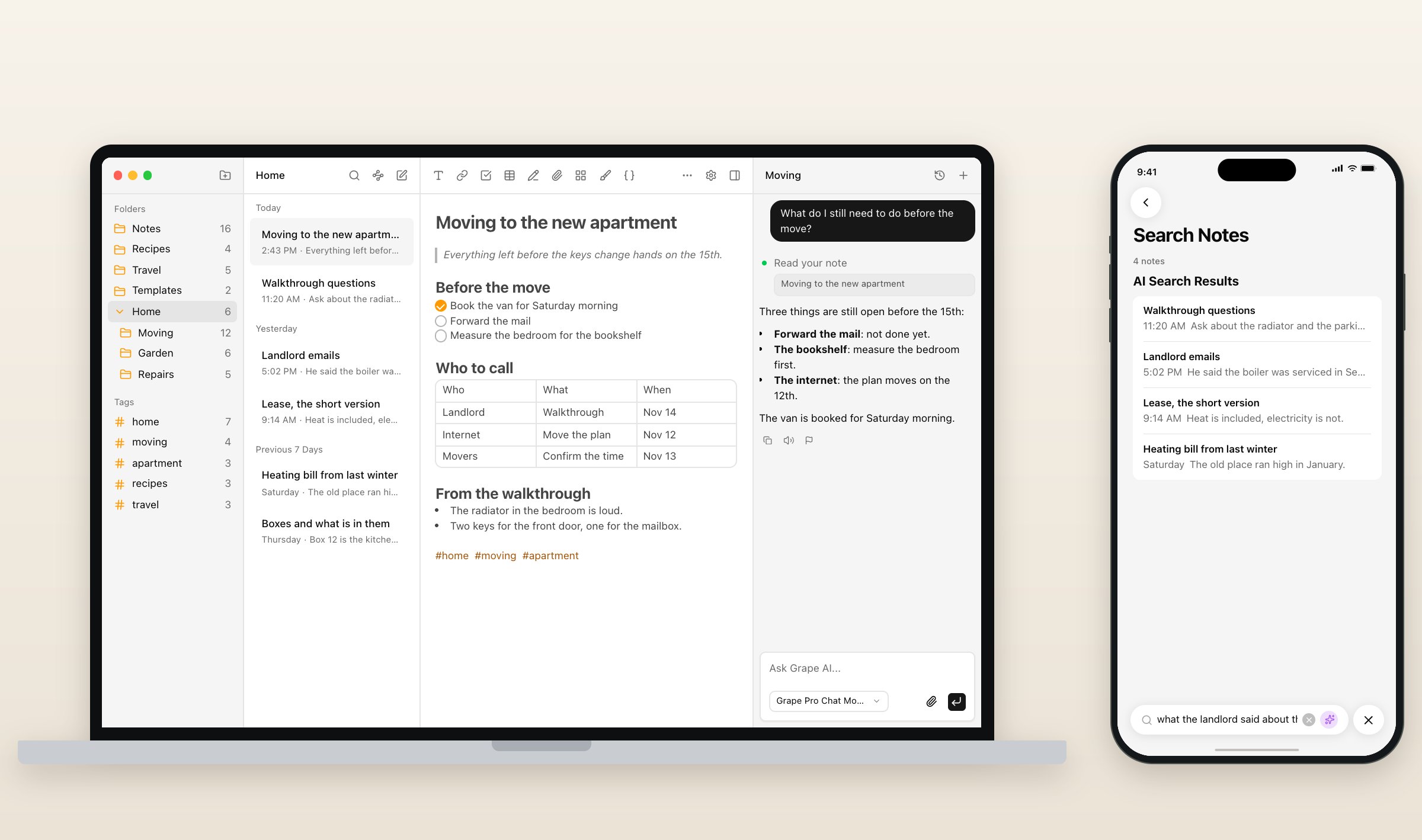
The Mac app reads your Notes library itself, on every plan, Free included. The first run asks for Full Disk Access, then shows how many folders, notes and files it found before it copies anything. Each note keeps its dates and its pin, and checklists, tables, pictures, drawings, scans, PDFs and recordings come with it. Folders come in side by side, so a folder inside another lands next to it, and Recently Deleted stays behind. Without a Mac, import a folder of exported Markdown on the phone, or send one note at a time from the Share button in Notes. The steps are in the help article. If you record in Notes, Grape records on the phone and the Mac too, and on Plus a transcript turns into flashcards or a quiz.
What you give up: there is no web version, and sharing a note by email needs Sync, Plus or Pro for everyone in it, where Notes shares for free. Grape is free with no account. Sync is $3 a month, Plus is $9 with Grape's AI, Pro is $19 with the best model, and Lifetime is $49 once, with the AI on your own key and sync through your own Dropbox or Google Drive. There is a longer comparison of Grape and Apple Notes for students, and every plan is on the pricing page.
UpNote
UpNote looks and works more like Apple Notes than anything else here, and it runs on Mac, Windows, Linux, iPhone, iPad and Android. Notebooks nest inside each other, notes pin to the top, and a notebook can be locked. It works offline and without an account. There is no web version and no AI.
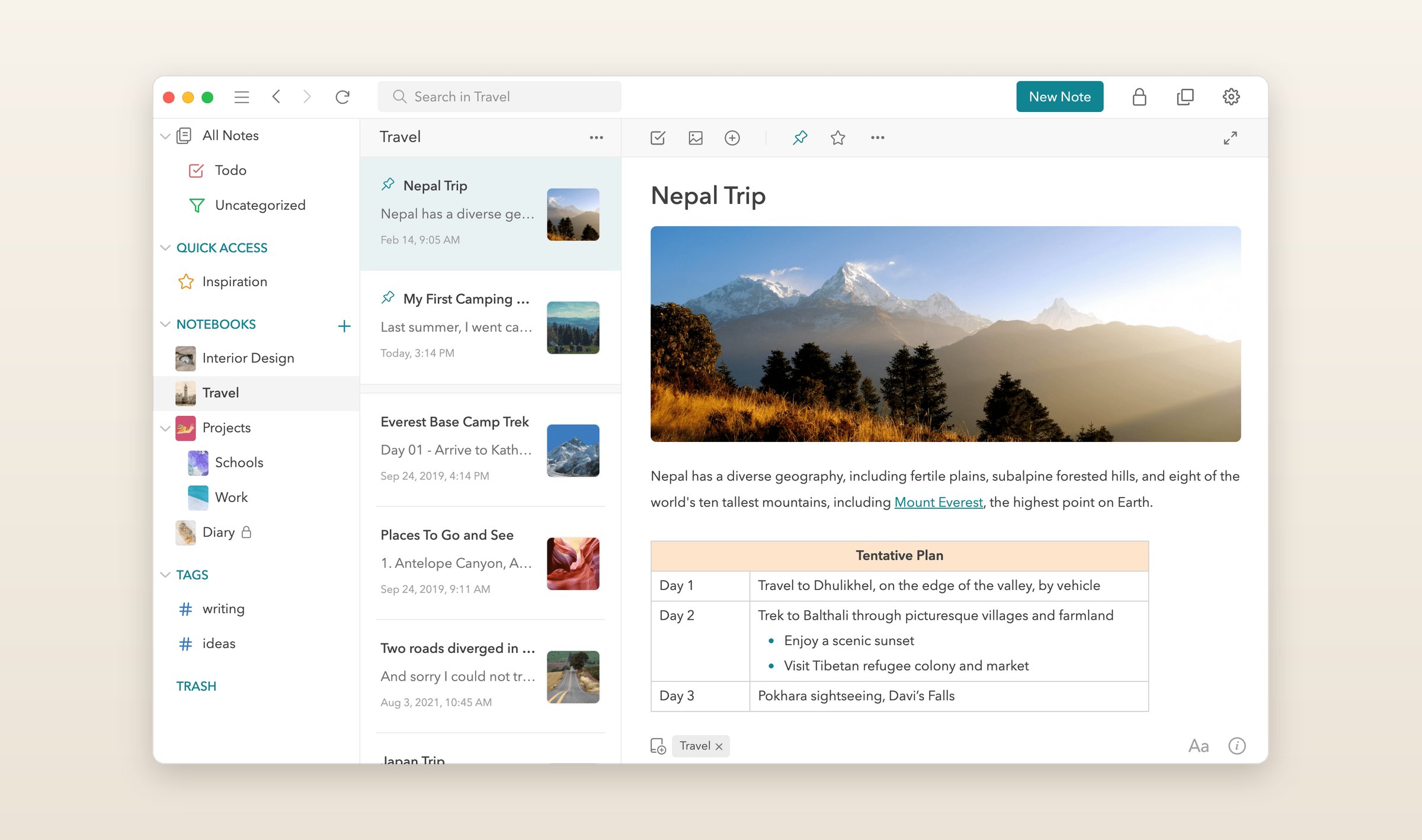
The free plan stops at 50 notes. Premium is $1.99 a month or $39.99 once, and it is what unlocks importing, tables, attachments and locking. The importer reads Markdown on the Mac. Its help page still says Notes cannot export Markdown and points to a third-party tool, and it says attachments have to be copied in by hand afterward. Sharing is a read-only web link on Premium, with no editing together.
OneNote
OneNote is Microsoft's notebook, free with a Microsoft account and its 5 GB of OneDrive, on Windows, Mac, iPhone, iPad, Android and the web. Its pages are freeform: type anywhere, write over a map, put a photo beside a checklist. Notebooks hold sections and sections hold pages, a different shape from Notes, where a folder is a list of notes. It works offline and has no Linux app.
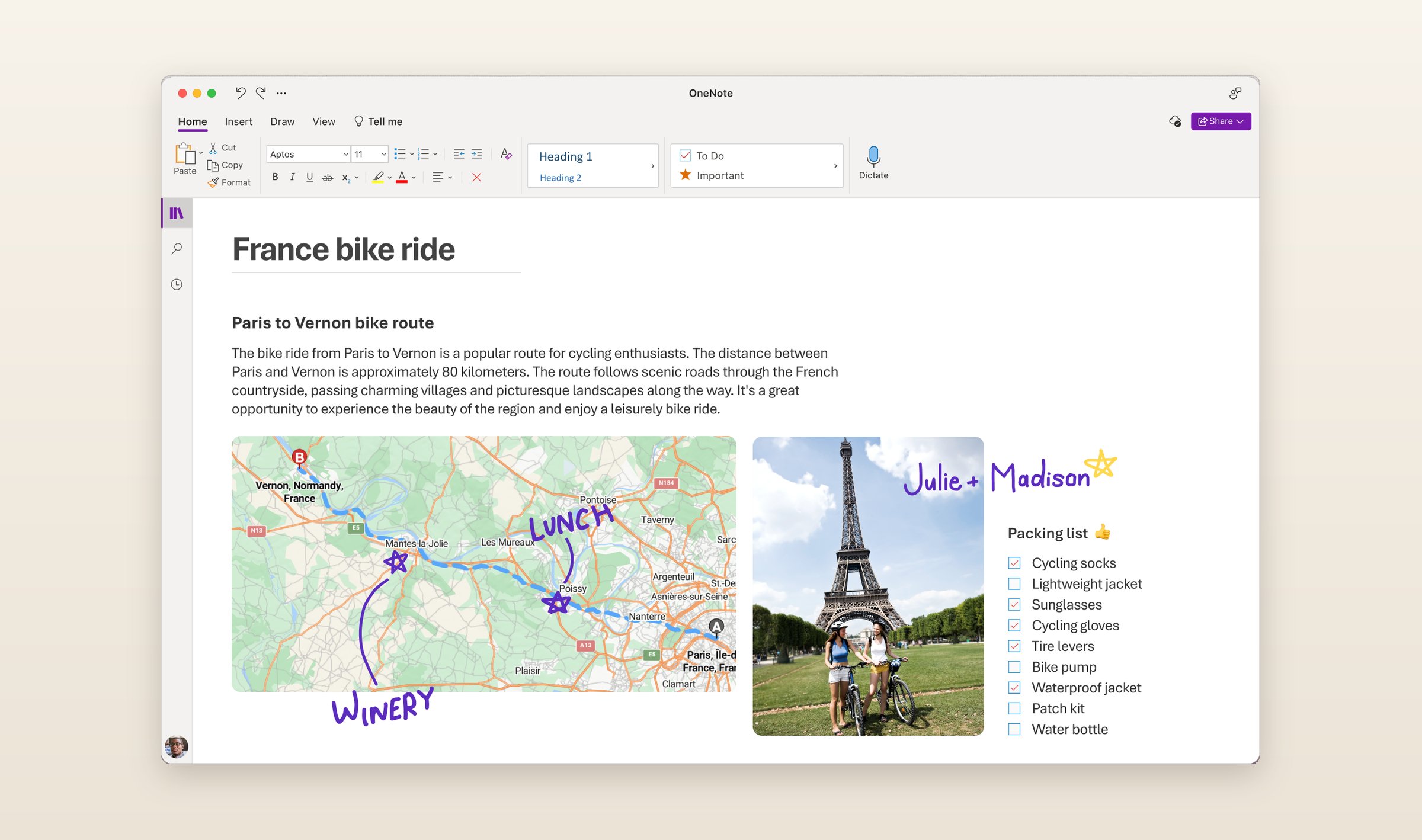
There is no importer for Apple Notes, so notes come across by copy and paste. Copilot in OneNote needs a Microsoft 365 subscription, Personal at $9.99 a month or Family at $12.99, and on those plans it works in OneNote for Windows only. You share a whole notebook stored in OneDrive, because Microsoft removed sharing a single page.
Google Keep
If your next phone is an Android, Keep is Google's own note app. Notes are colored cards in a grid, with labels, checklists and reminders, and it is free inside the 15 GB a Google account comes with. It runs on Android, iPhone, iPad and the web at keep.google.com, with no app for Mac or Windows. There are labels instead of folders and no tables, so it suits short notes better than long ones.
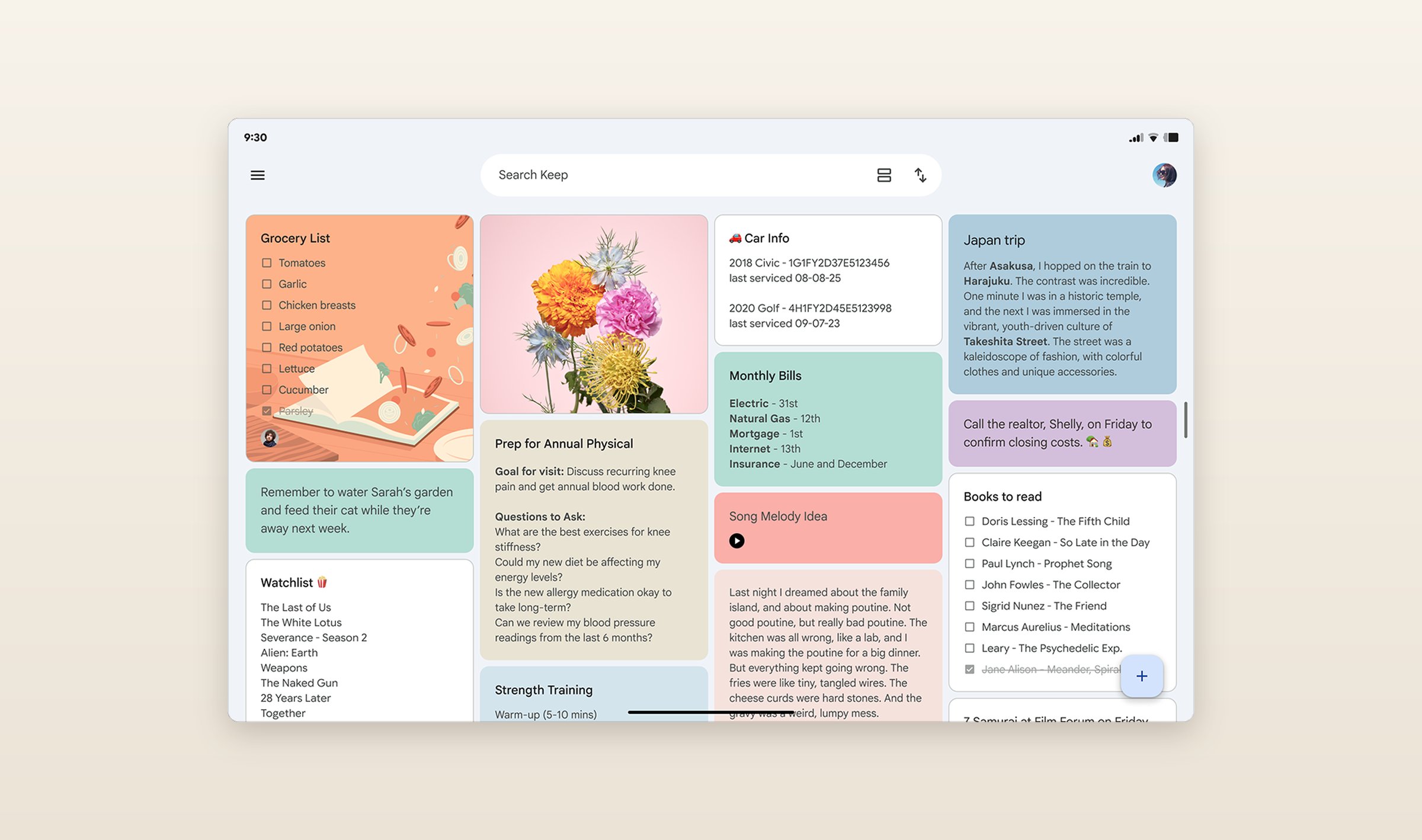
There is no importer. On an iPhone, a note goes to Keep through the Share button in Notes, one at a time, as plain text. Sharing is by email, and the people you add can edit. The AI is Gemini on Android: list and title suggestions need Google AI Pro or a Pixel, and Keep Live, which since September 3 turns a spoken brain dump into notes and lists, comes with paid Google AI plans.
If you are staying with Apple
Bear
If every device you own is an Apple one and you want a nicer place to write, Bear is the short move. It runs on Mac, iPhone and iPad, notes are written in Markdown, and nested tags take the place of folders. Notes stay on the device and need no account. Bear Web has been in public beta since July 2025.
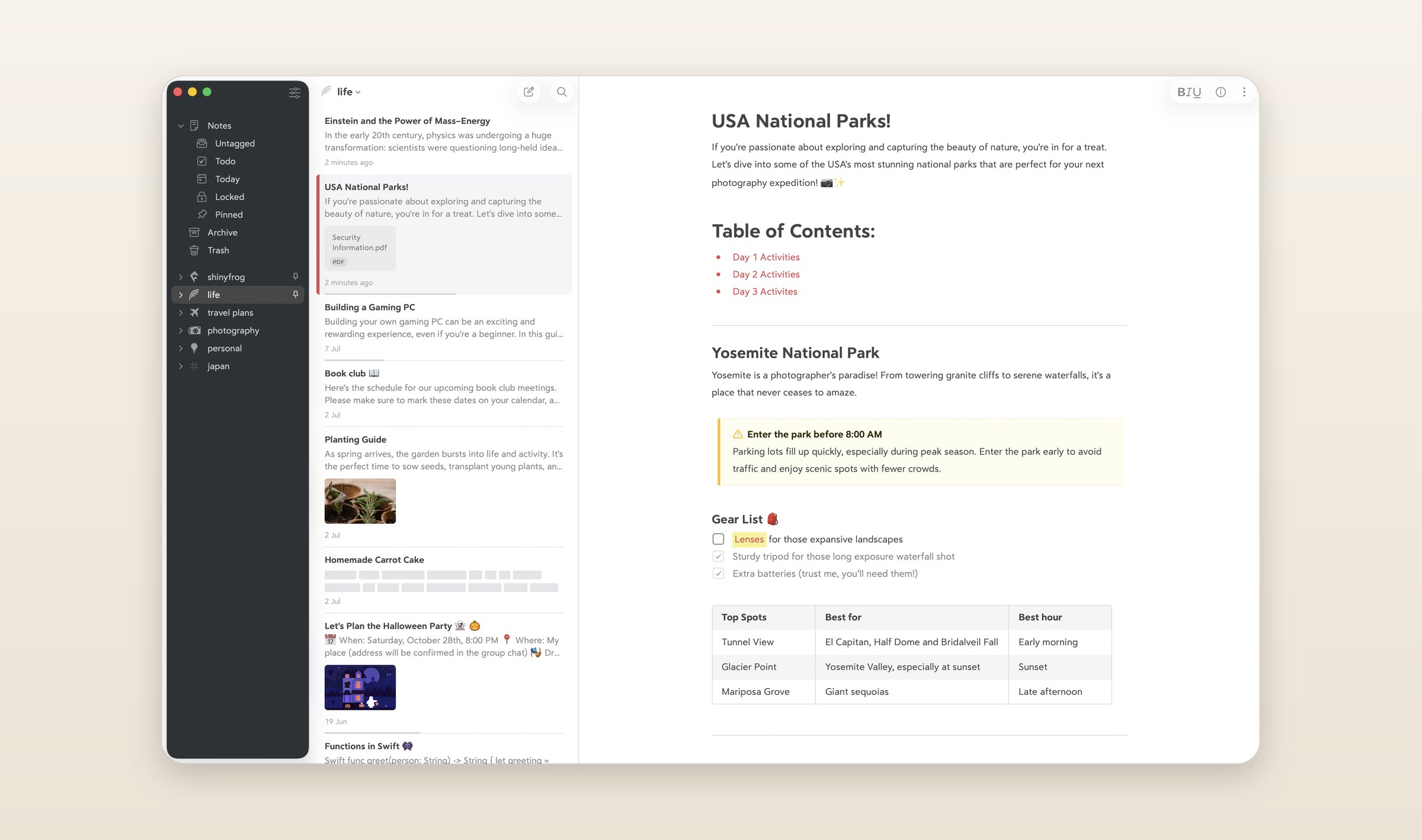
Bear's help walks you through Apple's export: File > Export As > Markdown in Notes on a Mac, then File > Import From > Markdown Folder in Bear, with an option to keep each note's creation date. Pictures and attachments come along, and since Bear sorts by tags, plan to tag what came in. The free plan has no sync. Pro is $2.99 a month or $29.99 a year, with sync through iCloud. There is no collaboration and no AI writer of its own, though since version 2.8 in April the Mac app has an MCP server, so an assistant like Claude can read and edit your notes. There is no Windows or Android app.
If you need more than a notebook
Obsidian
Obsidian is the other app here that reads the Notes library itself. Its free Importer plugin runs on a Mac: you point it at the folder Notes keeps its data in, and it brings over tables, pictures, drawings, scans, PDFs and links, turns checklists into Markdown checkboxes and keeps each note's dates. Locked notes are skipped, and so are attachments that were never downloaded from iCloud to that Mac. The importer does not run on an iPhone.
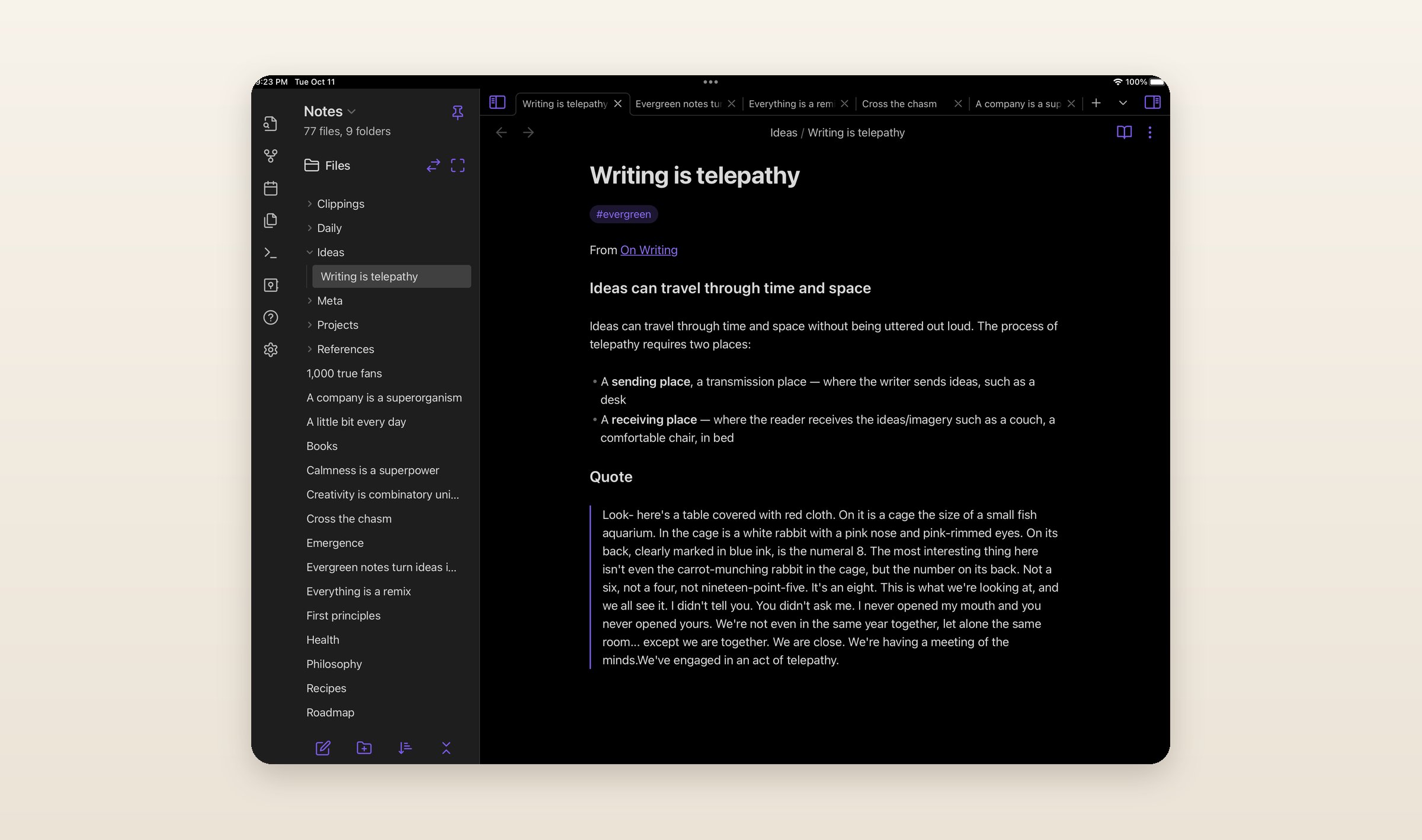
Every note becomes a Markdown file in a folder you own, which any editor can open, and plugins add almost anything else. The app is free on Mac, Windows, Linux, iPhone, iPad and Android, with no web version. Sync is $4 a month paid yearly or $5 monthly, or you sync the folder yourself. There is no AI built in, only community plugins.
Notion
If notes you keep alone are turning into notes other people work in, Notion is built for that. Pages hold text, tables and databases, a team edits them together with comments and suggested edits, and a page can be published as a website. Anyone with the link can view a page without an account, while editing needs a Notion login.
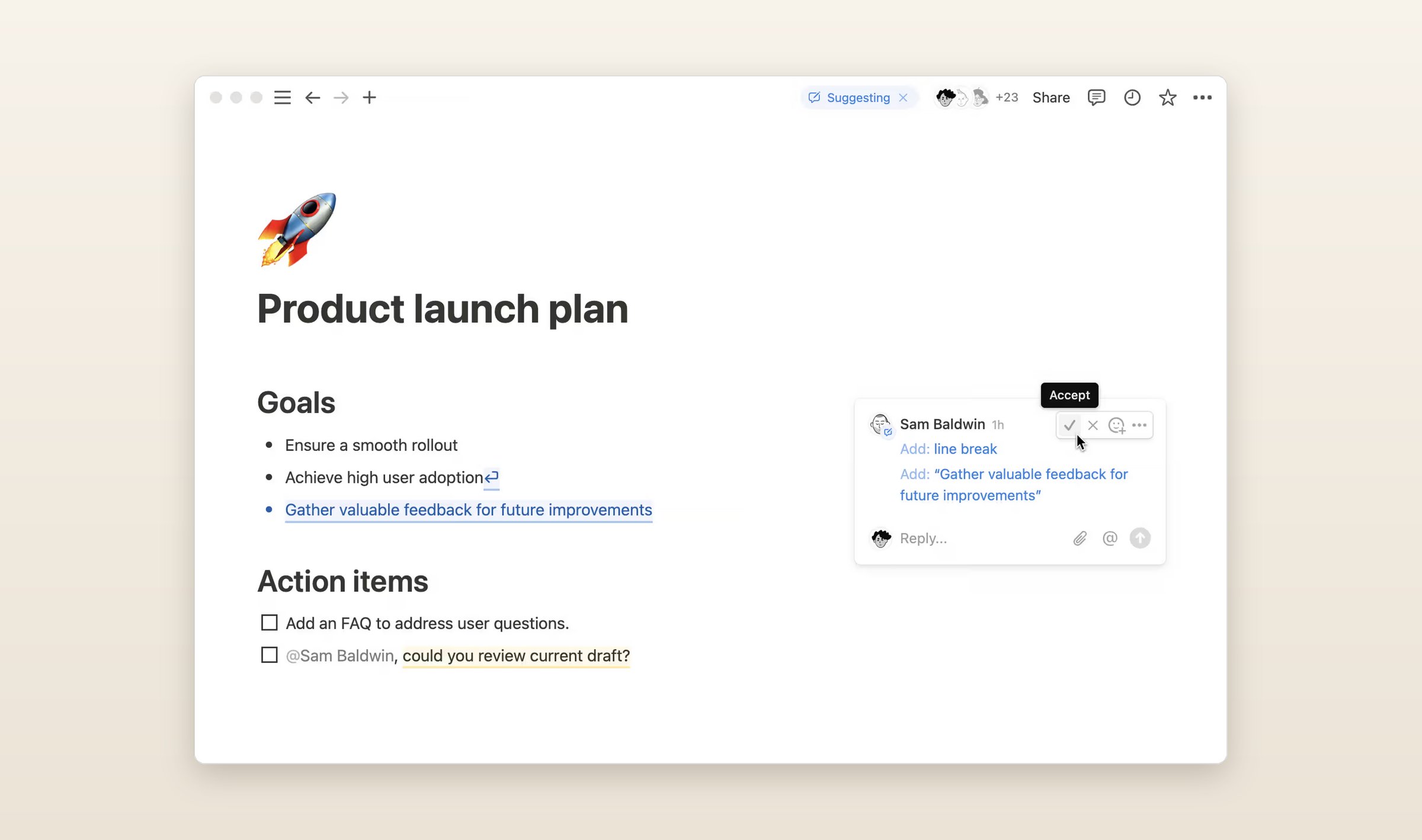
There is no Apple Notes importer, but the desktop and web apps import Markdown, so Apple's export goes in zipped. Notion is free for one person, Plus is $12 a month or $10 paid yearly, and Notion AI comes with Business at $24, or $20 paid yearly. It runs on Mac, Windows, iPhone, iPad, Android and the web, with no Linux app. Offline means pages you download first, plus recent pages and favorites on paid plans.
What they cost
Monthly prices in US dollars, checked on November 1, 2026. The screenshots of the other six apps are their makers' own, from their websites, blogs and store listings.
| App | Free plan | Paid | Runs on | AI |
|---|---|---|---|---|
| Apple Notes | Everything, 5 GB of iCloud | iCloud+ from $0.99 | Mac, iOS, iCloud.com | Apple Intelligence, newer devices |
| Grape | Unlimited notes, no account | Sync $3, Plus $9, Pro $19, Lifetime $49 once | Mac, Win, Linux, iOS, Android | Plus and Pro, or your own key |
| UpNote | 50 notes | $1.99, or $39.99 once | Mac, Win, Linux, iOS, Android | None |
| OneNote | Everything, 5 GB of OneDrive | Microsoft 365 from $9.99 | Win, Mac, iOS, Android, web | Copilot, Windows only |
| Google Keep | Everything, 15 GB shared | Google One for more storage | Android, iOS, web | Gemini, paid plans |
| Bear | One device, no sync | Pro $2.99 | Mac, iOS, web beta | None |
| Obsidian | Everything but Sync and Publish | Sync from $4 paid yearly | Mac, Win, Linux, iOS, Android | Plugins only |
| Notion | One person | Plus $12 | Mac, Win, iOS, Android, web | Business plan |
Questions people ask
Is there an Apple Notes app for Windows?
No. Apple says Notes runs on iPhone, iPad and Mac, and iCloud for Windows syncs photos, files, passwords and calendars but not notes. On a PC you open icloud.com in a browser, where you can write and edit but cannot add attachments or lock a note. Grape, UpNote, OneNote, Obsidian and Notion all have Windows apps.
Can I use Apple Notes on Android?
Only through icloud.com in the phone's browser, which Apple says works on some Android devices. If you are switching phones, Google's and Samsung's switching tools both list notes among what they move, and Samsung says formatting and tables do not come along from iCloud.
How do I export all my Apple Notes at once?
On a Mac, select the notes and choose File > Export To > Markdown. On an iPhone it is one note at a time. To skip the export, Grape and Obsidian read the whole library on a Mac and bring over folders, attachments and dates in one go.
What is the best free Apple Notes alternative?
Grape and Obsidian are free with no limit on notes, and both read the Notes library on a Mac. Google Keep and OneNote are free inside your Google or Microsoft storage. UpNote's free plan stops at 50 notes, and Bear's free plan does not sync.
Which Apple Notes alternative has AI?
Grape includes its AI on Plus at $9 a month, and it answers from all your notes rather than the open one. Notion's AI comes with Business, OneNote's Copilot with Microsoft 365 on Windows, and Keep's Gemini features with paid Google AI plans on Android. UpNote, Bear and Obsidian have none built in. Apple Notes has Writing Tools on newer devices, and since iOS 27 Siri can find a saved note, in a beta.
Before you switch
If you have a Mac, run Grape's import on the whole library today. It only reads Notes, so nothing there changes, and you can keep using both while you decide.
Grape is available for iPhone, Android, Mac, Windows and Linux at grape.cool/download.