Reading week, and NotebookLM is doing something no app has done for you before. You drop in eight lecture PDFs, the textbook chapter and a recording of the seminar you missed, and a minute later two voices in your headphones are explaining the whole module to each other while you make dinner.
It is very good, and it is the first app I have compared Grape with that I would tell you to keep.
Then Monday comes, the next lecture starts, and there is nothing to type into.
What it is for
It is called Gemini Notebook now. Google renamed it in July, kept the product the same, and your old notebooks and links still work, so everyone still calls it NotebookLM and I will too.
Underneath the name it is a reading room. You bring it sources: PDFs, Google Docs, Google Slides, web pages, the transcript of a YouTube video. It reads them, and then it answers questions about them with a citation pointing back at the line it got the answer from. The free tier holds 100 notebooks with 50 sources in each, and 50 chats a day.
Grape does not do this. A PDF you attach to a Grape note reads to the assistant as the words "PDF Document" and nothing else. It knows the file is there. It has not read a word inside it. If your problem this term is forty PDFs on a reading list, NotebookLM is better at that job than Grape is, and it is not close.
There is no lecture hall in it
Everything in a notebook has to be a source you uploaded first. That is the design, and it is why the answers are trustworthy.
There is a notes panel in the Studio, and it takes typed or pasted text, up to a thousand notes in a notebook. It is a good place to keep what the model just told you next to the material it read. It is not a place you write in for fifty minutes. A note saved from a chat answer cannot be edited afterward, and turning your notes into a source is not in the mobile app at all, so the phone in your hand during the lecture is the wrong end of it.
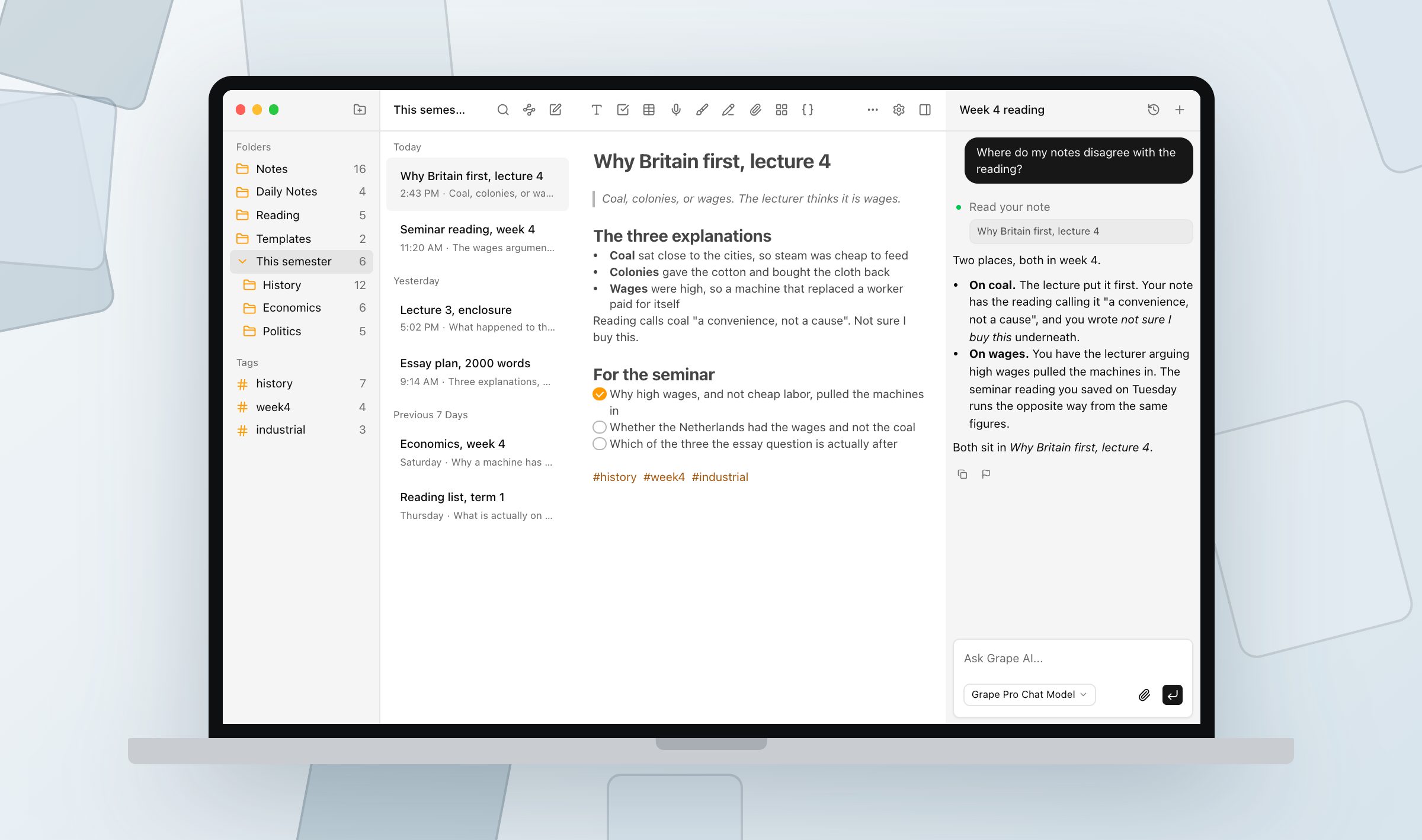
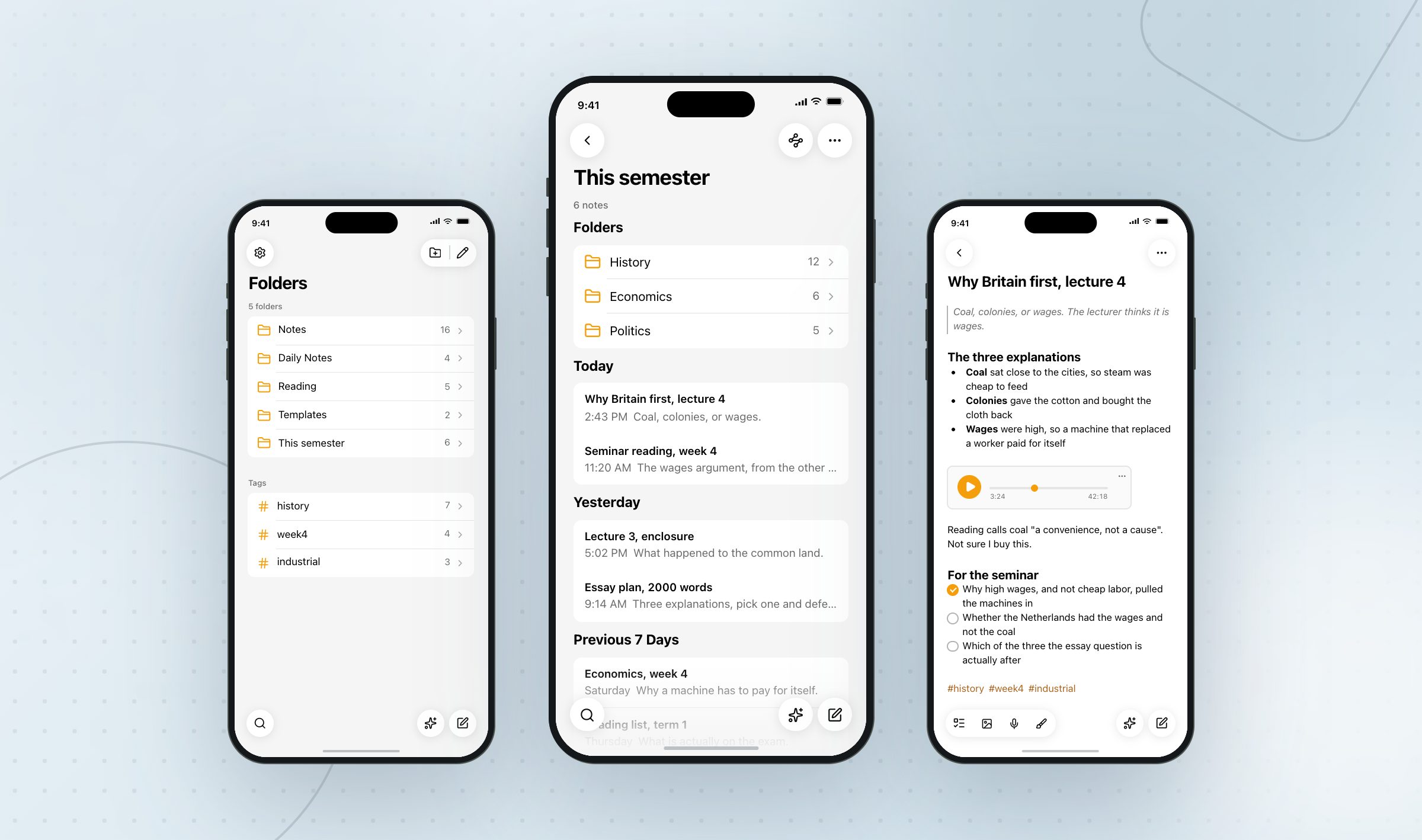
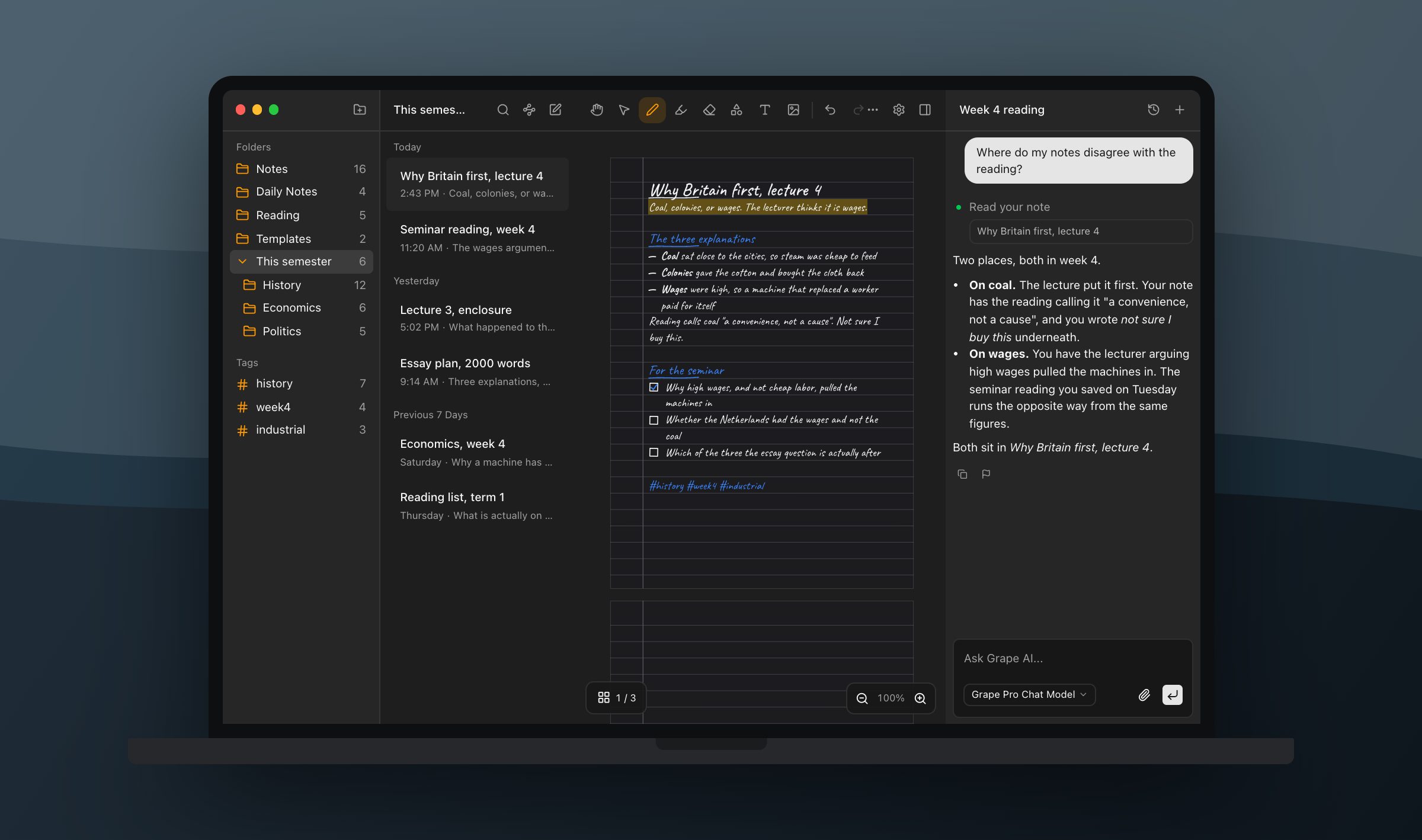
Grape starts at the other end. It opens on a blank page, you type, and the note is a note: headings, checkboxes, a table, a picture of the board, a drawing in the middle where the diagram goes. Hit record and the hour goes into the note as audio and comes back as transcribed text you can search in April. Nothing has to be a source first, because you wrote it.
The cards come out of the slides
NotebookLM makes flashcards and quizzes too, and mind maps, and audio and video overviews, and infographics and slide decks. That list is longer than Grape's.
They are all built from the sources, though, which means they are built from what the professor uploaded. You get tested on the lecture as it was delivered.
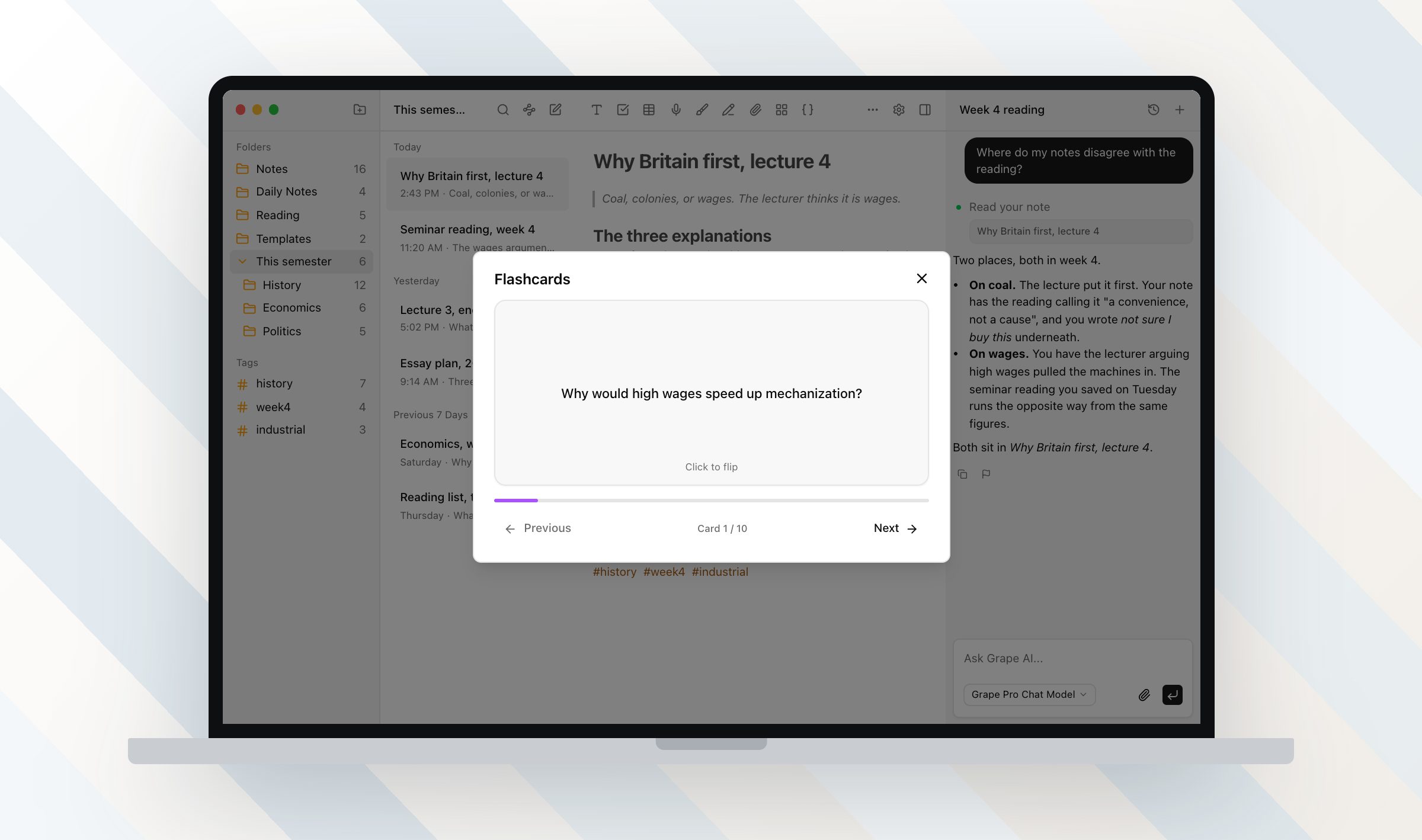
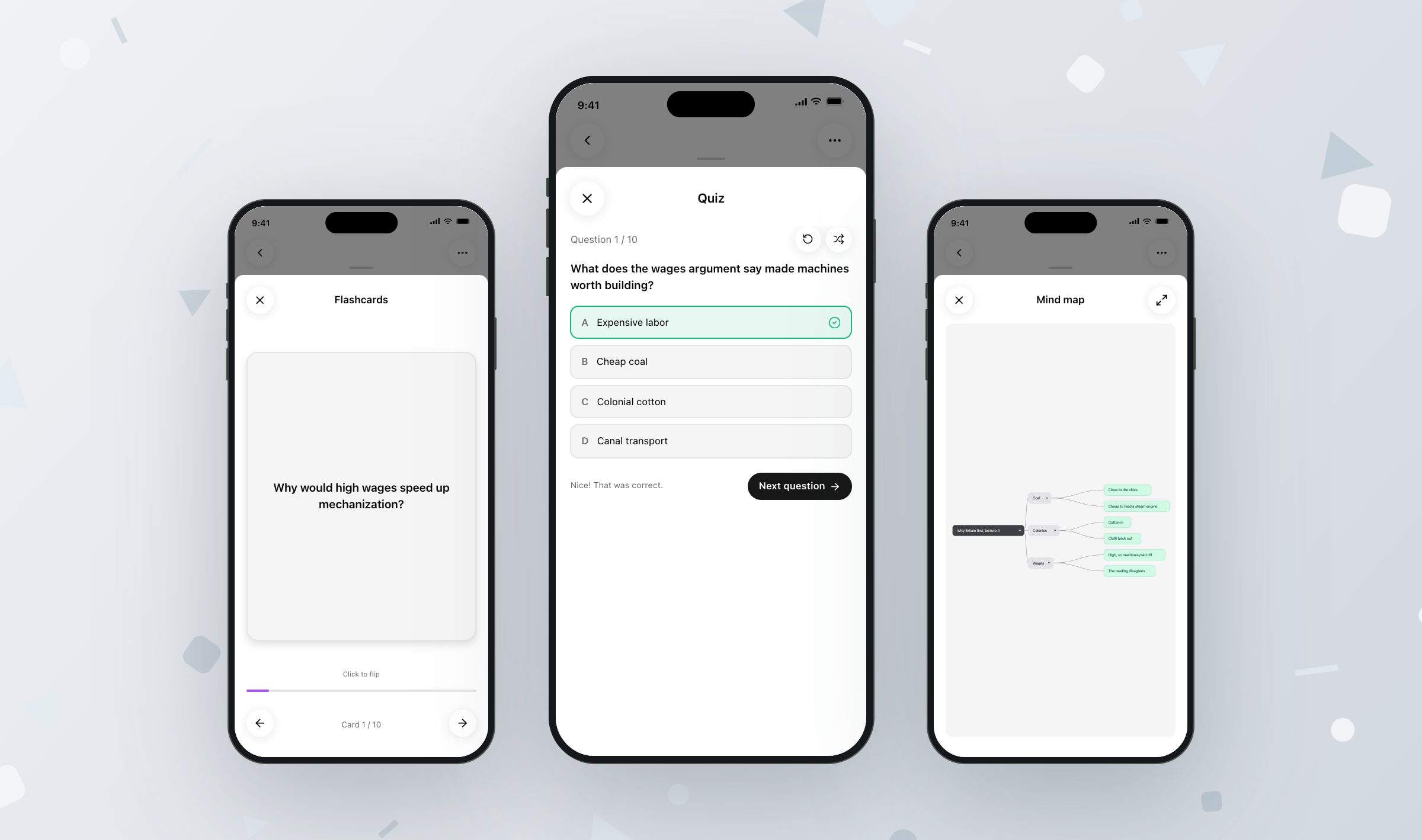
Grape builds the same things from the note you wrote, which is the lecture as you received it, including the sentence you typed in a hurry that reads "wait, why does that follow". Ten flashcards, front and back. A ten question quiz with four answers each, or thirty in adaptive mode, ten easy, ten normal, ten hard. A mind map of the note as branches. It reads the first 8,000 characters of a note, which is a long lecture but not a ninety minute transcript, so split the long ones.
The longer outputs start from the same place. A note becomes a slide deck you can present full screen or export as a PDF, written by whichever chat model your account uses. An infographic poster and a short narrated video with the words captioned over it are Pro rather than Lifetime, along with the pictures inside a deck, because those are drawn on Grape's servers instead of on your laptop.
One thing NotebookLM's study sets do that Grape's do not is travel. A notebook can be shared with the people on your course, and a set of cards goes to a friend as a link. Grape has no sharing in it. What leaves a note leaves as Markdown, HTML or a PDF, and you send it yourself.
In April the card that helps is the one about the part you did not follow, and your note is the only record of which part that was.
Fifty chats a day, and a free year
Here are the numbers, from Google's own help page:
| Free | Plus | Pro | Ultra | |
|---|---|---|---|---|
| Notebooks | 100 | 200 | 500 | 500 |
| Sources per notebook | 50 | 100 | 300 | 500 |
| Chats a day | 50 | 200 | 500 | 2,500 |
| Audio Overviews a day | 3 | 6 | 20 | 100 |
You cannot buy any of those tiers on their own any more. The paid versions arrive inside a Google AI subscription, a Workspace plan or a Cloud license.
Then there is the offer. In August, Google gave US college students twelve months of Google AI Pro for nothing. Outside the US, in more than 140 markets, students get Google AI Plus instead. It wants a card on file, you have until the end of the year to claim it, and it renews at $19.99 a month unless you cancel. For this academic year it costs a student nothing.
So the free plan does not run out on you in week six, and $19 a month does not beat free.
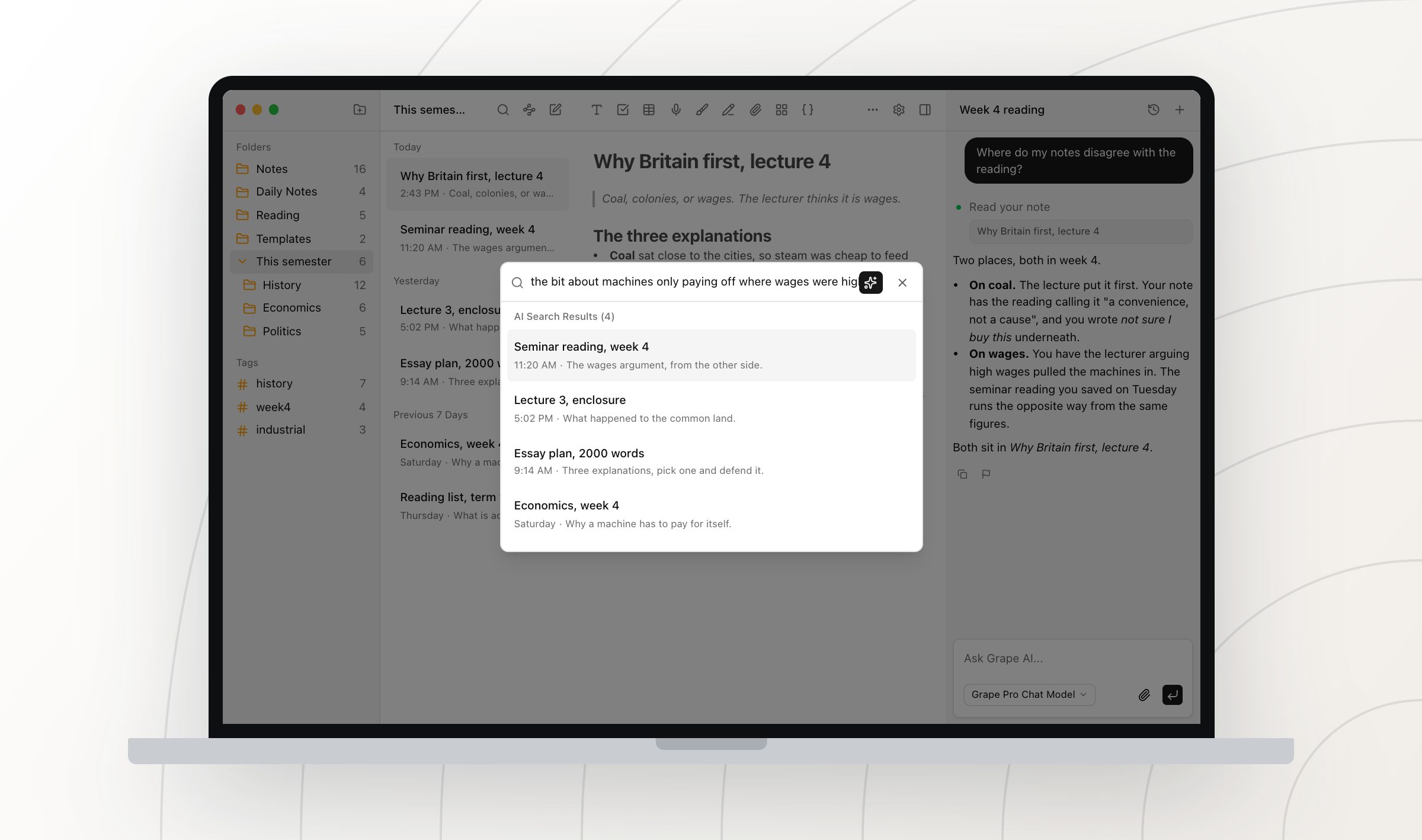
What the $19 buys is the assistant that reads and edits your own workspace, semantic search across everything you have written, voice transcription, the study tools, and sync between your devices. There is also a Lifetime plan, $29 once, where the AI runs on your own API key and you pay the model provider directly. Sync is not part of that one.
Grape's free plan has no account, no note limit and no folder limit. Download it and write.
Where the notes are when the wifi is not
NotebookLM is a Google account and a connection. The mobile app downloads Audio Overviews to listen to offline, which is the listening half rather than the writing half.
Every Grape install keeps its own database on the machine it is on. The free app on your phone is the whole app, not a viewer with a login screen, so a basement lecture hall with no signal is a normal place to take notes. Sync between devices is the paid plan, which is Grape's own wall: free gets you a complete app on every device rather than the same library on every device.
Then there is the pencil, which NotebookLM has nothing to say about. A Grape note can be paper you write on, and your iPhone, iPad or Android phone reads the ink into words on the device, so a handwritten page turns up in search like a typed one. The desktop app has no reader of its own, so a notebook you only ever wrote on with a mouse is found by its title until a phone opens it once. Import the slide PDF and write over it, and the ink on top is read while the printed text underneath is not. That is the same gap as the one at the top of this article, from the other side.
Keep both
The reading list is not the same job as the lecture. One is a pile of documents somebody else wrote that you need explained, and NotebookLM is better at that than anything else I have used. The other is fifty minutes of you deciding what matters, in your own shorthand, with a diagram you drew and a question you never got to ask. That half has to live somewhere you can open on a train, write in with a pencil, and search in April by the sentence you actually remember.
Put the readings in NotebookLM. Take the next lecture in Grape, one folder per course, and see which one you have open more in week ten.
Grape is available for iPhone, Android, Mac, Windows and Linux at grape.cool/download.