Bear's blog post of November 10 has two pieces of news in its title: Bear Web is almost here, and Bear Pro is getting a new price. From November 24, Pro is $3.99 a month or $39.99 a year, up from $2.99 and $29.99. People who already pay keep their price for as long as they stay subscribed, though a staff reply on Bear's forum adds that Bear Web "is only included with Bear Pro at the new price."
Bear Web opens in any major browser, so a Windows laptop or an Android tablet can get at your notes, but it is still a beta. Bear's FAQ says it is "not intended to be used as a standalone note-taking solution," and it does not work with Apple's Advanced Data Protection turned on. About apps, the same FAQ is plain: "we do not have plans for Android or Windows."
That is the main reason people look around. The others are things Bear has never done: a note other people can edit, a history of earlier versions, and encryption beyond the notes you lock one at a time. Below are seven apps to move to, plus Grape, which comes first because this is Grape's blog. Its entry also says what it does not do.
How your notes leave Bear
Bear keeps your notes in a database rather than as files, so they leave through its export. On a Mac, click into the note list, press Command-A to select every note and choose File > Export Notes. Markdown, TextBundle, plain text and RTF are free, and HTML, Word, PDF and ePub need Pro. For most of the apps below, pick Markdown and tick Keep tags during export and Export attachments, so the pictures come out with the notes. File > Backup notes writes the whole library as one .bear2bk file instead, which is what Obsidian reads.
Tags in Bear live in the text of each note, so they travel inside the files, but not every app reads a nested tag like #recipes/italian or a tag with a space in it like #vacation plans#. Each app takes Bear its own way:
| App | How the notes get in | What comes across |
|---|---|---|
| Grape | The Markdown export, on desktop, phone or in the browser, any plan | Text, checklists, tables, highlights, pictures, links between notes and one-word tags. A nested tag keeps its first part |
| UpNote | Its Bear guide: Markdown export with attachments, then UpNote's Markdown import | The notes, though UpNote "cannot guarantee" the format survives |
| Joplin | Its Obsidian importer, from the Markdown export, on desktop | Hashtags as tags, and links between notes connected. Its plain Markdown import leaves tags as text |
| Craft | Its Bear importer, from a TextBundle export, in the Mac, iPad or iPhone app | Notes with their attachments, and links between them connected |
| Obsidian | The official Importer plugin, from a Bear backup | Tags, nested ones included, with archived and trashed notes in folders of their own. Encrypted notes stay behind |
| iA Writer | Add the Markdown export folder as a location | The files as they are, with hashtags as tags in its Organizer |
| Notesnook | Its TextBundle importer, on the web or desktop | Pictures and attachments. Its help does not mention tags |
| Apple Notes | Markdown import on a Mac | Text, turned into Notes' own formatting. Apple's page says nothing of pictures or tags |
Grape
Grape runs on iPhone, Android, Mac, Windows and Linux, and in a browser at app.grape.cool on a computer or a tablet, on every plan. The notes live in a database on your device, the way Bear's do, so they open with no connection, and the free plan has no note limit and no account.
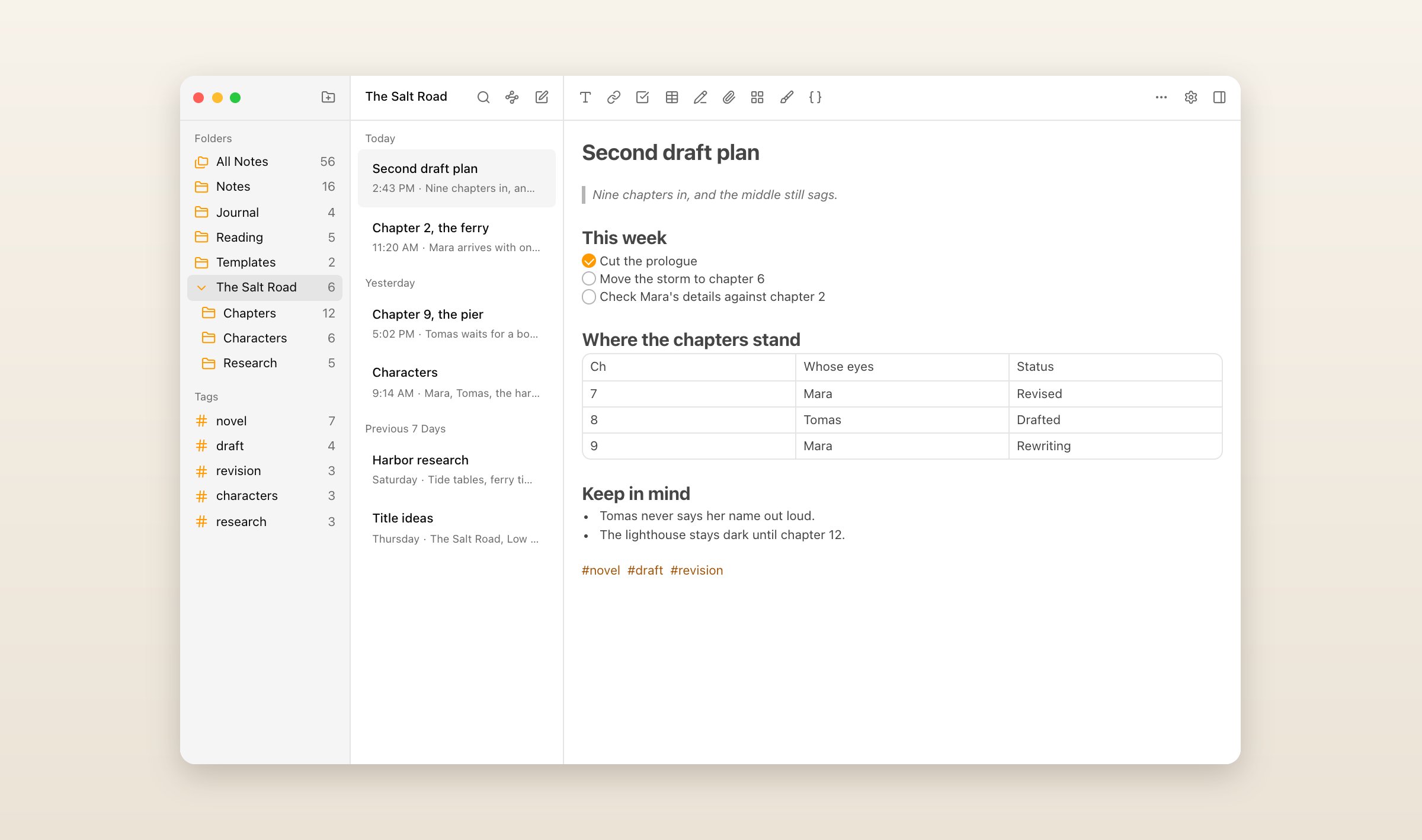
A hash and a word file a note under a tag, the way they do in Bear, and Grape has folders and subfolders as well, so you can file by both. The free plan includes two things Bear keeps for Pro: search that finds the words inside pictures and PDFs, and locked notes. A locked note is encrypted on your device with a password only you know, so nobody else, Grape included, can read it. A note can also hold a board of cards to drag between columns, a drawing, or a recording you make while you write. Daily notes come with a calendar, and export to Markdown, Word, PDF or HTML works on every plan.
Sync, at $3 a month, adds what Bear does not have: sharing a folder or a note with people who can edit it, version history, which Bear says it is still working on, and a backup every day.
Grape has no Bear importer. It reads the Markdown export the way it reads any folder of Markdown, on every plan: each file becomes a note, the pictures are copied in, and checklists, tables, highlights and links between notes come across. Tags are where it falls short, because a Grape tag is one word. #recipes/italian arrives as #recipes with /italian left after it as text, and #vacation plans# as #vacation with plans# after it, so rename those in Bear to one word, like #recipes-italian, before you export. PDFs and other attachments stay behind as their names. Bear writes a resized picture's width next to it, and Grape reads that line as text rather than as the picture. Each note takes its file's dates. Export Markdown rather than TextBundle, which Grape turns into a folder per note. The steps are in the help article.
What you give up: only locked notes are end-to-end encrypted, and a locked note holds text only. Grape's twenty-four themes come with Plus, Pro and Lifetime, so Sync, the plan priced closest to Bear Pro, keeps the default look, and everyone in a shared folder needs Sync, Plus or Pro. Grape is free with no account, Sync is $3 a month, less than Bear Pro's new $3.99, and Lifetime is $49 once, with sync through your own Dropbox or Google Drive. Every plan is on the pricing page.
UpNote
UpNote works a lot like Bear: a plain editor, hashtags as tags, and nothing to set up. Unlike Bear, it runs on Windows, Linux and Android as well as Mac, iPhone and iPad, and notebooks can sit inside other notebooks. Premium is $1.99 a month or $39.99 once, and the free plan stops at 50 notes, so a Bear library needs Premium.
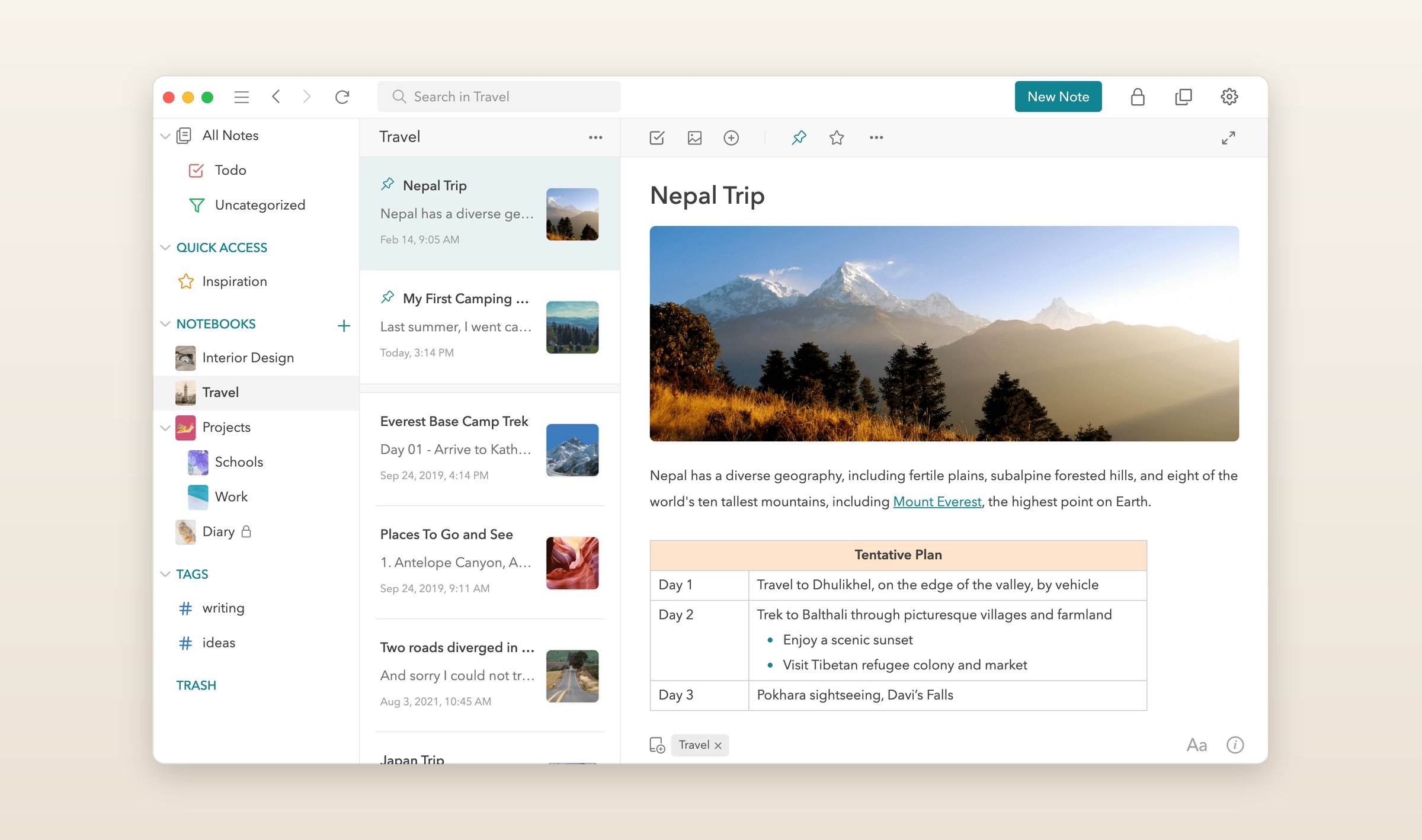
It has a guide for moving from Bear. Export from Bear as Markdown with Export attachments ticked, then in UpNote choose File > Import Notes > Markdown on a Mac, or Settings > General > Import from Markdown on Windows. The guide warns that UpNote "cannot guarantee that your data format will be fully retained," so look over a few notes with pictures afterward. UpNote syncs through Firebase, a Google service, and its FAQ answers whether notes are end-to-end encrypted with "Not at this time." It has no web version, no AI and no editing together.
Joplin
Joplin is free and open source on Windows, Mac, Linux, iPhone, iPad and Android, with a web version that is the phone app running in a browser. You choose where it syncs: Joplin Cloud from €2.99 a month, or a service you already use, like Dropbox, OneDrive or Nextcloud. End-to-end encryption is there, but you turn it on yourself.
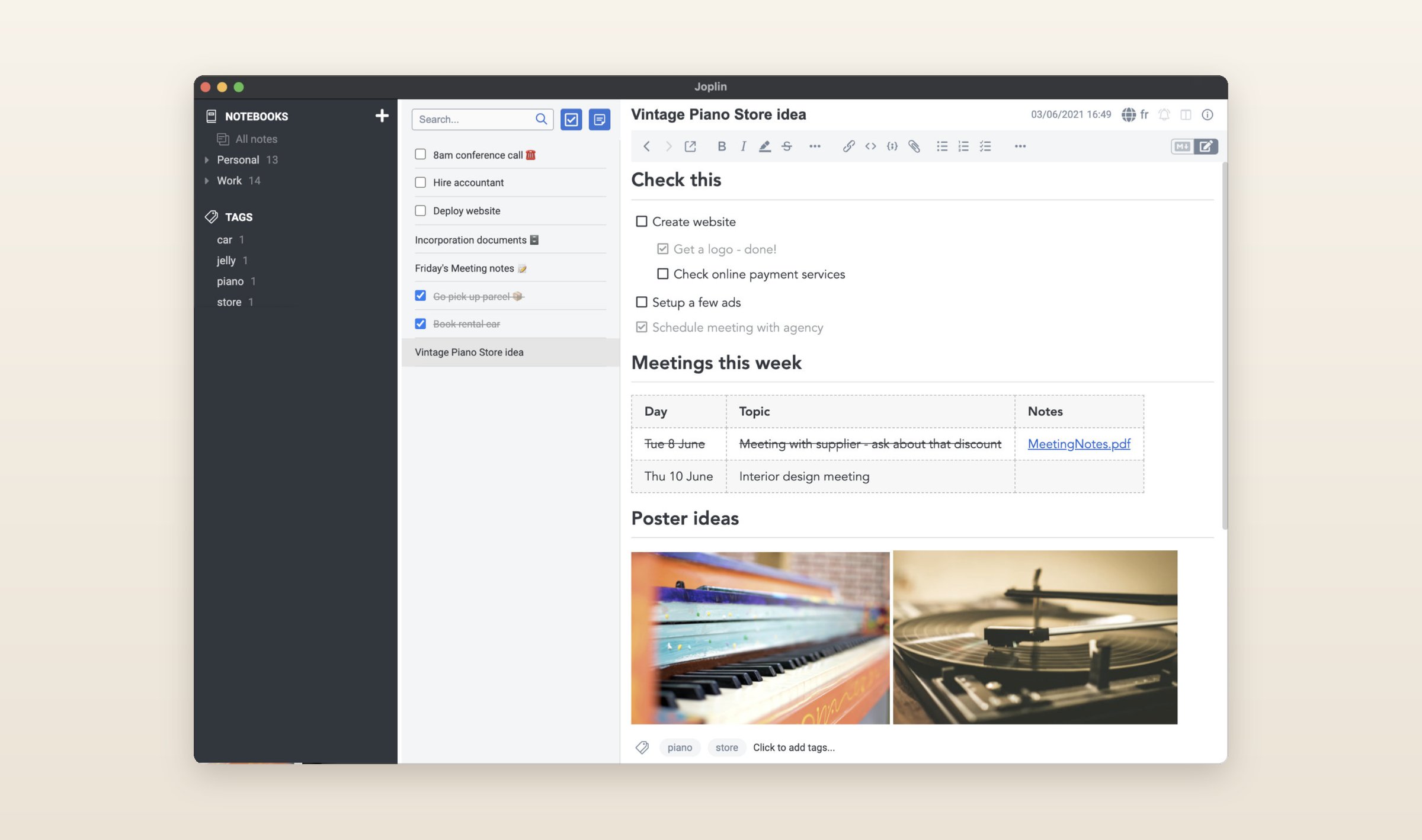
Joplin has no Bear importer, and its plain Markdown import leaves Bear's hashtags in the text as words. Its Obsidian importer, added in Joplin 3.7, reads the same Markdown export and does better: choose File > Import, pick the Obsidian option and point it at the export folder, and hashtags become Joplin tags and [[links]] become links between notes. Look over a few notes with pictures afterward. The AI chat that came with 3.7 is a desktop beta that reads only the open note, and it runs on your own key, a model on your computer, or Joplin Cloud's own AI, which every Cloud plan now lists. Sharing a notebook with other people takes Joplin Cloud Pro at €5.99.
Craft
Bear has no way for anyone else to edit a note with you. Craft does, on every plan: share a document and up to 50 people a day can edit it on the free plan, and as many as you like on a paid one, each signed in with a Craft account. It has apps for the Mac, iPhone and iPad like Bear, and also for Windows and Android, the Android one since November 2025, plus a web app. There is no Linux app, and folders cannot be shared, only documents.
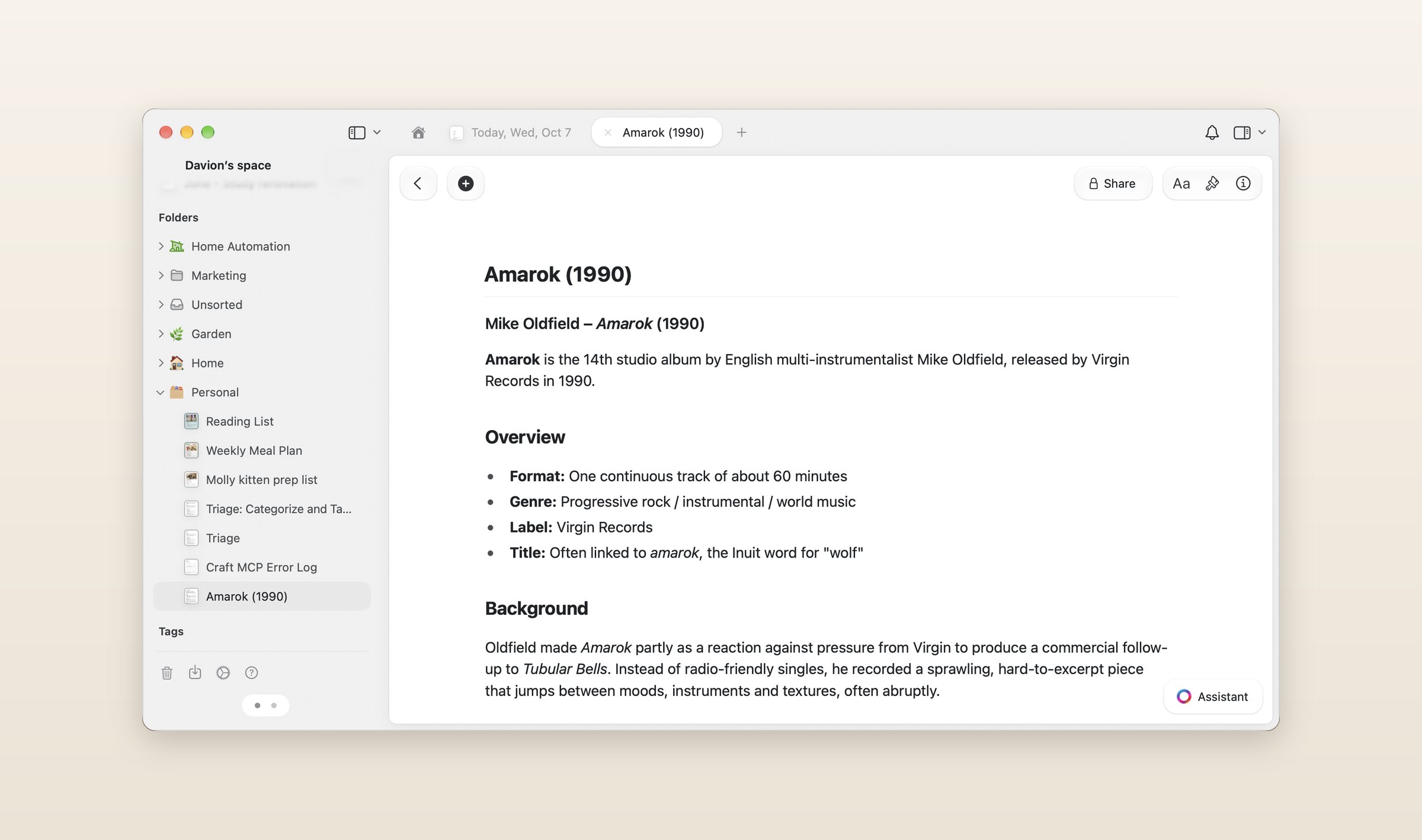
Craft has a Bear importer. Export from Bear as TextBundle, then in Craft's Mac, iPad or iPhone app click Import at the bottom of the sidebar and choose TextBundle files. Its help says the notes arrive "with their attachments" and links between them connect to the matching documents, up to 5,000 files at a time. The Windows and web apps cannot import TextBundle, and Craft's own comparison page says to "review formatting, attachments, links, and tags after import."
The free plan holds 1,500 blocks of content, which a big Bear library passes, so most people need Plus at $10 a month or $96 a year. Craft's AI assistant reads documents, folders and whole spaces. The free plan gets 15 to 25 sessions in all, Plus 250 to 500 a year, and the models that run on your own device are free with no limit. Nothing is end-to-end encrypted, and the Windows, Android and web apps need a setting turned on before they work offline.
Obsidian
Bear's FAQ says its notes "are stored in a SQLite database." Obsidian keeps every note as a Markdown file in a folder you choose, which any editor can open and any sync service can carry. It is free on Mac, Windows, Linux, iPhone, iPad and Android, with no web version, and community plugins add what it leaves out.
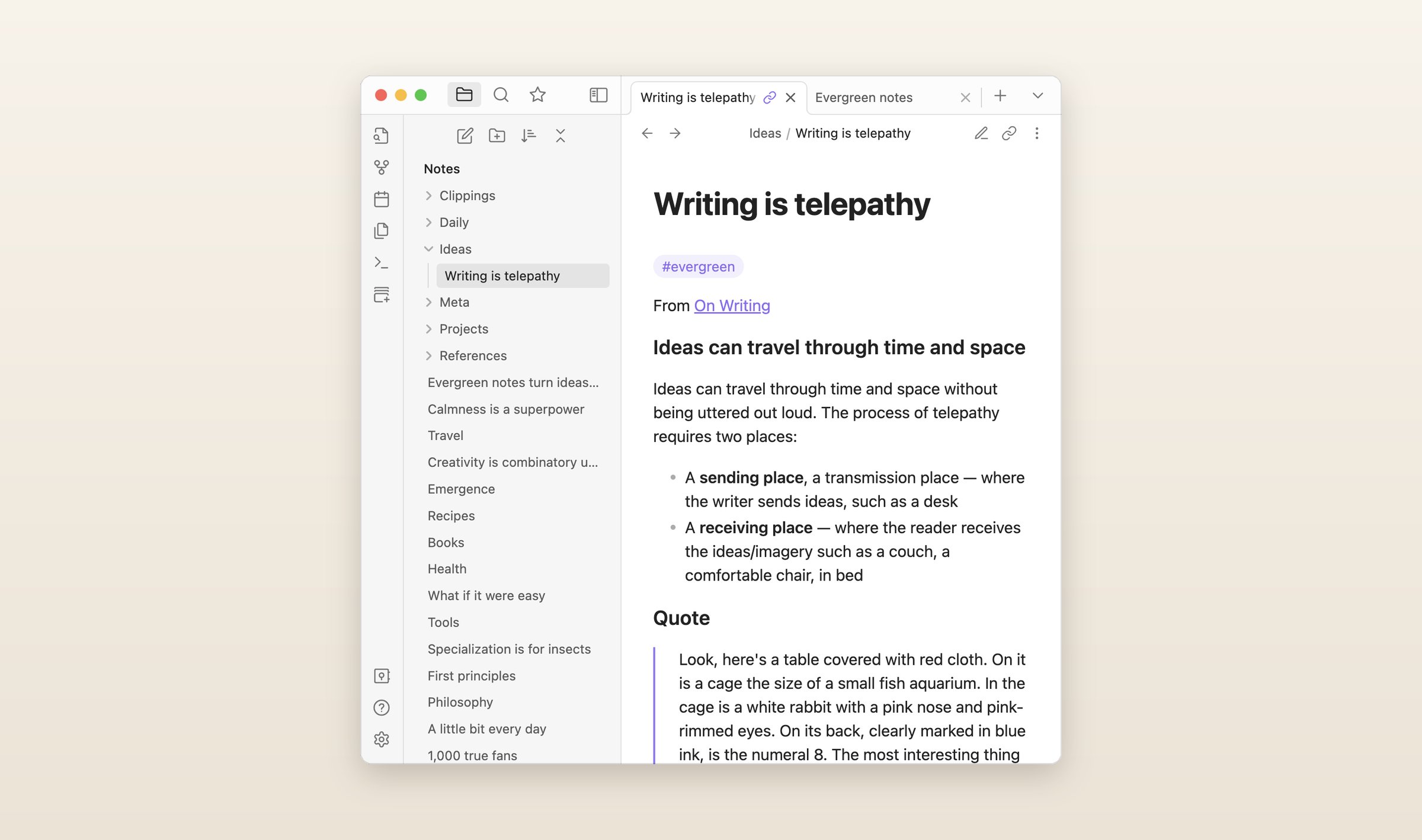
Its official Importer plugin reads Bear's backup. In Bear for Mac, choose File > Backup notes, then in Obsidian open the Importer and pick Bear. Tags stay in the text, where Obsidian reads them, and nested tags keep their slashes, because Obsidian nests tags the same way. A tag with spaces gets underscores instead. Archived and trashed notes go into folders of their own, and encrypted notes are skipped, so take the encryption off any you want to keep before the backup. Sync is $5 a month, or $4 paid yearly, end-to-end encrypted, or you sync the folder yourself. There is no AI built in, only community plugins.
iA Writer
iA Writer is a writing app more than a notebook. Every document is a plain Markdown file in a folder you choose, on the device or in iCloud, Dropbox, Google Drive or OneDrive. It is sold once per platform, $49.99 for the Mac, $39.99 for Windows and $49.99 for iPhone and iPad, with no subscription and a 7-day trial from its website. The Android app is no longer for sale.
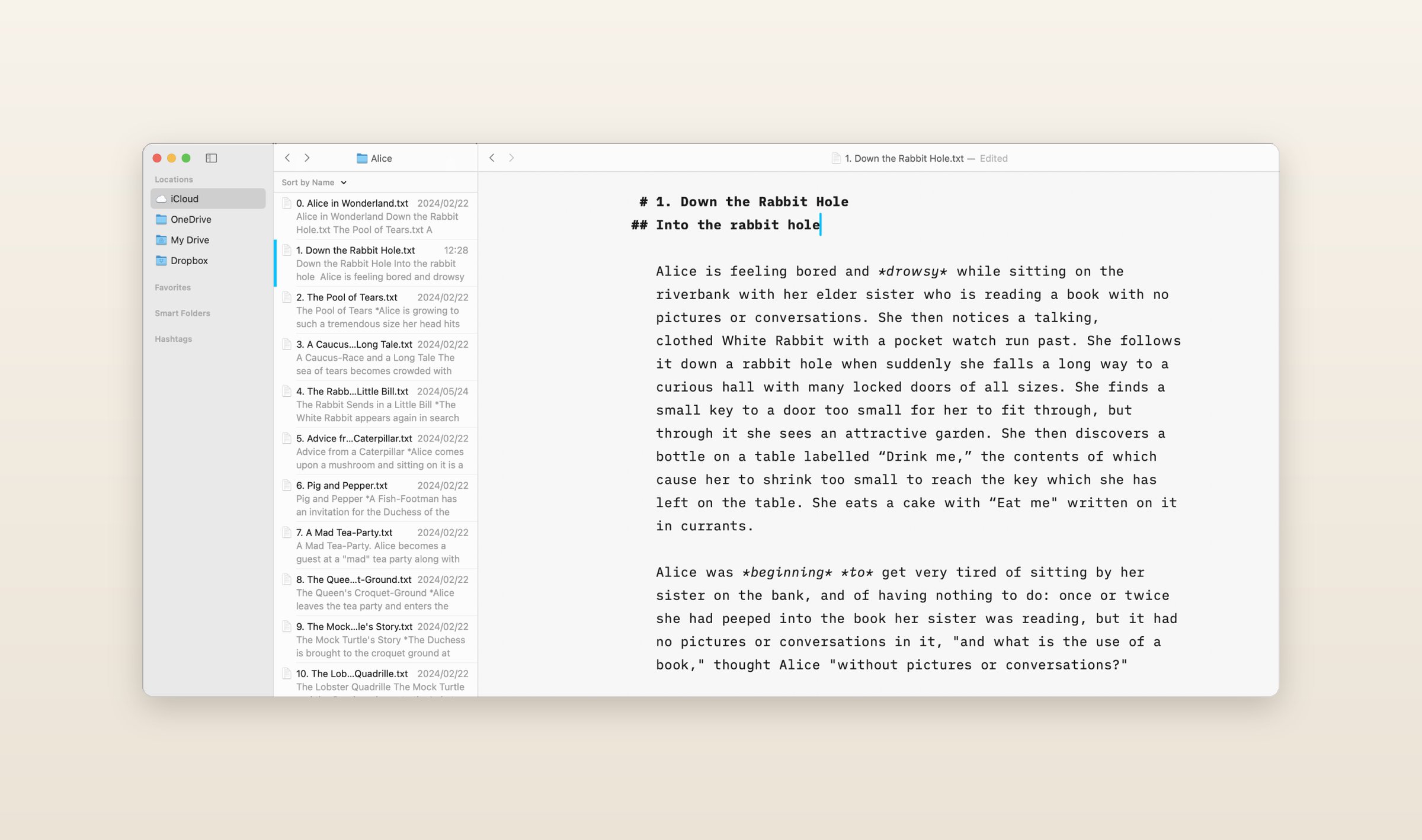
Bear's Markdown export needs no import: on a Mac, choose Go > Add Location and pick the export folder, and every note is a document. Pictures show when they sit in a folder you added, and hashtags turn up as tags in the Organizer, though iA Writer reads them the way Twitter does, so look at what Bear's nested and multi-word tags become. [[Links]] between documents work on the Mac, iPhone and iPad, not on Windows, where the app has fewer features. There is no chatbot, and its FAQ says it "doesn't write for you." Authorship, worked out on your device, marks which words you wrote and which came from AI or another source. There is no encryption and no editing together.
Notesnook
Bear encrypts the notes you lock, on Pro. The rest are end-to-end encrypted only if Apple's Advanced Data Protection is on, and even then, Bear says, "notes' titles and tags' names remain unencrypted." Notesnook encrypts every note end to end from the moment you sign up, notebook and tag names included, with nothing to switch on. It is open source and runs on Windows, Mac, Linux, iPhone, iPad, Android and the web.
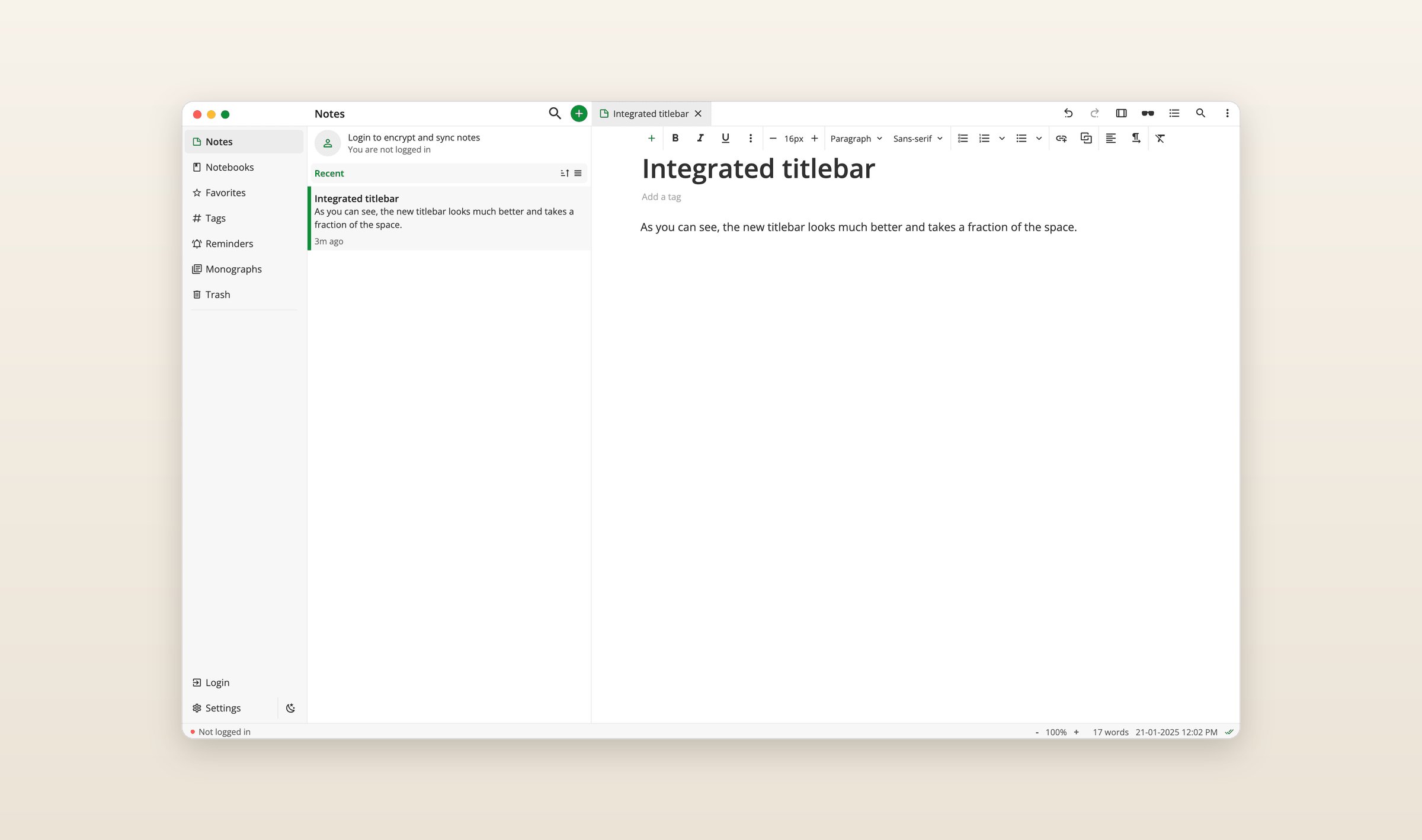
To bring Bear in, export TextBundle, then open Settings > Import & export > Notesnook Importer in the web or desktop app. Its help names Bear as an app that writes TextBundle and says the pictures and attachments in each bundle come across, but not what happens to tags. The free plan has no limit on notes but uploads 50 MB of files a month and stops at 50 notebooks and 50 tags, which a Bear library with a lot of tags can pass. Essential is $1.99 a month and Pro is $6.99. There is no AI and no editing together, though a note can be published as a web page.
Apple Notes
If the new price is the reason, the free app already on your Mac and iPhone does much of what Bear does: checklists, tables, tags, locked notes, document scans, and sync through iCloud, which Bear uses too. On another computer, icloud.com opens your notes in a browser. Notes also does something Bear does not: you can share a note or a folder and edit it with other people as you both type.
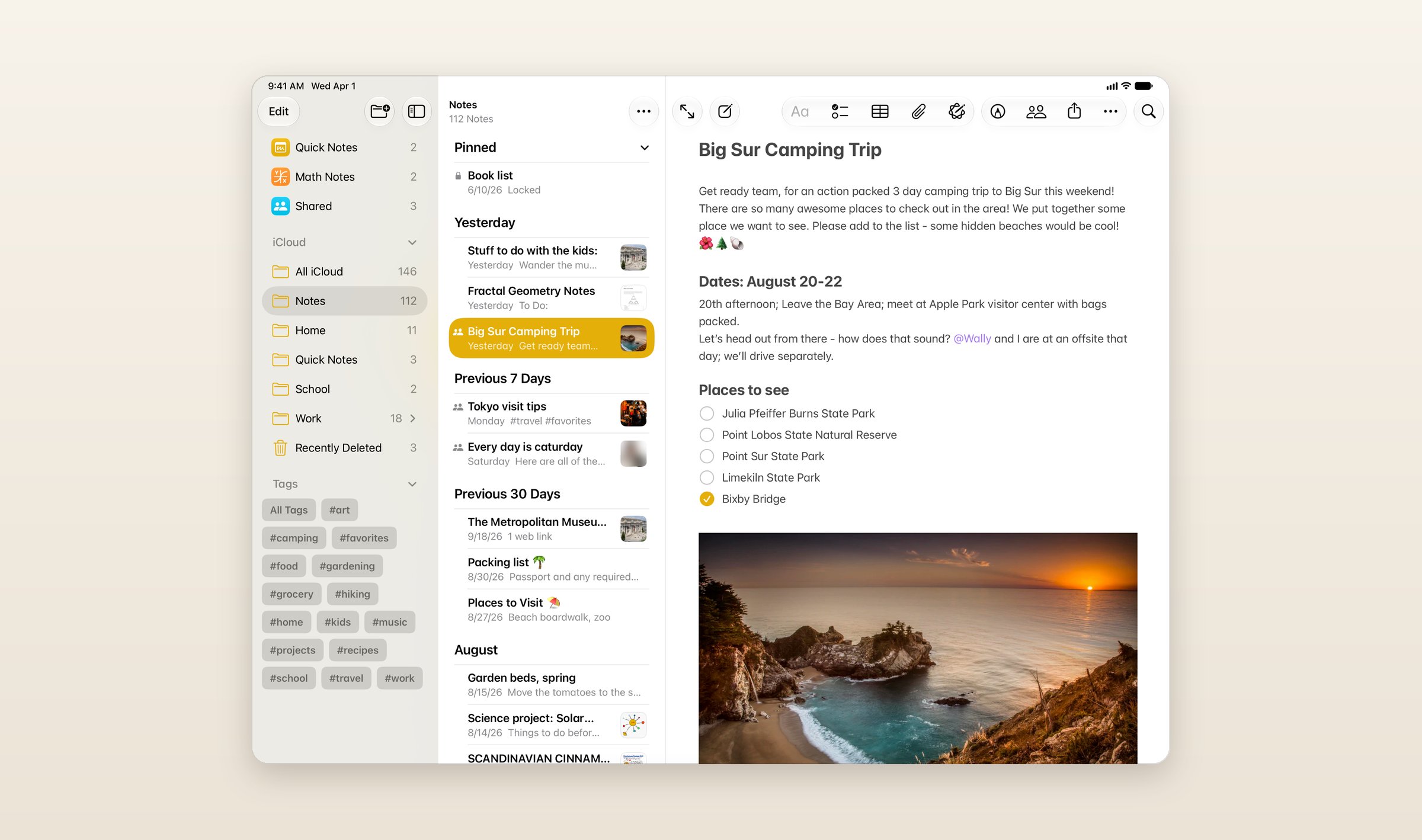
Since macOS 26, Notes on a Mac imports Markdown files from the File menu and turns them into its own formatting, and it can keep the folders they were in. Apple's page does not say what happens to pictures, and a tag in Notes is a single word, with hyphens and underscores allowed, so nested tags and tags with spaces will not carry over as they were. Notes is free, with 5 GB of iCloud storage, and iCloud+ adds more from $0.99 a month. Notes are end-to-end encrypted only with Advanced Data Protection on, and Apple Intelligence in Notes summarizes the transcript of a recording.
What they cost
Monthly prices in US dollars, checked on November 22, 2026, except Joplin Cloud, which sells in euros, and iA Writer, which you buy once. The screenshots of the other seven apps are their makers' own, from their websites, help pages and app listings.
| App | Free plan | Paid | Runs on |
|---|---|---|---|
| Bear | One device, no sync | Pro $2.99, $3.99 from November 24 | Mac, iOS, web beta |
| Grape | Unlimited notes, no account | Sync $3, Plus $9, Pro $19, Lifetime $49 once | Mac, Win, Linux, iOS, Android, web |
| UpNote | 50 notes | $1.99, or $39.99 once | Mac, Win, Linux, iOS, Android |
| Joplin | The whole app, with the sync you set up | Joplin Cloud from €2.99 | Mac, Win, Linux, iOS, Android, web |
| Craft | 1,500 blocks, 1 GB | Plus $10 | Mac, Win, iOS, Android, web |
| Obsidian | Everything but Sync and Publish | Sync $5, or $4 paid yearly | Mac, Win, Linux, iOS, Android |
| iA Writer | A 7-day trial | $49.99 once on Mac, $39.99 on Windows | Mac, Win, iOS |
| Notesnook | Unlimited notes, 50 MB of uploads a month | Essential $1.99, Pro $6.99 | Mac, Win, Linux, iOS, Android, web |
| Apple Notes | Everything, with 5 GB of iCloud | iCloud+ from $0.99 | Mac, iOS, web |
Questions people ask
Is there a Bear app for Windows or Android?
No. Bear's FAQ says "we do not have plans for Android or Windows." Bear Web, in beta at web.bear.app, opens in any major browser, needs Bear Pro and does not work with Advanced Data Protection on. Grape, UpNote, Joplin, Obsidian and Notesnook have apps for both, Craft has apps for both but none for Linux, and iA Writer runs on Windows but no longer sells its Android app.
Is Bear end-to-end encrypted?
In part. A note you encrypt on Pro is, with a key of its own. The rest syncs through iCloud and is end-to-end encrypted only when Advanced Data Protection is on, and even then, Bear says, titles and tag names are not. Notesnook encrypts every note end to end, Obsidian Sync does, Joplin does once you turn it on, and Grape does for the notes you lock.
How do I export all my notes from Bear?
On a Mac, select every note with Command-A and choose File > Export Notes, then Markdown, with Keep tags during export and Export attachments ticked. Markdown export is free. For Obsidian, choose File > Backup notes instead, which writes one .bear2bk file.
Can I keep my Bear tags?
Mostly, because Bear writes them into the notes. Obsidian keeps nested tags as they are, and Joplin's Obsidian importer turns hashtags into Joplin tags. Grape keeps one-word tags, so rename a nested tag like #recipes/italian to #recipes-italian in Bear before you export. Craft says to check tags after the import, Notesnook's help does not mention them, and Apple's page does not say what Notes does with them.
What is the best free Bear alternative?
Grape, Obsidian and Notesnook have no limit on notes on their free plans, Joplin is free with whatever sync you set up, and Apple Notes is free on the devices Bear runs on. Notesnook's free plan uploads 50 MB of files a month, UpNote's stops at 50 notes and Craft's at 1,500 blocks.
Before you switch
Export the notes under one tag as Markdown today and import them into Grape on the free plan. Exporting changes nothing in Bear, so you can keep using both while you decide.
Grape is available for iPhone, Android, Mac, Windows and Linux at grape.cool/download.