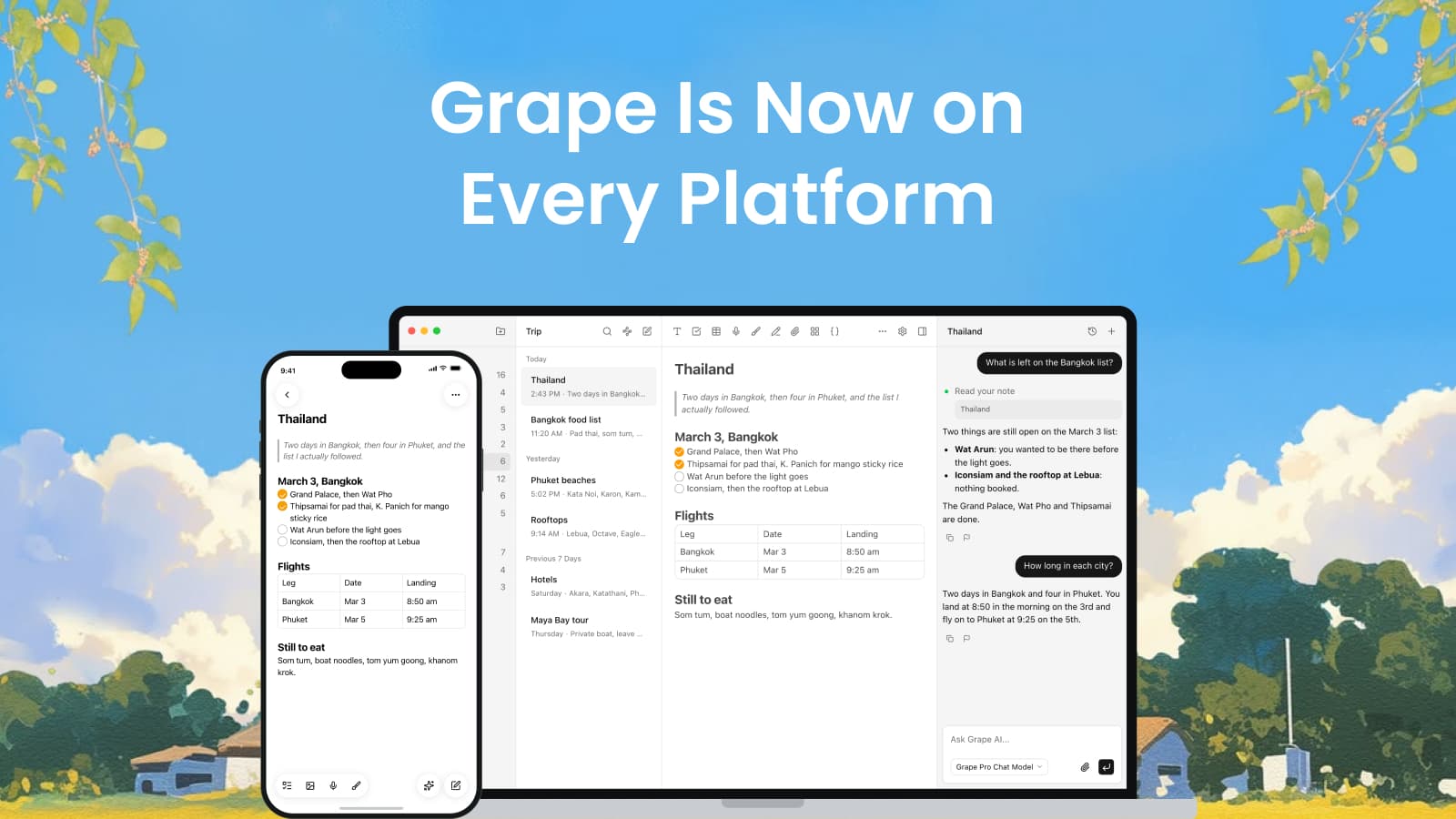
The iPhone app came out of App Review this week. I opened the App Store on my own phone, typed in Grape, and there it was.
That was the last one. Grape now runs on Mac, Windows, Linux, iPhone and Android, and there is a clipper for Chrome. Every screen I own, and probably every screen you own.
I want to tell you how it got here, because it did not start as a plan to be everywhere. It started because I could not find my own notes.
Ten years of notes I could not find
I used Apple Notes for ten years. Ten years of book notes, recipes, gym routines, English words I kept looking up, things I read about philosophy and psychology, ideas for weekend projects I never started. And I could not find any of it. I would know I had written something down and have nothing to search with. Not the title, not a sentence in it, not even the year.
The other thing that wore me down was the copying. I would ask ChatGPT something, copy the useful part, paste it into Apple Notes, go back to ChatGPT, copy the next part. ChatGPT, Apple Notes, ChatGPT, Apple Notes, for an hour at a time. At some point I thought, what if the AI just lived in the notes app.
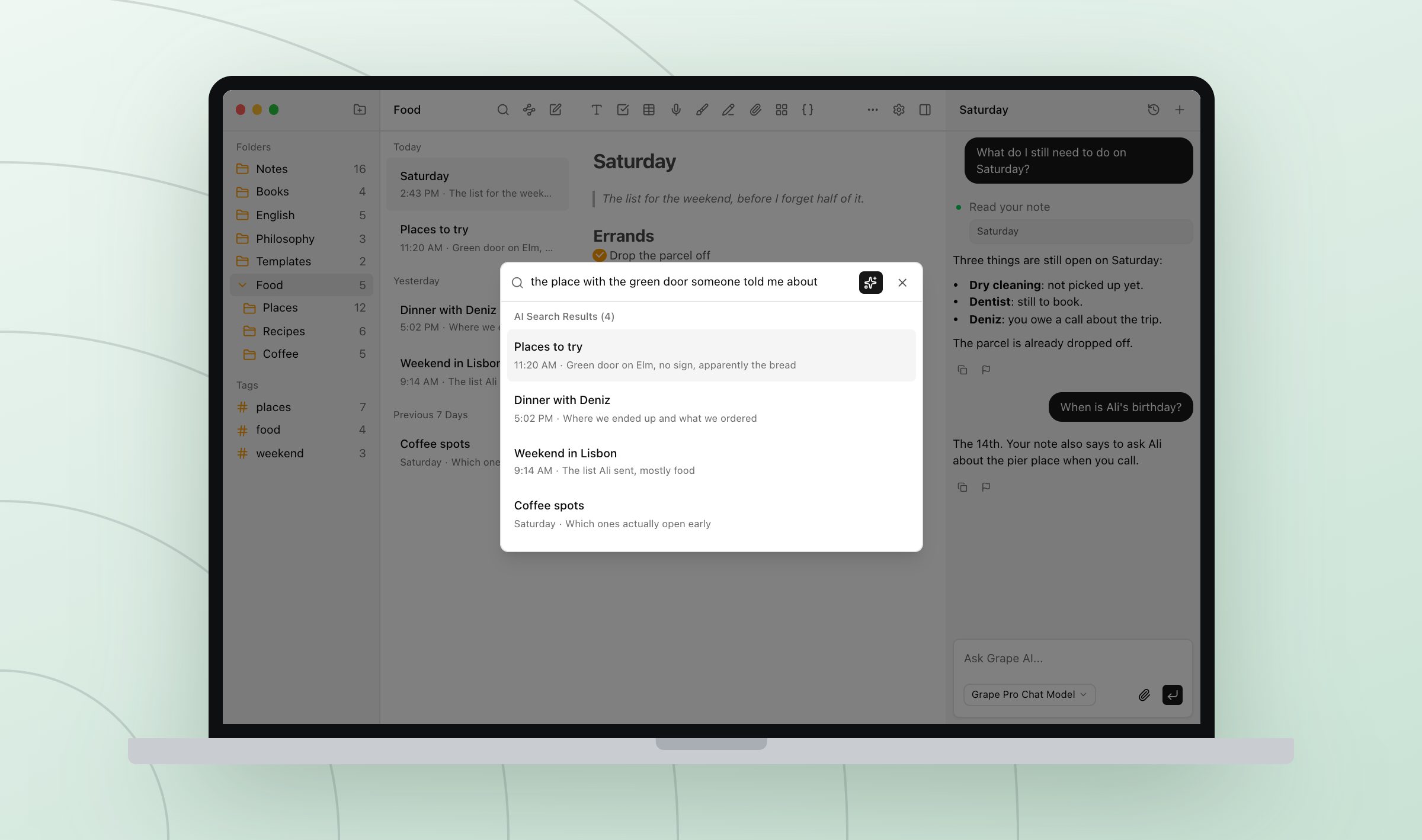
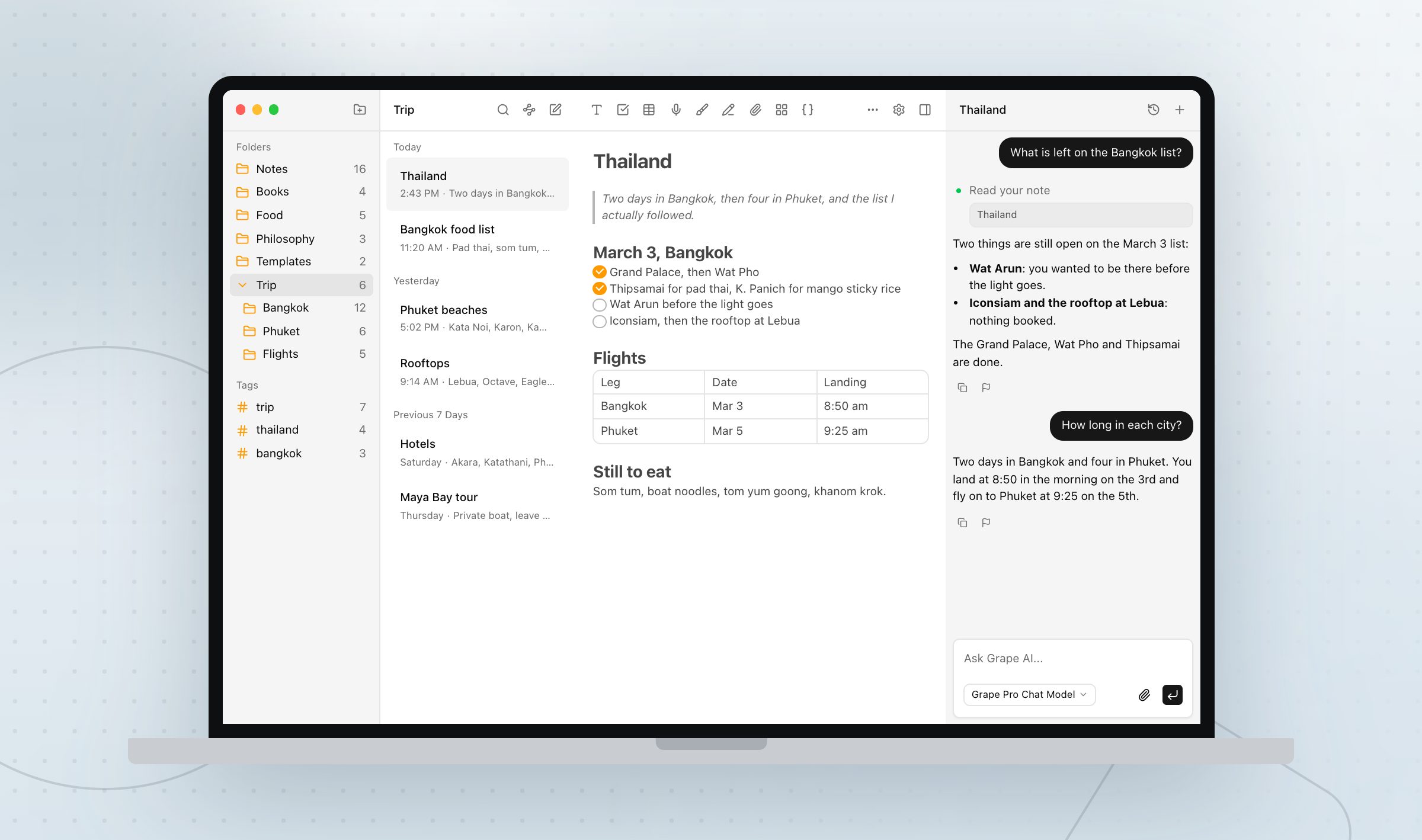
So I built the thing I wanted for myself. Your notes get indexed by meaning as you write them, so you can look for the place with the green door somebody told you about and find the note you called Places to try. And the assistant sits in the same window as your writing, so there is nothing left to copy anywhere.
The person who paid, and what that did
I put the desktop beta out in the spring, for Mac and Windows, and started on the phone app right away. Then my other business needed me back, and Grape sat still for a while.
That is the part I do not enjoy writing about. You work on something for months, you stop, and the doubt has room to move in. Maybe this was a nice thing to build and nobody wanted it.
Then someone subscribed to Grape Desktop.
One person, paying real money for something I built on my own. Written down it sounds small. It was not. I went back to work that week, and it has not stopped since.
The phone was always the point
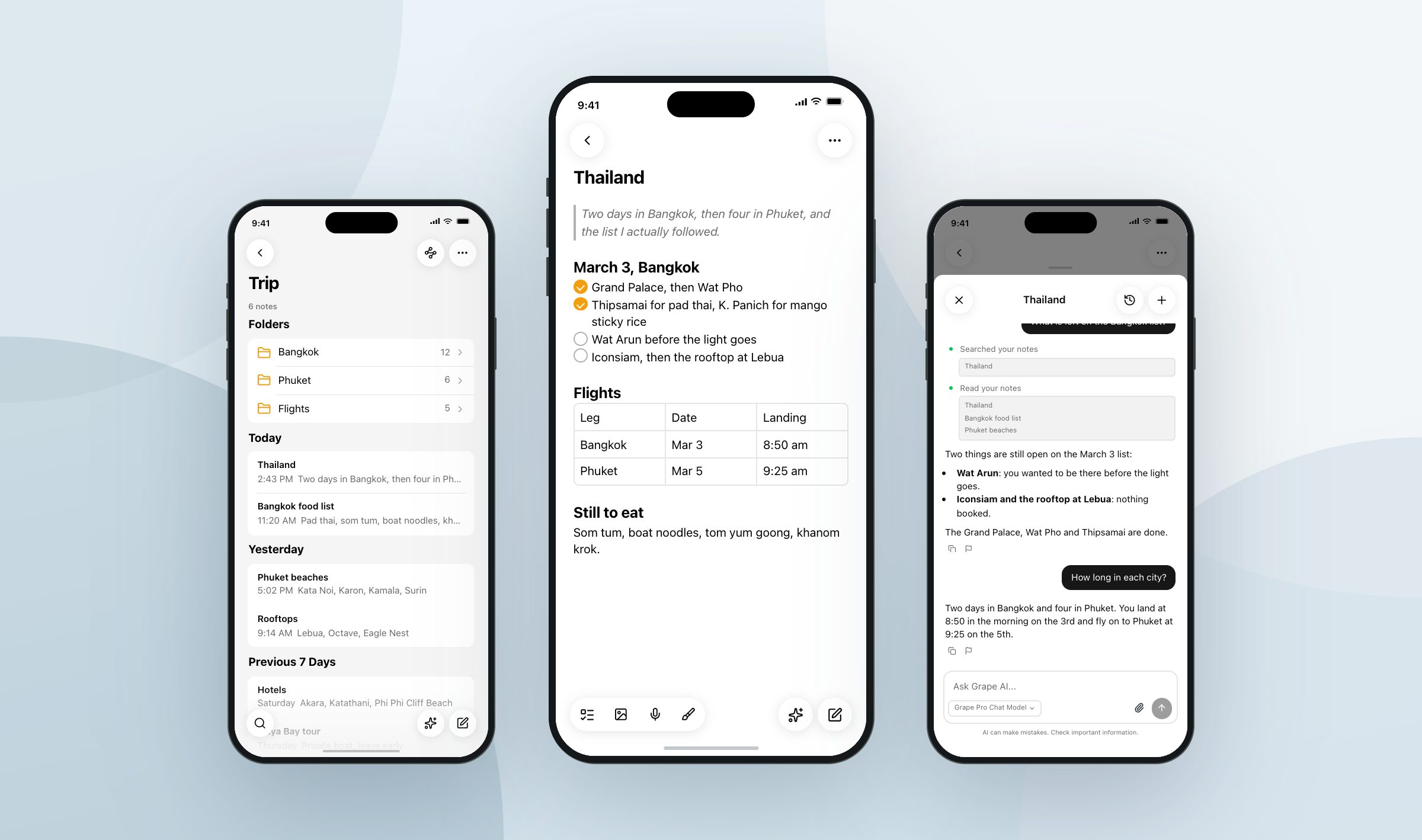
The notes I actually needed to take were never at my desk. They were in a line at the pharmacy, on the walk home, in the ten seconds after a call ends, in a lecture I was already behind in. A note that has to wait for the laptop does not get written.
So the phone app is not a viewer for notes you wrote somewhere else. It has the editor, the folders, the tags, version history, the drawing canvas, the recorder and the same assistant with the same tools. Open it, talk or type, and it is saved before you look up.
And then the places notes come from
Half of what ends up in my notes was written by somebody else. An article a friend sends me, a PDF I have to read before a call, one of the long posts on X that I open and then lose in a tab.
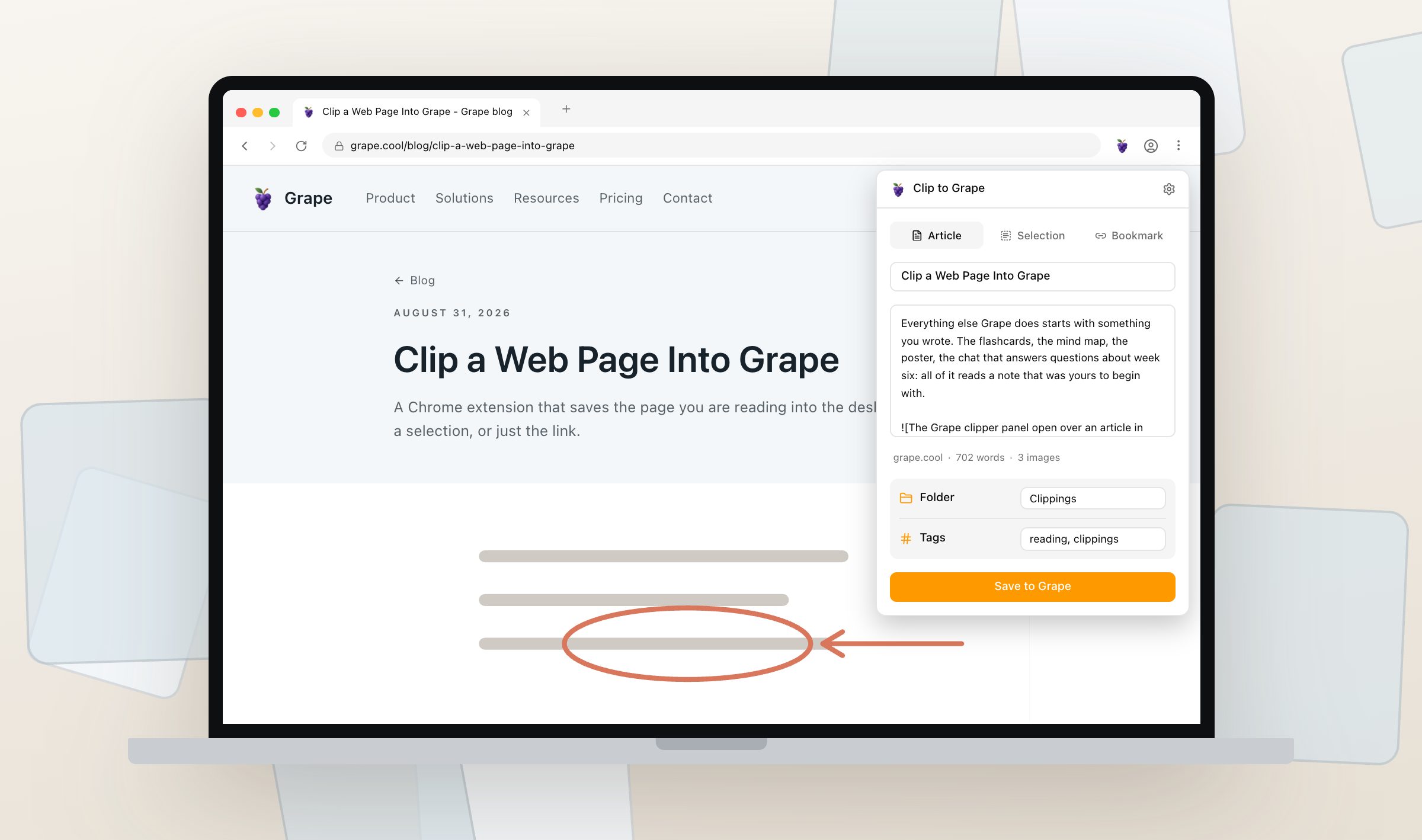
So there is an extension in Chrome that clips the page you are reading straight into a folder, without the menus and the ads around it.
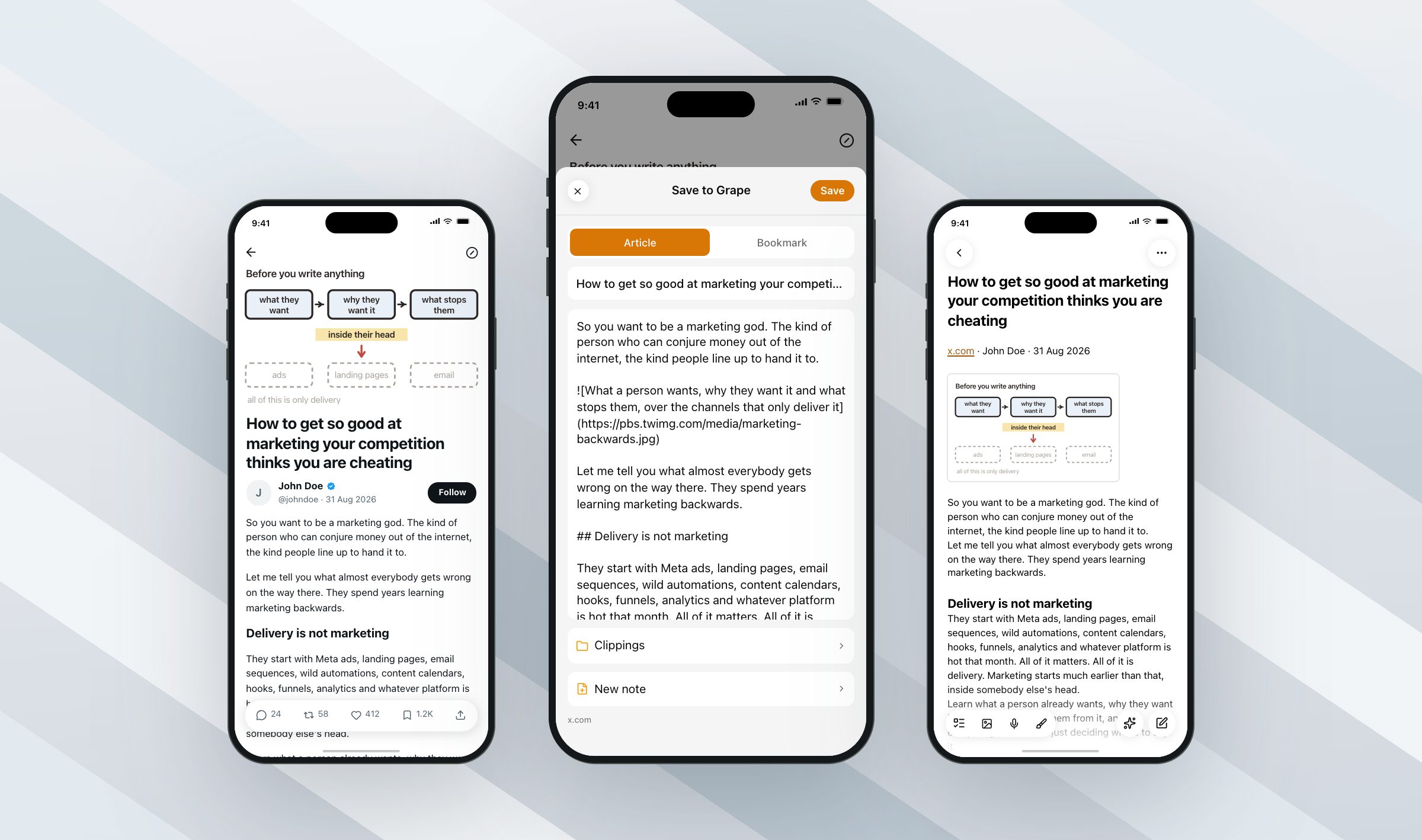
On the phone it is the same idea through the share sheet, and this is the part I use most. I read a lot of articles on X. Now one tap saves the whole post as a note instead of a link I will never open again, and because the pictures come down with the text instead of staying on the site, it still reads on a plane with no wifi.
One library, wherever you are
The desktop app is the same app on Mac, Windows and Linux, and Linux gets Debian packages for both x64 and arm64. Every app writes to a local database on the machine it is on, and on desktop you choose where that file lives. Writing, reading, organizing, drawing and recording all work with nothing connected.
Sync is a Pro feature and it stays off until you turn it on. Once it is running, notes, folders, tags, attachments, drawings, flashcards, quizzes, mind maps, chats and settings stay in step on every device you sign in on, and each device keeps its own copy. Start a note on the train, finish it at the desk.
The free plan needs no account and never expires: unlimited notes and folders, the full editor, the canvas, tags, attachments, voice recording, version history, the clipper, the share sheet and exports to Markdown, HTML and PDF. The AI features are on the paid plans, either with Grape AI included or with your own API keys.
Grape started as one person trying to find a note. Pick up whatever device is nearest and write something in it.
Grape is available for iPhone, Android, Mac, Windows and Linux at grape.cool/download.