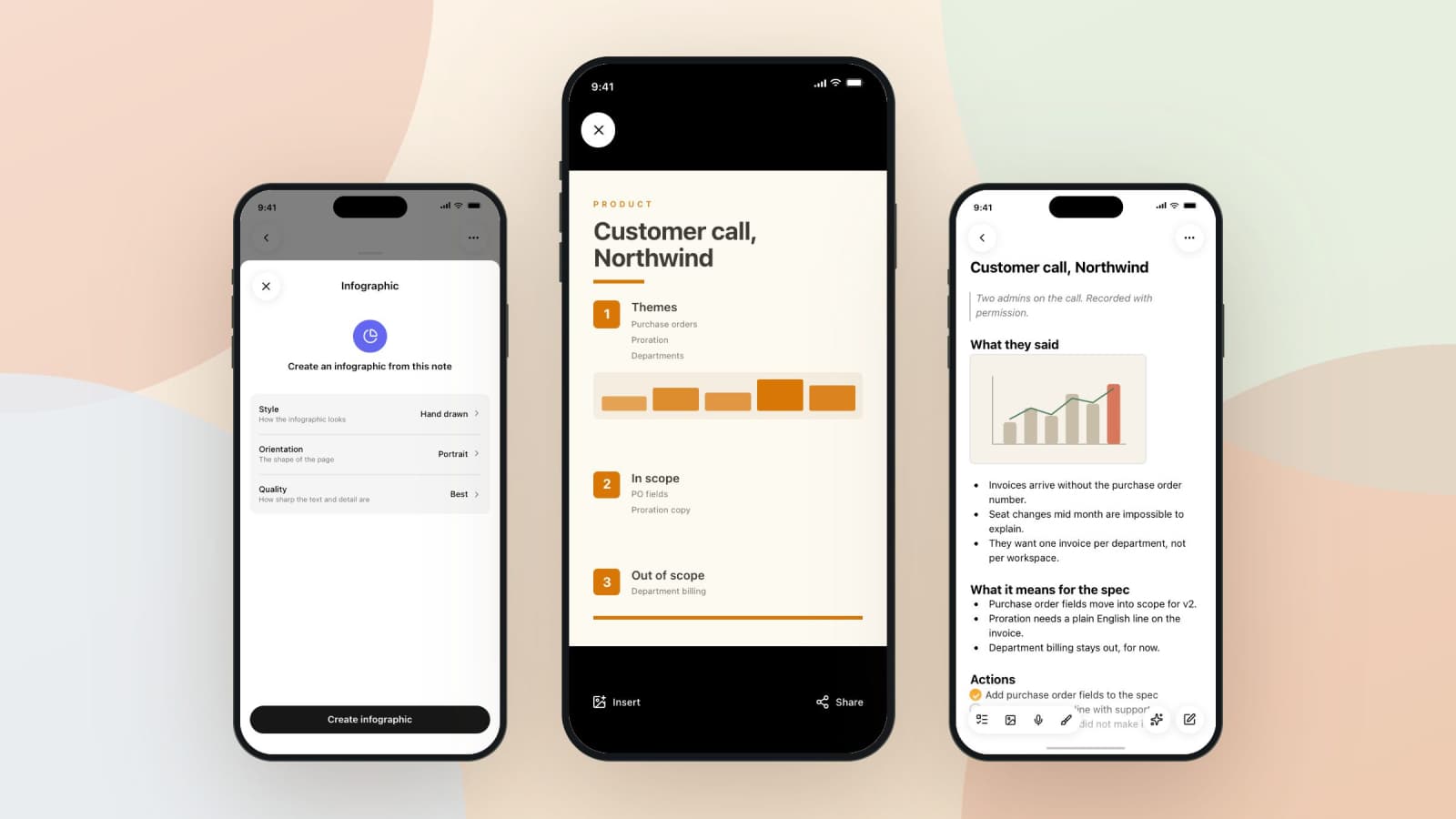
People remember posters. Not because a poster is smarter than a page of notes, but because it has been arranged: a title at the top, sections in order, a number beside each one, a picture where a picture helps. Nothing new has been added to it. Someone has decided what goes where.
Deciding that is the slow part, which is why almost nobody makes a poster of their own notes. An afternoon in a design tool for one page about cell respiration is not a trade anyone takes during exam week.
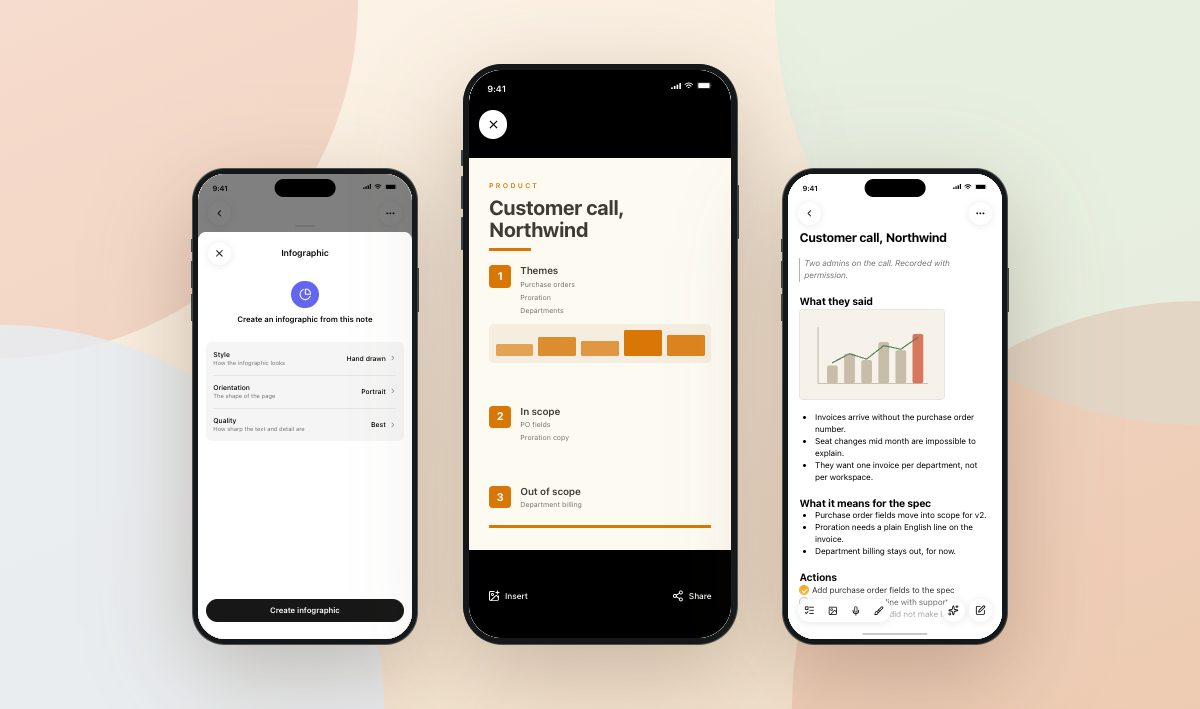
Grape's new Infographics feature does the arranging. Point it at a note and it comes back with a single image: the whole note laid out as a study poster, drawn top to bottom.
Something is written before anything is drawn
The poster is not made in one pass. A language model reads the note first and writes a plan: a title, a subtitle if the title needs one, three to seven sections, two to five points inside each, an icon suggestion for every section, and one closing line at the bottom.
That plan is written under a hard rule and a strange one. The hard rule is that every statement has to be supported by the note. No added facts, no invented examples, no numbers that were not there.
The strange one is length. Every word in the plan is about to be rendered as pixels by an image model, and image models letter short text beautifully and long text as scribble. So a section heading is capped at forty characters and a point at eighty, and the model is told to write fragments rather than sentences. It is also told to stay inside ordinary letters, digits, and hyphens: no arrows, no parentheses, no math notation, no accented characters, because each of those comes back as a smear where a symbol should be.
Which is worth knowing before you point this at your equations. A note whose meaning lives in its notation is the wrong note for a poster. A note whose meaning lives in its definitions, comparisons, and numbers is the right one.
The look is the part you choose
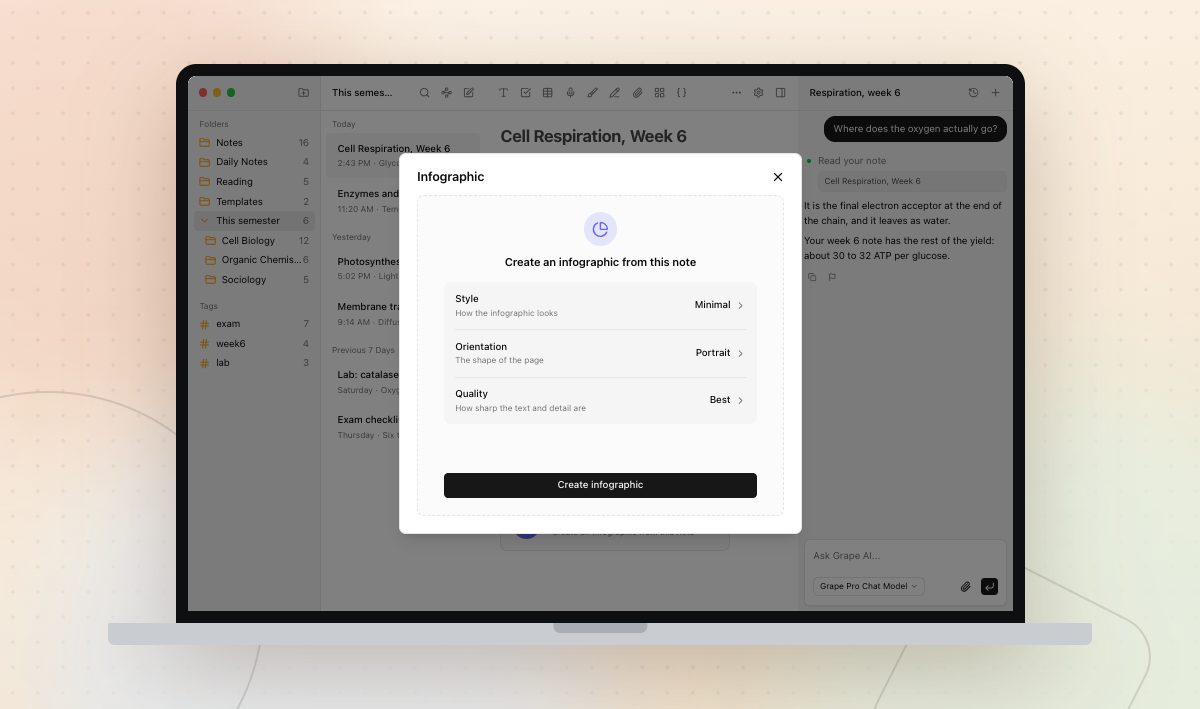
Three settings, and all three have defaults that work.
Six visual styles: Minimal, Colorful, Hand drawn, Corporate, Dark, and Retro. Four shapes: portrait, landscape, square, and tall, which is the long scrolling poster and the default. Tall matters for more than the shape, because a taller canvas gets asked for six sections instead of three, so it is the setting that decides how much of your note survives the trip.
Then quality, which is how long the image model may spend. Best is the default, and it is the right default: the small text is the entire point of an infographic, and it is the setting that most decides whether that text comes out readable.
The whole poster is one image, even the long one, so no band is ever cut in half by a seam. Generation takes somewhere between thirty and ninety seconds, and the four steps it shows you are real stages of the work rather than a bar moving on a timer.
It stays with the note
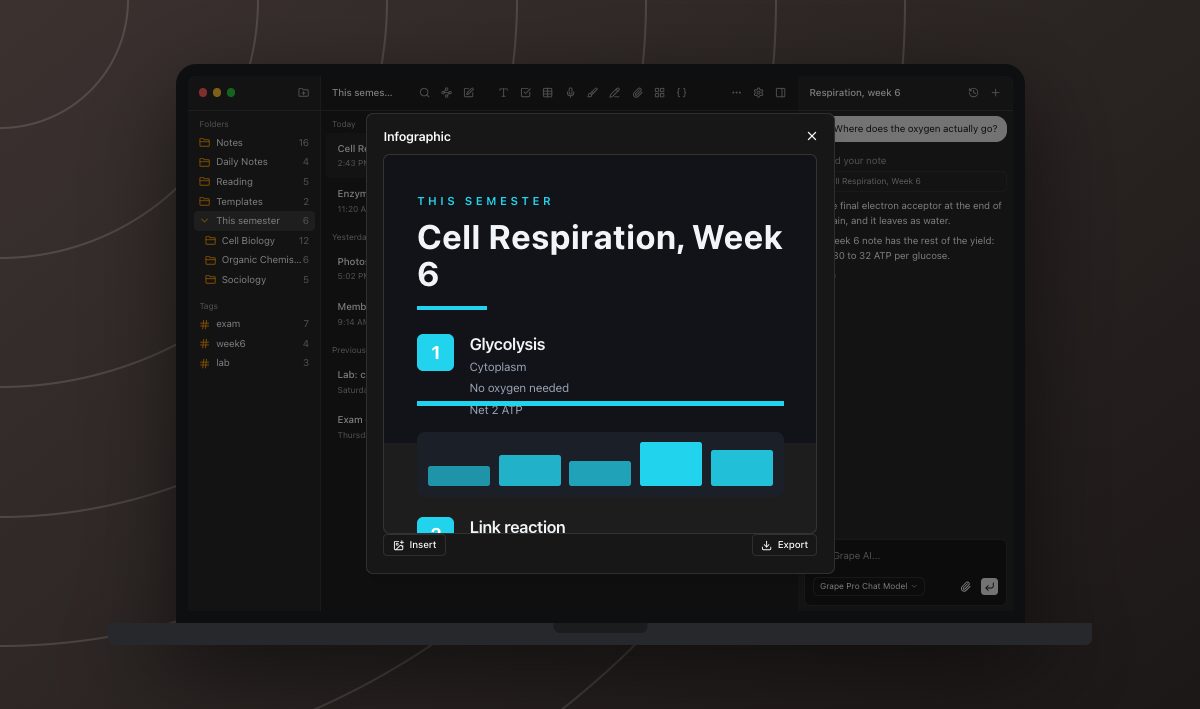
The infographic lives in the note as a chip, at the spot where you asked for it. The image itself is downloaded to your device once and opened from there, so it comes up on a train with no signal, and it is on your other devices the next time they sync.
From the viewer you can insert it into the note as an ordinary picture, after which it behaves like any image you ever pasted in: it syncs, it exports, and it shares. Export saves the file on desktop. On the phone it goes to the system share sheet, which is how it reaches your camera roll or a group chat.
Regenerate draws it again, at a different style or shape if you want one. Desktop tells you when the note has changed since the poster was made, which is the moment most people want a new one. Delete removes it from the note and from the cloud together.
What a picture cannot do
It is a picture. You cannot fix a word of it, search it, or copy a line out of it, and if the image model gets a letter wrong, the fix is to draw it again rather than to edit it. That is the trade for having it look like something a designer arranged.
A note that is too short gets refused rather than padded out into a poster of nothing, and Grape says so instead of offering a retry that would fail the same way. Long notes are trimmed at 8,000 characters before they are read, so the note you have been adding to since March is better split than posted whole.
Infographics need Grape Pro, and Lifetime does not cover them. Every other AI feature on Lifetime runs on your own API key. This one cannot, because the image renders on our servers at real cost per poster no matter whose key wrote the plan. On Pro it is 30 a month, and 10 in any five hour stretch, which is the tightest limit in the app, because a poster is the most expensive thing Grape makes for you.
Not only for revision
The clearest use outside of school is the meeting nobody read the notes from. One customer call, one poster, one image in the channel, and the three things that came out of the call are visible at a glance instead of buried in a doc that will be scrolled past.
The same goes for a process everyone half remembers, a policy that changed last month, or the onboarding page that keeps getting the same question asked about it.
Pick the note you would put on a wall if putting things on walls were easy, and make that one first.
Grape is available for iPhone, Android, Mac, Windows and Linux at grape.cool/download.