Everybody likes mind maps. Almost nobody makes them.
Drawing one is work. You open a blank canvas, type a central idea, drag a box, drag another box, and about four boxes in you notice you are doing arts and crafts instead of studying. So the map never gets drawn, and the note stays what it was: a column of bullets that all look equally important.
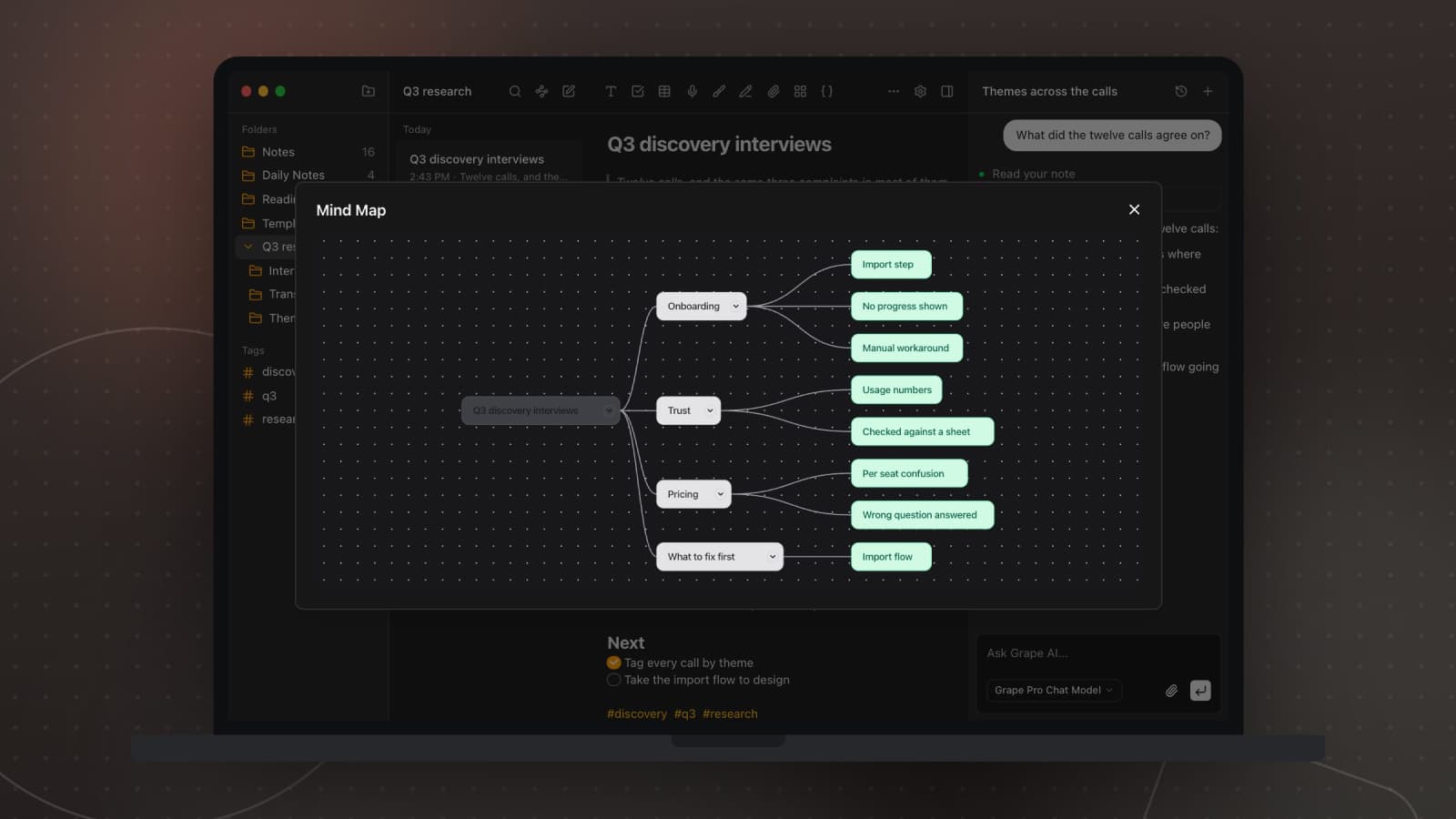
Grape draws it for you, from the note you already have. Add a mind map to the note, press Create mind map, and it comes back with a tree built out of what you wrote.
What you get
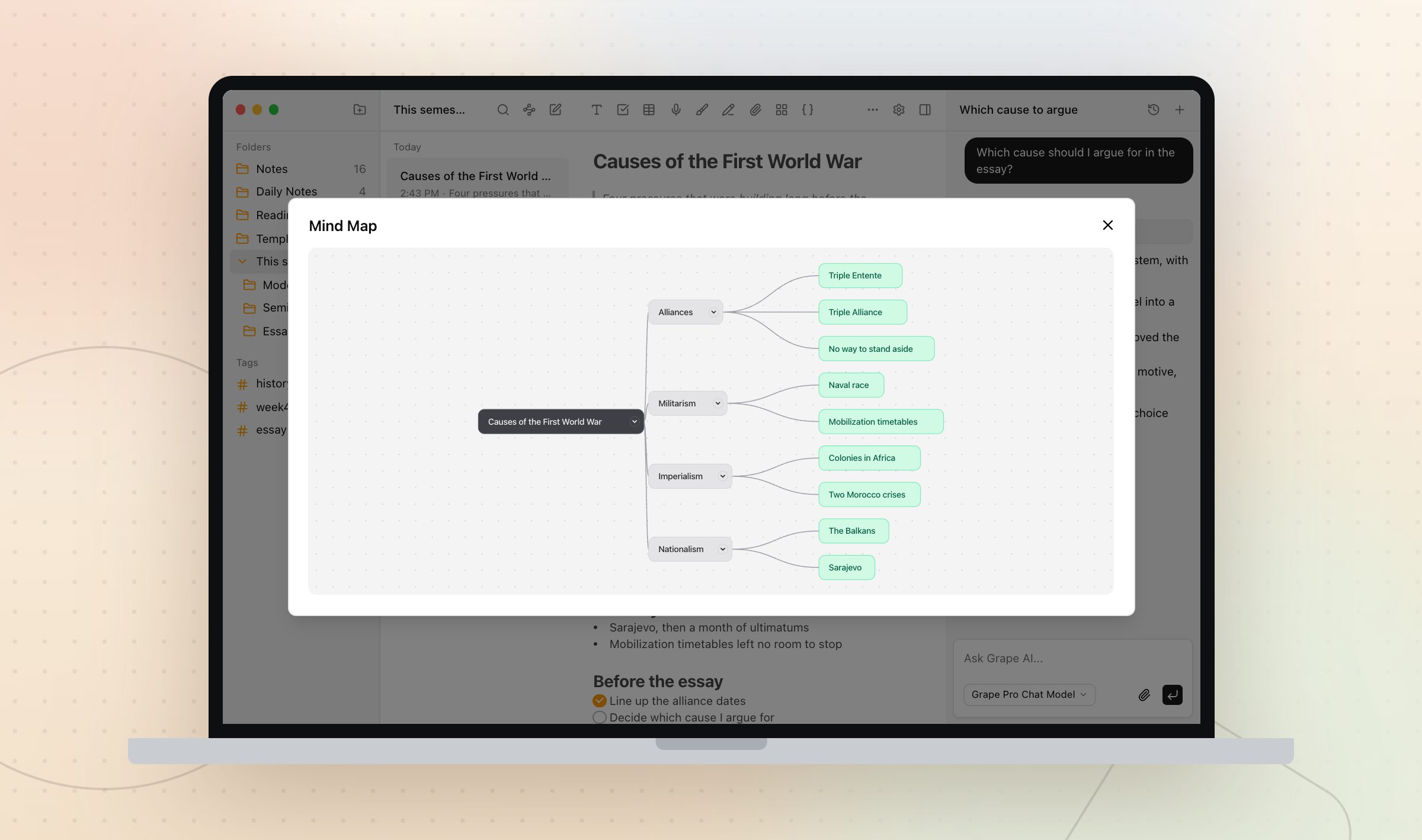
The title of the note becomes the center. Around it sit four to eight branches for the themes it found, each with a couple of children under it, three levels deep at most. It reads left to right, which is the part people do not expect and then prefer.
Any node with children has a chevron on it. Click one and that branch folds away, so you can hide everything except the part you are arguing about. A button in the corner collapses or expands the whole map at once. Drag to pan, scroll to zoom, same as any map.
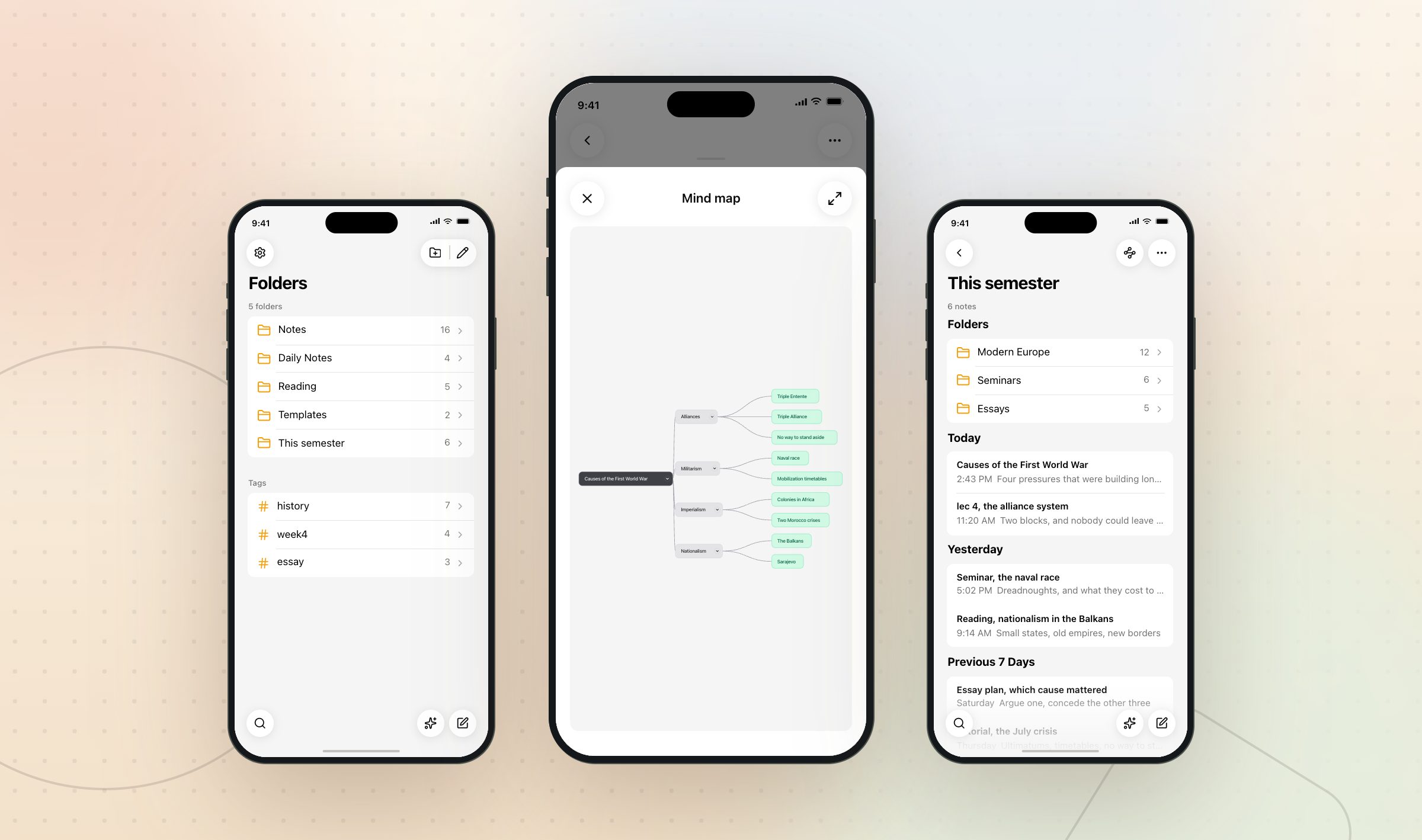
That folded state is saved. Collapse three branches on your laptop, open the note on your phone that evening, and those three branches are still collapsed.
The map belongs to the note
There is no mind map library in Grape. The map is attached to the note it came from, it syncs to your other devices, and it is deleted when the note is deleted rather than sitting in a folder somewhere with nothing attached to it.
So you never go looking for the map. You go looking for week four, and it is in there.
What it will not do
It reads your note and nothing else. If your note on the French Revolution is three bullets long, the map will be three bullets long in a nicer shape. That is also the most useful thing about it, because a thin map tells you in one second that you have a thin note.
Very long notes are trimmed before they are sent, so a note you have been adding to since February is better split before you map it.
Mind maps need Pro or Lifetime. On Lifetime the map is generated with your own API key.
Not only for exams
Work notes have the same problem lecture notes do. Twelve customer calls, one long note, and no way to see that four of them said the same thing.
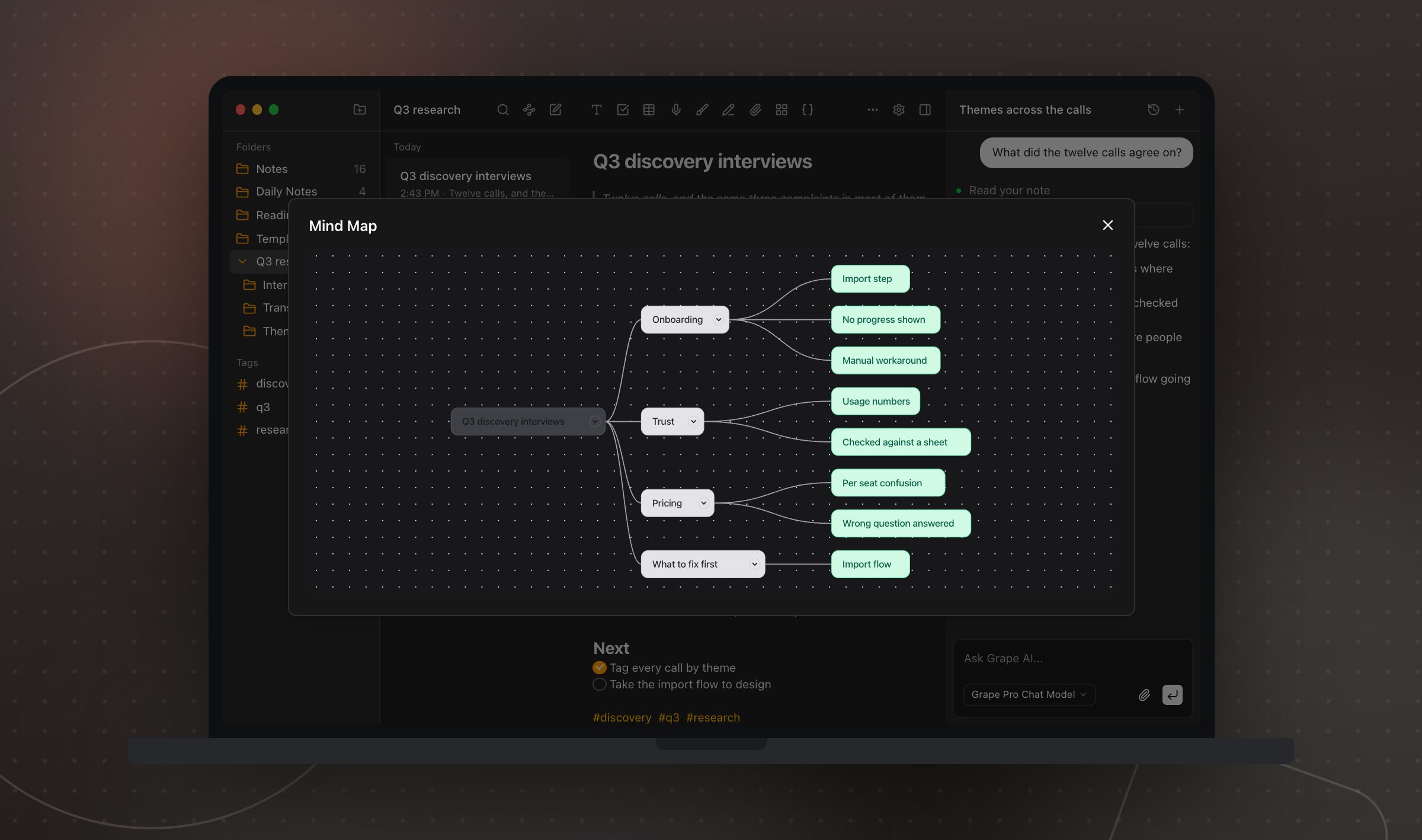
Researchers run it on a paper they are working through. Consultants run it on a messy discovery week. Either way you wrote the thing in a straight line, and this is how you see the shape of it.
Try it on your worst note first. The map will tell you what is missing faster than rereading it will.
Grape is available for iPhone, Android, Mac, Windows and Linux at grape.cool/download.