You can reread week six until every heading looks familiar. Close the note, try one question from it, and you find out how much of that was just recognizing the page.
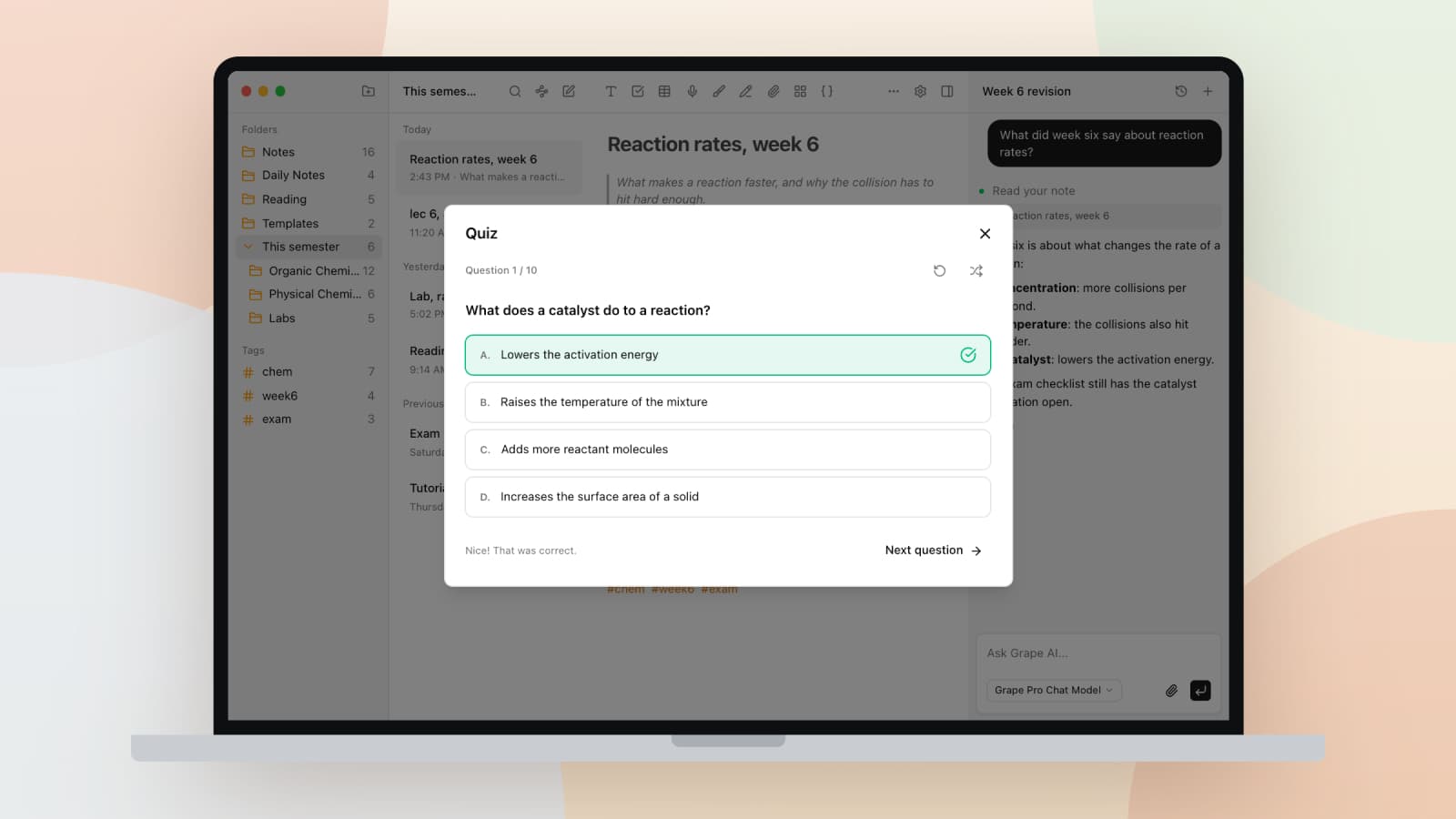
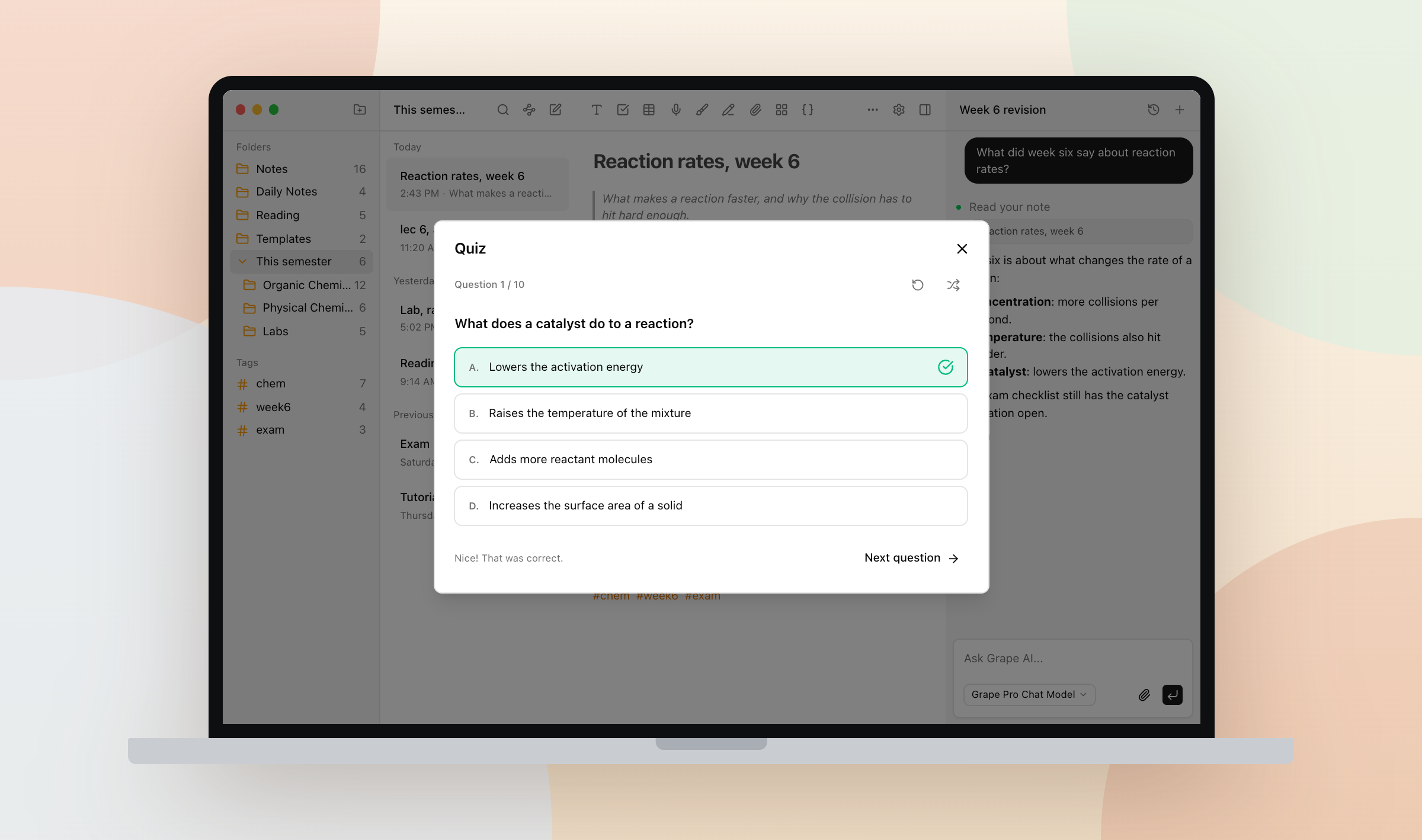
Grape writes the quiz from the note you already have. Open it, add a quiz block, pick a difficulty, and you get ten multiple choice questions out of what you wrote.
How it works
On the desktop app, type / in the note and pick Quiz, or use the apps menu in the toolbar. On mobile, open the apps group in the format toolbar and tap Quiz. A card lands in the note where your cursor was.
Press it, pick easy, normal or difficult, then press Create quiz. Grape reads the note, sends it to whichever chat model you have selected, and comes back with ten questions drawn from what you wrote.
Adaptive mode builds a bank of thirty questions across those difficulties and follows how you answer. Get them right and they get harder. Miss them and it eases off. That takes longer and uses more tokens, which the toggle tells you before you start.
Each question has four options, and you can skip if you want to come back. When you finish, you see how many you got right, wrong, or skipped. Restart or shuffle if you want another pass.
The quiz belongs to the note
The quiz is a block in the note. It syncs to your other devices, shows up in version history, and goes away when the note does.
Open week six and the quiz is already there.
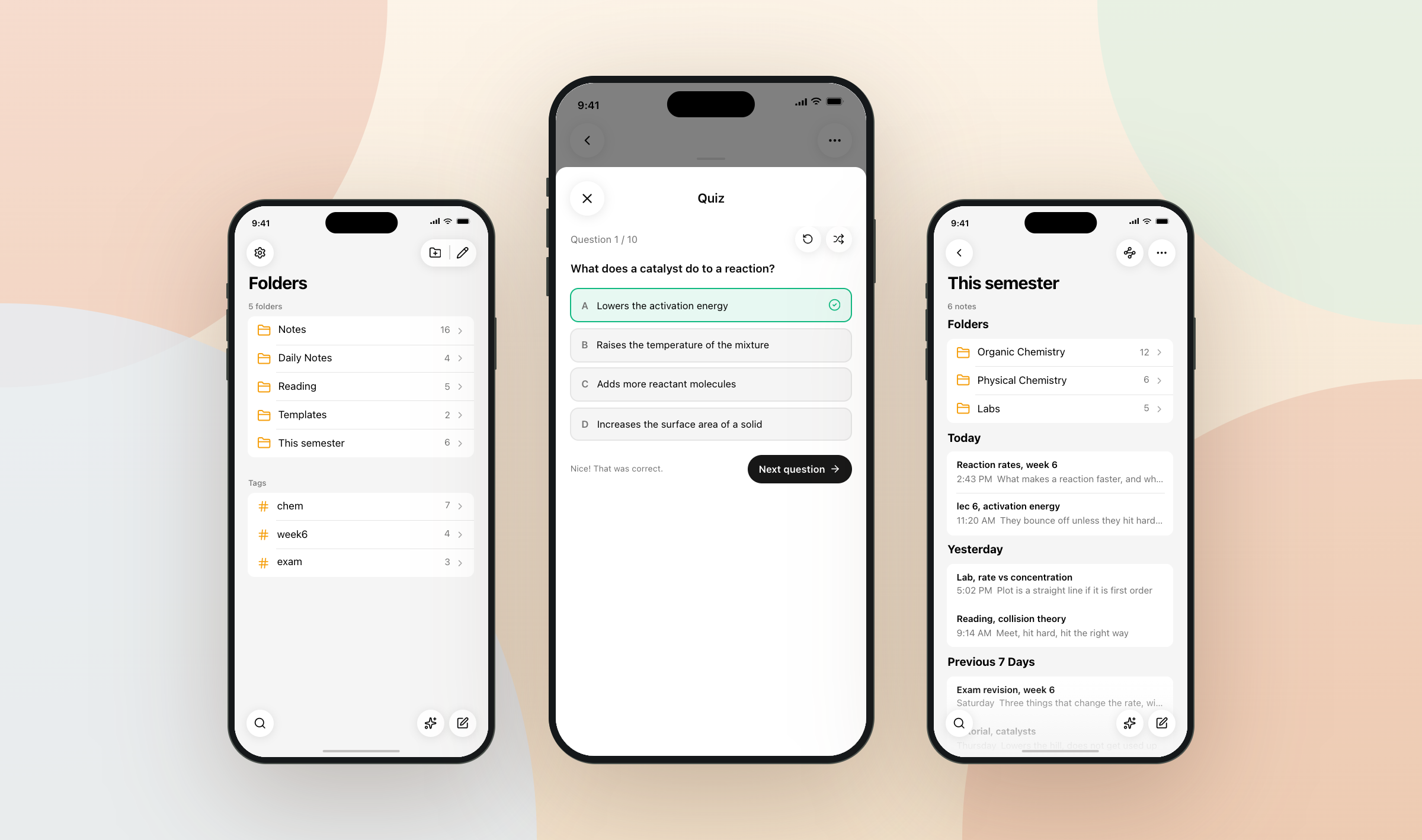
A quiz generated on the laptop opens on the phone. People write at a desk and take it later, often standing in a corridor.
Study tools need Pro or Lifetime. On Lifetime the questions are generated with your own API key. Very long notes are trimmed before they are sent, so split a note you have been adding to since February before you quiz yourself on it.
Outside of class
Doctors use it on a guideline summary, new hires on the service names they still mix up.
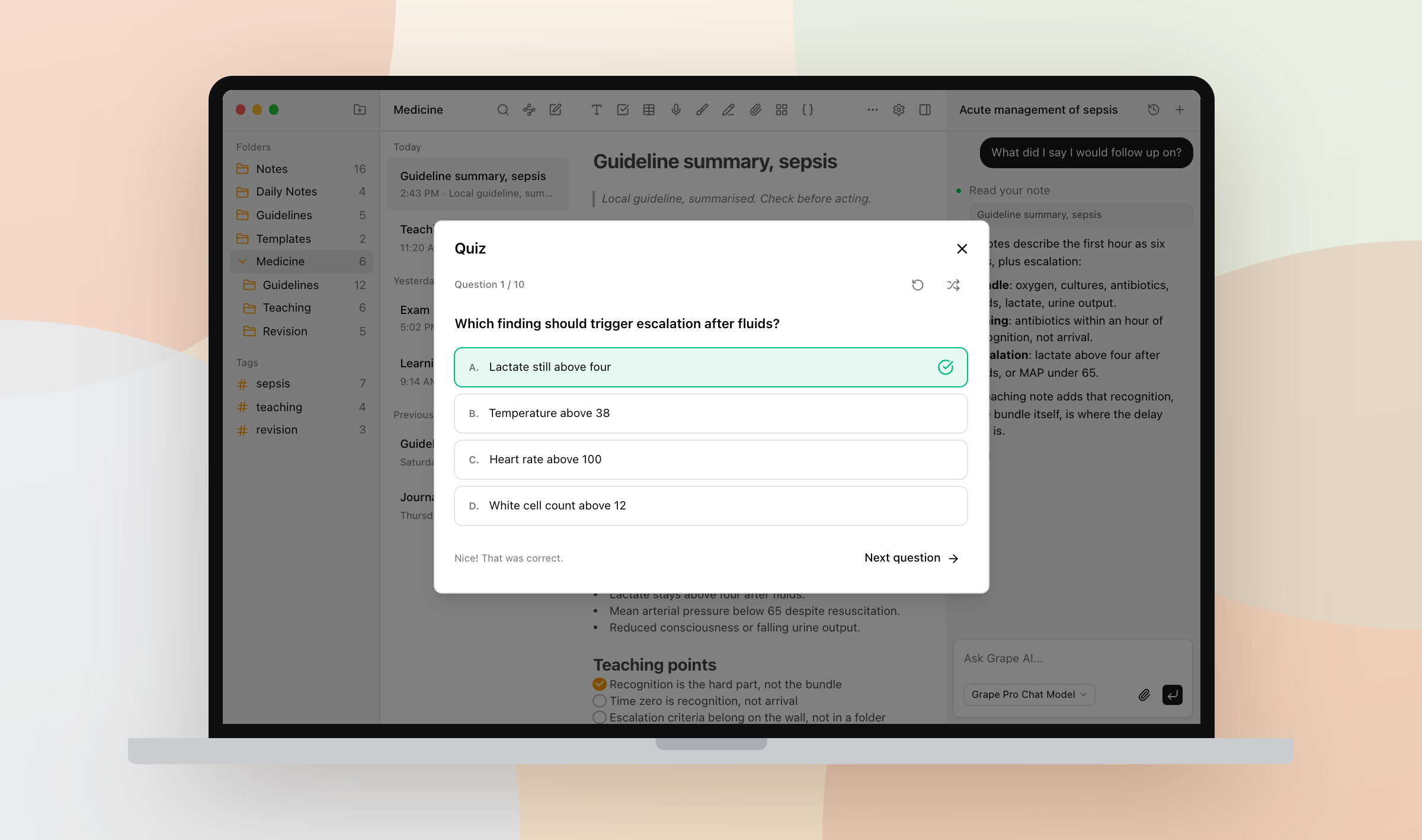
Take the quiz before you reread the note. Whatever you miss is what to go back to.
Grape is available for iPhone, Android, Mac, Windows and Linux at grape.cool/download.