Nobody downloads Google Keep. Your university hands you a Google account in the first week, Keep is already sitting under the Gmail tab, and the lecture starts in forty seconds. The yellow card is where the first line goes. By November you have eighty of them, half untitled, three labelled school, and one that is just the word "tickle??" because that was all you had time to type.
Keep is fast, and it is already there. It opens before the lecturer has finished saying good morning, the colors do a kind of filing, and a photo of the board is searchable later. That part is real. It is a pad of stickies that syncs.
A card is a reminder. A course is a pile you have to put back together. I built Grape for that second job.
A wall of stickies is not a semester
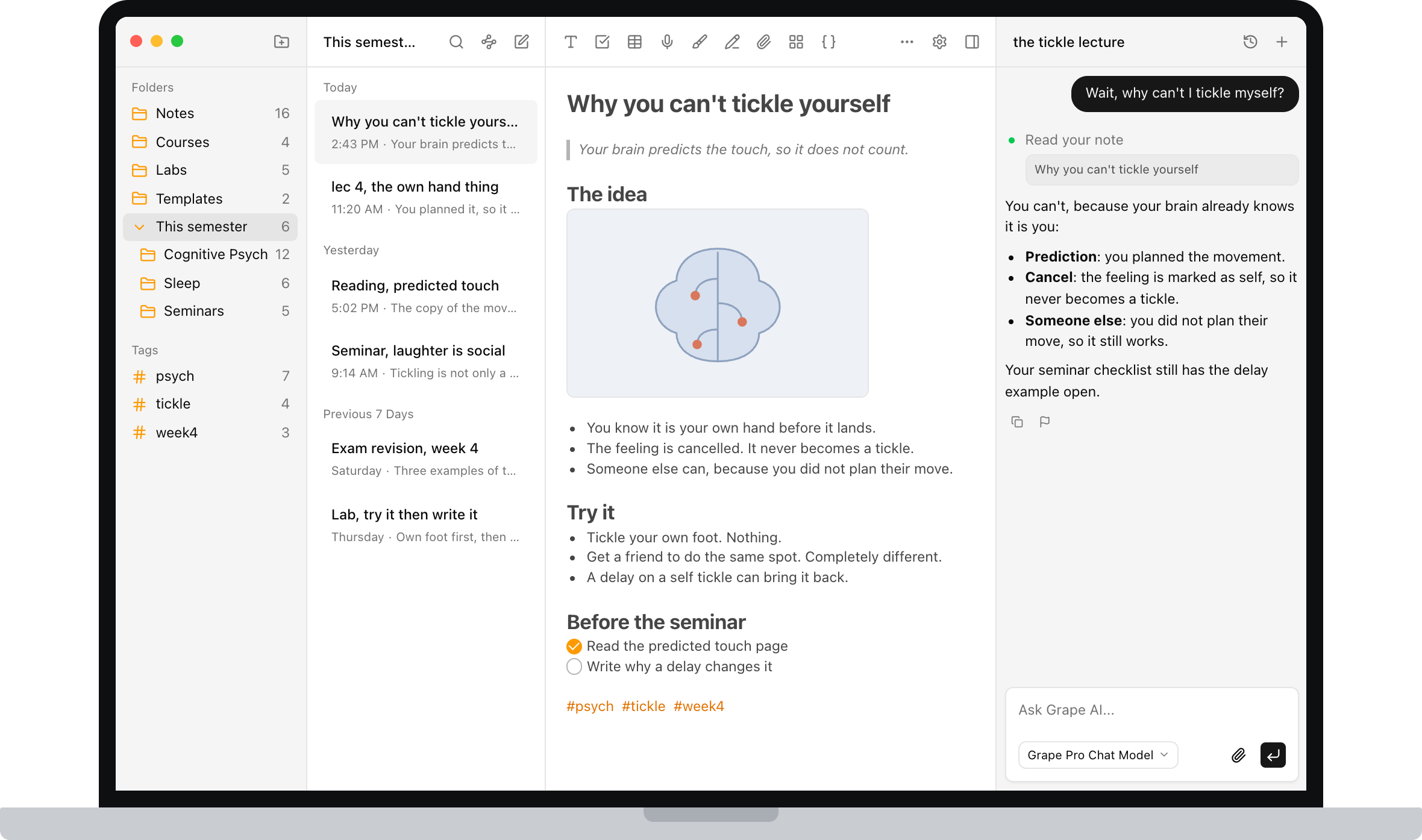
Labels and colors are what Keep gives you. Plenty for shopping lists. It is how you lose week 4 of psych inside week 4 of everything else.
Each note tops out at 20,000 characters. That is a long sticky, not fifty minutes of someone talking. The overflow becomes lec 4b, and now the same hour lives in two places.
Checklists and a photo, yes. A table, a PDF of the slides, a link to last week's note: those are someone else's app. You can pin a grocery list. You cannot pin a page you will still be able to read in April.
Gemini can tidy a ramble on the card you have open, which is new and good. It will not search the rest of the term or tell you what you wrote about the same idea in two courses.
lec 4 will not find itself
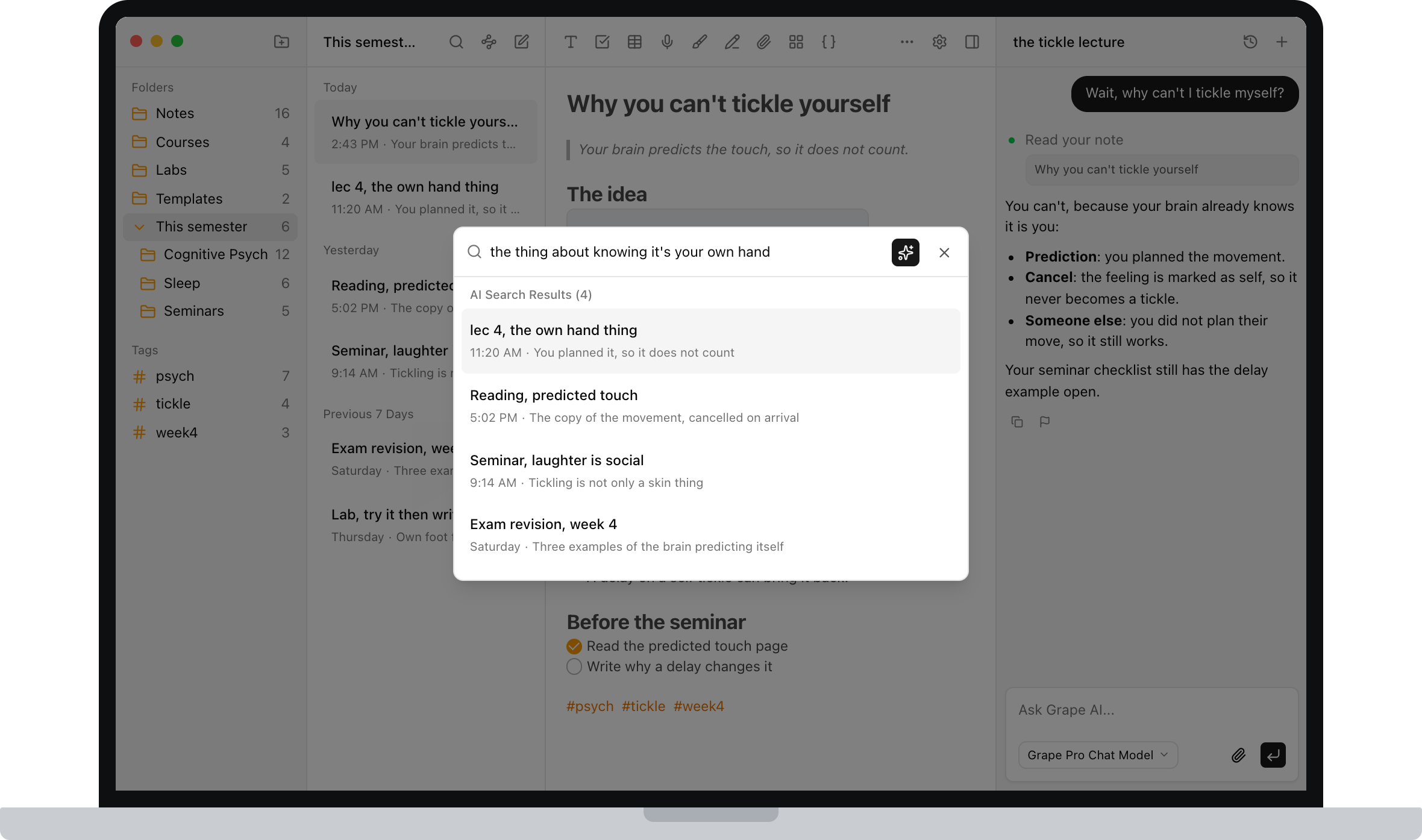
Keep search is fast when you remember the title. At 11pm you remember the idea. "The thing about knowing it's your own hand" will not find the card you titled lec 4.
Every Grape note is indexed as you write it. Search for that sentence and the lecture comes back, even though you never used those words.
The laptop is Chrome
There is an Android app and an iPhone app and then keep.google.com. A library PC is a browser tab. There is no file on the device. If the wifi in the basement gives up, so does the note.
Grape is a real app on iPhone, Android, Mac, Windows and Linux. The notes live on the device first. Sync is on the paid plan if you want the same library on your laptop.
Write a page, then use it
Download it, make a folder for each course, and type. No account to start.
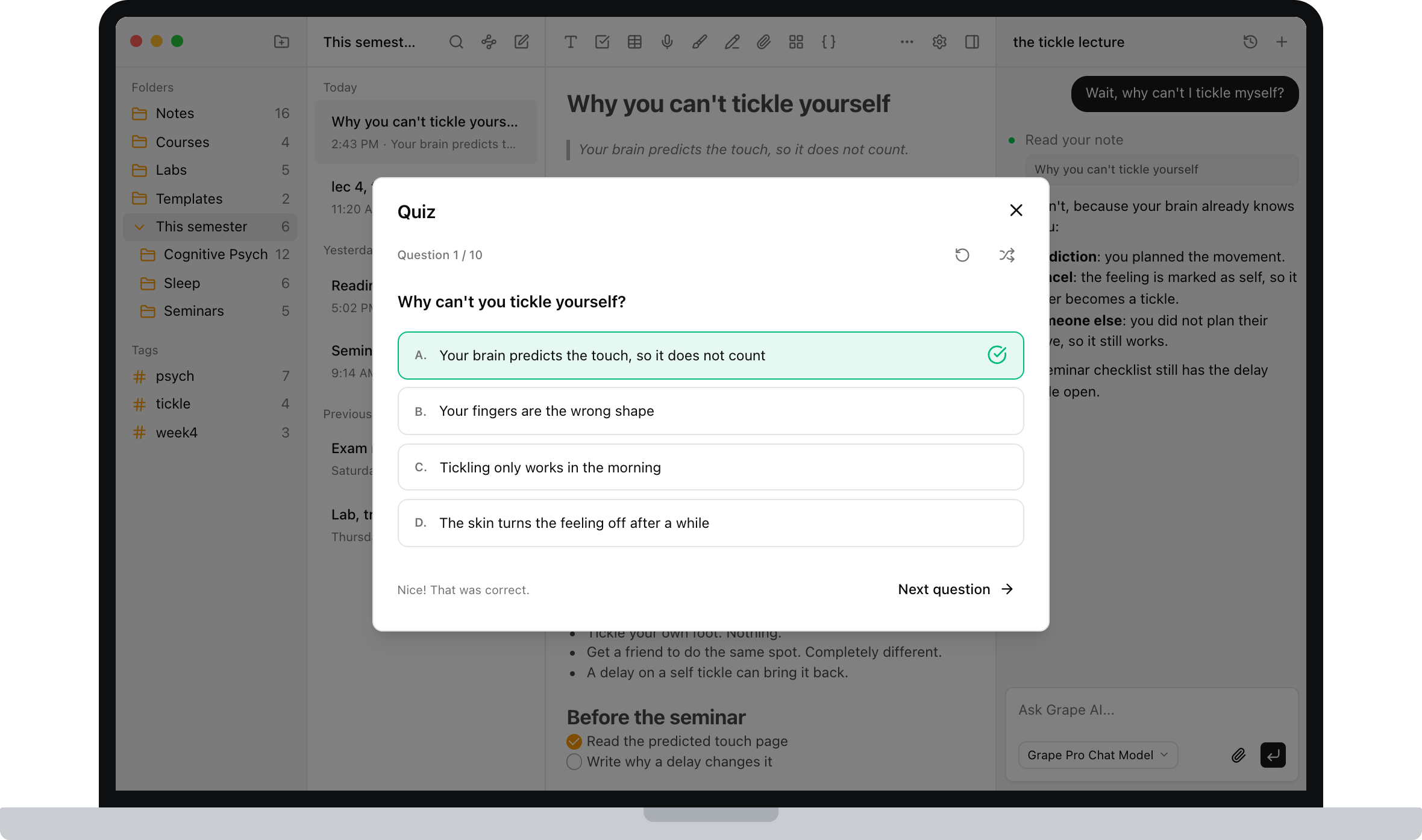
The difference from Keep is what happens after you write. Ask the note why you can't tickle yourself. Open it and make a quiz from the lecture you already have, which is the bit most people skip.
Leave the shopping list in Keep
There is no one click Keep importer. Copy the cards you still reread, or don't. I would not migrate. Old notes are usually revisited, not rewritten. Keep can stay the shopping list. The lectures do not have to.
If you ever want out of Grape, export as Markdown, HTML or PDF.
Keep is free
Grape's free plan is the writing: unlimited notes and folders, the full editor, tags, attachments, voice recording, and a local database you own. No account needed.
Pro is $19 a month for the AI, search, transcription, the study tools, and sync. There is a $29 one time plan if you bring your own API keys.
Grape is on iPhone, Android, Mac, Windows and Linux at grape.cool/download.
If the yellow cards are where the semester went, try one term in a folder per course.